Export Data from Missive Without Downtime or Technical Hassle
Export conversations, contacts, and user data from Missive for analytics, backups, compliance, or workflow optimization. Our zero-code Missive data export solution handles the process end-to-end while you stay fully operational.
No credit card required Fast setup
Interactive Migration Calculator
Adjust sliders to estimate your migration time and cost savings
Estimates based on 60,000+ successful migrations. Actual results may vary.
Check supported connections for your Missive data migration
Accelo
Atera
Atlas
Autotask PSA
BoldDesk
CSV
Chatwoot
ConnectWise
Crisp
Database
Deskpro
DevRev
Dixa
Document360
Dynamics 365
Enchant
FreeScout
Freshdesk
Freshservice
Front
Gladly
Gleap
Gmail
Google Docs
Gorgias
Groove
Halo Service Solutions
HappyFox
HelpCrunch
HelpDesk
HelpDocs
Help Scout
HelpShift
HelpSpot
Helpjuice
HubSpot Service Hub
InstantDocs
Intercom
Ivanti
Jira Service Management
Jitbit HelpDesk
Kayako
Kayako Classic
Kundo
Kustomer
Lansweeper
Live Agent
LiveChat
Manage Engine
Missive
NinjaOne
((OTRS)) Community Edition
Odoo Helpdesk
Oracle Service Cloud (RightNow)
Outlook
Plain
Reamaze
Request Tracker
Richpanel
Salesforce Service Cloud
ServiceDesk Plus
ServiceNow
SherpaDesk
SmarterTrack
SolarWinds Service Desk
SolarWinds Web Help Desk
Spiceworks
Spiceworks Cloud
SuperOps
SupportBee
SupportPal
Syncro
SysAid
TOPdesk
Tawk.to
TeamSupport
TeamworkDesk
Thena
Tidio
Trengo
Unthread
Vivantio
Zammad
Zendesk
Zoho Desk
Zoho Mail
eDesk
eGain
osTicket
Check the name for typos or leave us a message.
No credit card required Fast setup
How to run a Missive data export
Connect Missive and choose a destination
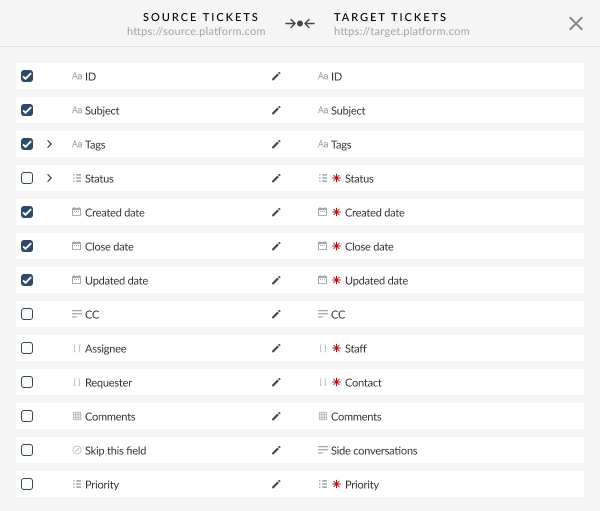
Decide what data to export from Missive
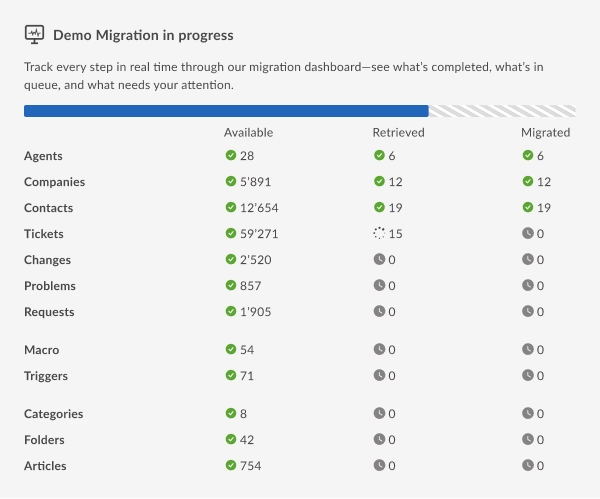
Run a Free Demo
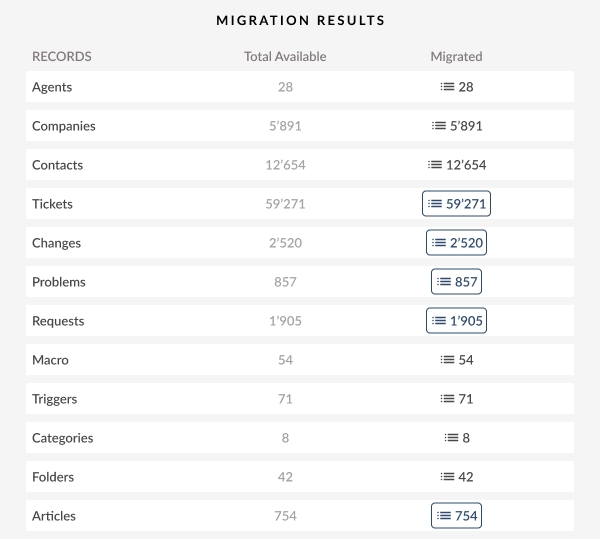
Review the results
Export the full dataset
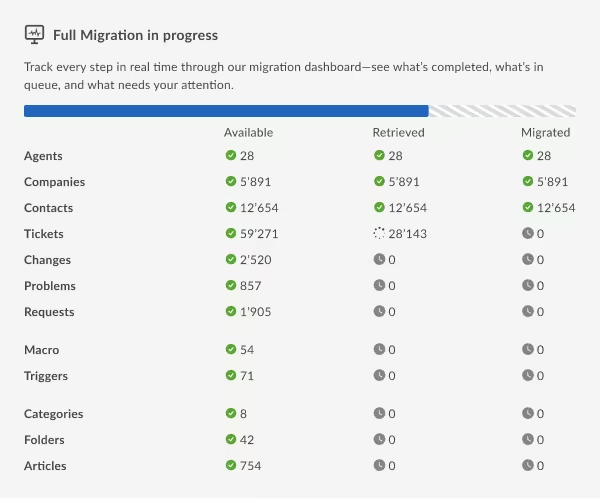
What data can you export from Missive inbox collaboration platform to a destination solution?
HELP DESK
Group Fields:
- Name
Contact Fields:
- Name
- Company
Conversation Fields:
- ID
- Subject
- Tags
- Teams
- Status
- Staff
- Contact
-
- Comment author
- Comment privacy
- Comment publicity
- Comment body
- Comment attachments
- Created date
- Updated date
- Closed date
Special features
Use Interval migration
If exporting all data in one session is inconvenient, Interval migration lets you split the process into scheduled runs. Data is transferred automatically at set intervals, making this option suitable for large shared inboxes or ongoing activity.
Request custom configurations
If you need to filter records, add specific data, or make certain data land differently, Help Desk Migration can support custom Missive export scenarios. Start with a Free Demo to see what’s handled automatically, then contact support if additional adjustments are needed.
Why migrate with Help Desk Migration?
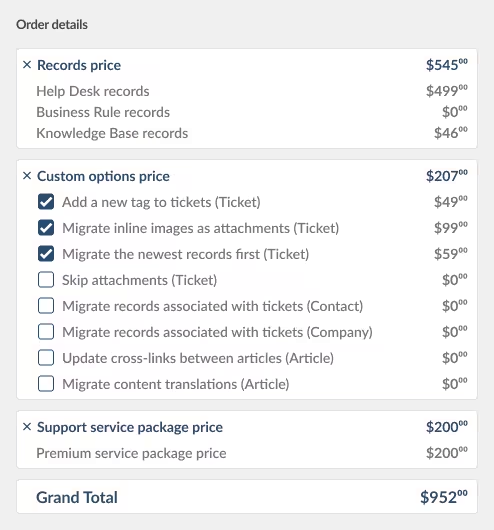
How much does it cost to export data from Missive?
With Help Desk Migration, pricing is transparent. Shown before you start the full process, the final cost of exporting data from Missive depends on:
- The number of records
- Support plan
- Optional features
- Custom adjustments, if any
Run a Free Demo to see how the Migration Wizard works with your Missive data and get an accurate cost estimate before exporting the entire dataset.
No credit card required. Runs in minutes.

Make your Missive data finally work for you
None of your records will go to waste with our zero-code, automated Missive data export tool.