
Here's something nobody wants to hear: the tool you've built your lead gen workflow around is shutting down. And yet, here you are.
Your Drift subscription runs on borrowed time. Sourcing the right Drift alternatives requires much more than just swapping a JavaScript snippet on your homepage, though. You must preserve complex lead routing rules, API endpoints, and years of customer conversation history.
You originally engineered every line of logic in your automated playbooks to do one clear job: turn anonymous website traffic into structured CRM data. Now, caught somewhere between "this will probably be fine" and "I need to handle this immediately," you need a practical blueprint. Good. Let's deal with it.
This guide covers what actually happened to Drift, what to look for when you replace it, and a detailed breakdown of the nine best tools available right now. Not a padded list with logos and star ratings. A real comparison, with pricing, honest trade-offs, and a straight answer on who each tool is actually built for.
Why People Are Looking for Drift Alternatives Right Now
Drift's Sunset: What Happened and When
This story has more plot twists than it deserves.
Salesloft acquired Drift in early 2024. Then in March 2026, Clari and Salesloft, both Vista Equity portfolio companies, announced Drift’s sunset and named 1mind as the exclusive AI successor. That's the press release version.
The real version starts earlier. Founders David Cancel and Elias Torres initially changed how B2B companies interact with web traffic. Their sales teams closed deals live through the product, dropping Zoom links directly in chat and getting buyers on a call in minutes. Revenue climbed from $6M to $47M in two years. Every B2B website you visited had that little blue Drift icon sitting in the corner.
Then came the private equity era. Vista Equity arrived in 2021 with a $1B valuation, and the SMB customers who had built Drift's early growth got quietly left behind. The pricing floor jumped to $30K per year. Labeled, hilariously, as the "Small Business" tier. If you were one of those customers, you already know this part.
The security incident in September 2025 pushed things further. An OAuth breach hit over 700 organizations, including Cloudflare, Palo Alto Networks, and Zscaler. Salesloft took Drift offline to fix the issue. For IT leaders, this blackout crossed the line from temporary inconvenience to "maybe we should look around" into "we're moving."
While leadership still avoids a firm public end date, Salesloft continues to phase out the platform, slashing support and shifting development dollars elsewhere.
Nobody has confirmed a hard end date publicly, but the platform is winding down, support and development are tapering off, and future investment is going elsewhere.
If you're still on Drift, you're planning a migration. You may not have called it that yet. But you are.
What Users Are Actually Trying to Preserve or Replace
Here's the thing most comparison guides get wrong: they treat "replacing Drift" as one problem. It isn't. It's three or four different problems wearing the same coat.
Different teams used Drift for different jobs, which complicates your search for clean Drift chat alternatives. A revenue team running account-based playbooks and a support team routing bug tickets were both "using Drift," but they were using it the way a chef and a woodworker both use knives. Same tool. Completely different job.
Before you look at a single feature list, be honest about which of these describes you.
- Conversational Marketing (Lead Capture): Drift built its reputation here. The playbooks intercepted anonymous website visitors, qualified them using firmographic data, and booked meetings without a human in the loop. If your revenue team depends on that automation to fill the pipeline, you're shopping for a conversational marketing tool, not a support platform. HubSpot Live Chat and Tidio are where you start.
- Customer Support (Live Chat): Answering technical questions, troubleshooting bugs, routing tickets to the right agent: that's a retention workflow, and it lives in a different part of the market entirely. Zendesk, Freshchat, and Intercom handle this job better than Drift ever did.
- Deep Ecosystem Integration: Drift supported over 50 CRM, automation, and analytics tools. It synced data, scheduled meetings, and sat at the center of a lot of carefully assembled workflows. That's exactly why switching feels daunting. Your replacement needs to preserve those same data flows and booking connections, or your CRM ends up with gaps that take months to reconcile.
- Historical Conversation Context: You have years of conversation history you can't afford to lose. Customer interaction logs don't just have sentimental value. They have operational value. Moving platforms without a deliberate migration plan means dropping context your team has spent years building.
Ask yourself one question before opening a single pricing page: Do you need this tool to find new customers, support existing ones, or both? Write down. It cuts your list in half before you've evaluated anything.
What to Look for in a Drift Alternative
Conversational Marketing vs. Customer Support Tools
This distinction is the most important thing in this guide, and most comparison posts skip it entirely.
Drift was a conversational marketing tool. It intercepted website visitors, qualified them as leads, and pushed them toward a conversion before they ever filled out a form. That is a fundamentally different job than customer support, which is about resolving issues for people who are already your customers.
Some of the best alternatives to Drift sit squarely in the support camp: Zendesk, Freshchat, Intercom (increasingly). Others lean toward the marketing: HubSpot Live Chat, Tidio for eCommerce lead gen. Several try to do both. Results vary.
Ask yourself this before you evaluate anything: Do you need this tool to find and qualify new customers, support the ones you already have, or both? The answer narrows your list considerably.
Key Features Checklist
When you're comparing Drift chat alternatives, here's what actually matters:
- You should check if the chatbot builder allows you to create automated conversation flows without writing code and see how complex those flows can get.
- Find out if the routing rules can send conversations to agents based on visitor behavior, company size, page, or CRM data.
- Look into whether the meeting booking includes native calendar integration or if you will need a Calendly bridge.
- Determine if the CRM sync writes contact and conversation data back to your CRM automatically or if it requires a manual export.
- Examine the AI capabilities to see what the AI is actually doing, whether it is summarization, suggested replies, autonomous resolution, or just keyword matching with a fresh coat of paint.
- Assess the helpdesk integration to see if the chat tool connects cleanly if you run a separate ticketing system like Zendesk, Freshdesk, or Intercom.
- Make sure the reporting allows you to track lead conversion rates, response times, and chatbot performance in one place.
Pricing Benchmarks
Drift's legacy pricing ($2,500+ per month for small businesses) set a reference point that made everything else look cheap by comparison. Most Drift chatbot alternatives cost dramatically less. The range runs from completely free (Tawk.to, HubSpot's free tier) to over $100 per agent per month at the enterprise end (Intercom, Zendesk), with most mid-market tools landing between $25 and $95 per agent per month.
The headline number rarely tells the full story, though. Some platforms charge flat subscriptions. Some charge per seat. Some charge per AI resolution. Some mix all three and hand you a bill at the end of the month that looks nothing like the pricing page.
Intercom is the one to watch. It charges $0.99 per resolved conversation on top of your seat fees. At a 50% AI resolution rate across 2,000 monthly conversations, that's $990 in extra fees before your team has handled a single chat.
Quick Technical Comparison of Drift Alternatives
| Tool | Best For | Free Plan | Starting Price | Help Desk Integrations |
| HubSpot Live Chat | Teams already on HubSpot CRM who want chat, lead capture, and contact records in one place, no sync required | Yes, basic chat widget with limited conversation history | $20/seat/mo (billed monthly) | Native connectors for Zendesk, Freshdesk |
| Intercom | Support teams that want AI to handle a meaningful share of tickets autonomously, using your existing knowledge base | No. 14-day trial only | $29/seat/mo (billed annually) (+$0.99/AI-resolved conversation) | Built-in apps for Jira, Zendesk |
| Iidio | Small eCommerce businesses that need live chat and a bot that pulls real order data from Shopify or WooCommerce | Yes, capped at 50 conversations/mo | $24/mo/100 billable conversations | Standard webhooks for Zendesk, Freshdesk |
| Freshchat | Teams that need WhatsApp, Apple Business Chat, and web chat in one inbox, especially if they already use Freshdesk | Yes, up to 10 seats, excludes automations | $19/seat/mo (billed annually) | Native two-way sync with Freshdesk; REST API for Zendesk |
| Crisp | Growing teams that want to avoid per-seat pricing penalties as headcount scales | Yes, 2 seats, basic messaging, history caps | $45 / workspace mo (4 seats included) | Plugin and endpoint connections for Zendesk |
| Tawk.to | Zero budget: live text communication without software licensing overhead | Yes, fully free with no seat limits and no feature caps | Free. Optional white-label removal at $29/mo | Webhooks and JavaScript hooks for Zendesk |
| Zoho SalesIQ | B2B sales teams that track visitor behavior and score leads based on digital activity, especially inside the Zoho ecosystem | Yes, 3 seats with limited data retention logs | $10/seat/mo (billed annually) | Native sync with Zoho Desk; pre-built apps for Zendesk |
| Zendesk | Support teams that need complex ticket routing, SLA enforcement, and chat inside one unified system | No. 14-day trial only | $19/seat/mo (billed annually) | Native. Chat runs inside the Zendesk ticketing engine |
| LiveChat | Teams that rely heavily on human agents and want fast, clean handoffs with live typing previews before a customer finishes their message | No. 14-day trial only | $49/seat/mo (billed annually) | Two-way sync apps for Zendesk and Freshdesk |
| Gorgias | eCommerce support teams that need to process refunds, modify orders, and update shipping directly inside the chat window | No. Timed sandbox trial only | $10/seat/mo for 50 tickets/mo (volume-based pricing above that) | Native ticketing engine; REST API and webhooks for external sync |
| Olark | Teams with strict accessibility requirements that need a WCAG-compliant chat widget their entire user base can actually use | No. 14-day trial only | $29/seat/mo | Automated transcript push to Zendesk and Freshdesk |
| LiveAgent | Affordable ticketing: VoIP and text chat ticketing interfaces | No. 30-day trial only | $15/seat/mo (billed annually) | Native. Ticketing engine runs inside the core platform |
12 Best Drift Alternatives Reviewed
HubSpot Live Chat
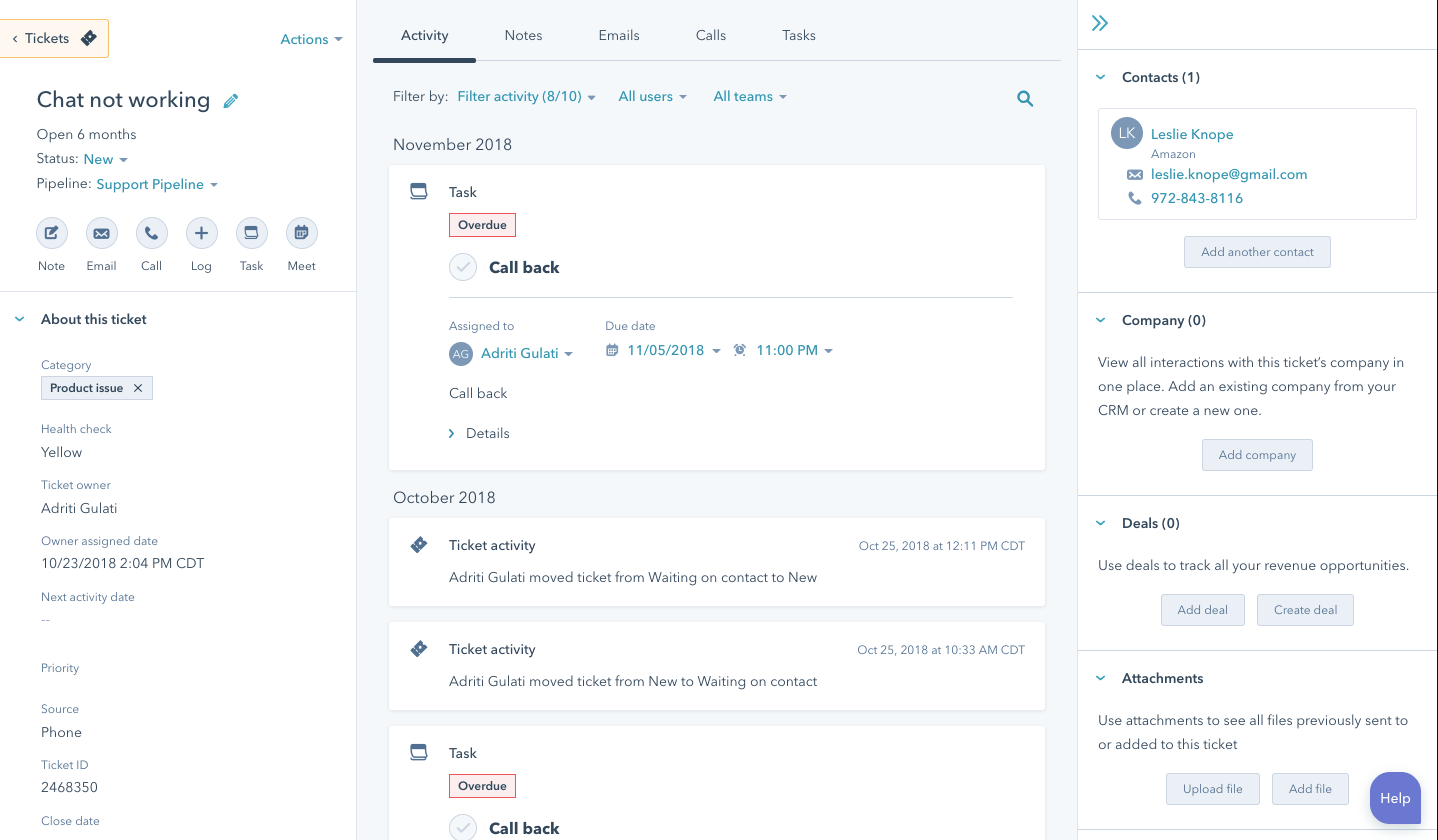
Drift captured leads on your website and pushed them into your CRM. HubSpot skips the push entirely: chat, lead qualification, and contact records live in the same product. Meeting booking works the same way Drift's did. If you used Drift to fill the pipeline and you already run on HubSpot, this is the obvious first stop.
Source: HubSpot
Key Features
- Live chat and CRM as one product. Every chat creates a contact record with the full transcript attached. No configuration, no mapping.
- Visual chatbot builder. Connect boxes, write questions, set routing conditions, and hand off to an agent or calendar booking. No code.
- Meeting booking inside the chat. Visitors pick a time from the rep's live calendar without leaving the chat window.
- CRM-triggered messages. Open a personalized chat automatically when a known contact hits a specific page or behavior threshold.
- Contact timeline. Every chat logs to the contact's activity record regardless of which agent handled it. Sales reps see the full history before a call.
Pricing for HubSpot Service Hub
| Plan | Price | What's included |
| Free | $0 | Live chat, basic chatbot, HubSpot CRM, meeting booking, shared inbox |
| Starter | $20/seat/mo | Ticket pipeline, canned snippets, calling, basic email sequences |
| Professional | $100/seat/mo | Full chatbot logic, A/B testing, bot reporting, knowledge base, SLA tracking |
| Enterprise | $150/seat/mo | Custom objects, advanced permissions, SSO, field-level security |
Watch out for: Behavioral triggers and lead scoring live in Marketing Hub Professional ($800/mo), not Service Hub. If you want the full Drift-comparable setup, that's the actual price floor.
Free trial: 14 days on Professional and Enterprise.
Pros and Cons
| The Good Stuff | The Catch |
| If you're already paying for HubSpot, this costs exactly zero extra dollars. It’s a rare software win where doing the right thing actually trims your tech spend. | Reaching true Drift-level sophistication means upgrading to Service Hub Professional (and likely Marketing Hub, too). Those individual bills multiply fast. |
| The booking flow feels just like Drift. Visitors can schedule meetings directly with the right sales rep via custom routing rules, dropping straight into Google Calendar or Outlook. | If your CRM is Salesforce and your helpdesk is Zendesk, this tool loses its superpower. The value is entirely in the native connection. |
| Before your agents type a single syllable, they can see past purchases, open deals, and old support tickets right in the sidebar. | Complex, multi-branch conversational playbooks with firmographic lead scoring will quickly hit a ceiling on lower-tier plans. |
Best for: HubSpot users who want to avoid tech stack bloat. It gives you chat, lead qualification, and meeting booking natively, no extra tools required.
Intercom
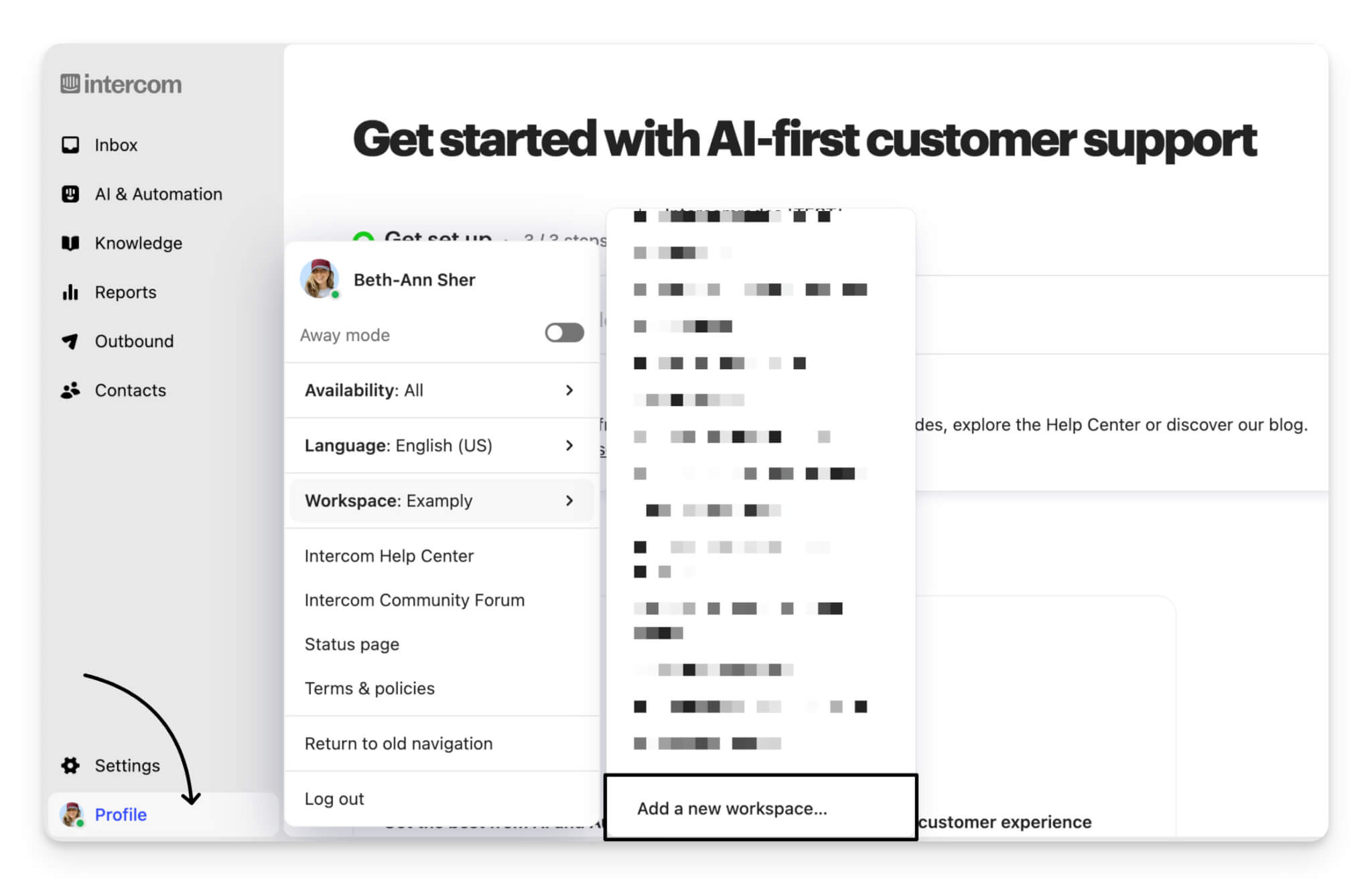
Drift qualified visitors with playbooks and routed them to sales. Intercom does the same, adds an AI agent that handles support conversations autonomously, and connects natively to Salesforce, HubSpot, and Zendesk. This Drift alternative covers more of what Drift did than anything else on this list. It also costs more and takes longer to configure. Both things matter.
Source: Intercom
Key Features
- Fin AI agent. Fin reads your help content and closes multi-step support conversations before they reach your team.
- Behavioral targeting. Rules open a chat automatically based on page, time on site, or firmographic data. The closest equivalent to Drift's playbooks on this list.
- In-app messaging. Reach users inside your product at specific points in their onboarding flow. Most tools here can't do this.
- Collision detection. Shows agents who's already typing in a conversation. Stops conflicting replies before they happen.
- Native CRM and helpdesk integrations. Direct two-way sync with Salesforce, HubSpot, Zendesk, and Stripe. No Zapier, no delays.
Pricing
| Plan | Price | What's included |
| Essential | $29/seat/mo | Shared inbox, Fin AI, basic automation, email and chat channels, HubSpot and Salesforce integrations |
| Advanced | $85/seat/mo | Multiple inboxes, custom workflows, A/B testing, Zendesk integration, CSAT surveys |
| Expert | $132/seat/mo | Workload management, SSO, custom roles, audit log, SLA management |
| Fin AI | +$0.99/resolution | Charged per conversation Fin closes without human involvement, on top of any seat plan |
Watch out for: The Fin fee has no cap by default. At 2,000 conversations/mo with a 50% AI resolution rate, that's an extra $990 on top of your seat costs every month. Negotiate a ceiling before you sign.
Free trial: 14 days.
Pros and Cons
| The Good Stuff | The Catch |
| Their AI agent, Fin, drives measurable results. If your team spends half their day answering the exact same questions, Fin will make a serious dent in that workload within weeks. | Intercom charges on a per-resolution model. When your traffic spikes, your bill spikes right along with it. |
| Behavioral targeting, scheduling, and CRM syncing work together to replicate the best parts of Drift’s lead qualification flow. | Getting Fin properly trained, building triggers, and mapping your CRM takes serious operational effort. Don't expect to launch this in an afternoon. |
| The connections to Salesforce and HubSpot hold up effortlessly under heavy volume, keeping records immaculate without manual data entry. | If all you need is a simple shared inbox and a basic chat widget, Intercom’s cost and complexity are simply overkill. |
Best for: Teams moving off Drift who want to consolidate. It keeps both lead generation and sales follow-up inside a single platform, no tool switching required.
Tidio
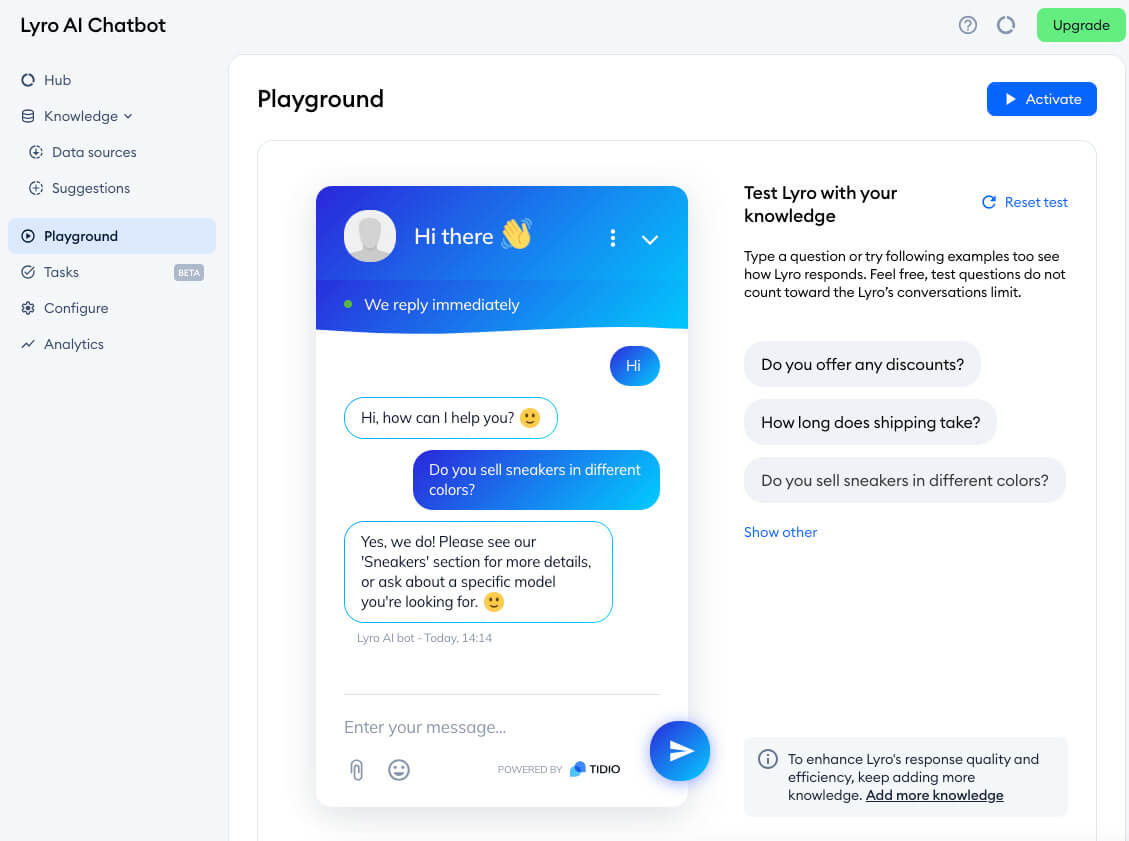
Drift targeted B2B lead qualification. Tidio targets eCommerce support. The difference shows: Lyro, its AI chatbot, pulls live order data from Shopify and WooCommerce to answer transactional questions without a human. For eCommerce teams, it handles the job well at a low price. For B2B teams, this alternative to Drift chat covers lead capture basics but lacks the firmographic routing and CRM depth Drift offered.
Source: Tidio
Key Features
- Lyro AI trains on your support content and store data, then resolves order status, returns, and FAQs without routing to a human.
- Shopify and WooCommerce sync. Pulls live order data, inventory, and purchase history directly into the chat window.
- Unified inbox. Web chat, email, Facebook Messenger, and Instagram DMs land in one place. Conversation history follows the customer across channels.
- Proactive triggers. Fires an automatic message when visitors meet your criteria: time on page, abandoned cart, return visit.
- Zendesk and Freshdesk escalation. Converts conversations into helpdesk tickets automatically with the full transcript attached.
Pricing
| Plan | Price | What's included |
| Free | $0 | 50 conversations/mo, 10 seats, basic live chat, basic chatbot, Shopify and WordPress integrations |
| Starter | $29/mo | 100 conversations/mo, unlimited seats, live chat, basic automation, email integration |
| Growth | $59/mo | 2,000 conversations/mo, advanced automation, analytics, Zendesk and Freshdesk integrations |
| Plus | $749/mo | 5,000 conversations/mo, dedicated success manager, custom integrations |
| Lyro AI | from $39/mo | AI-handled conversations, sold separately and billed by volume |
Watch out for: The conversation cap applies to all conversations, not just bot-handled ones. Hit the limit, and the chat widget stops accepting new chats until the next billing cycle.
Free trial: 7 days on paid features.
Pros and Cons
| The Good Stuff | The Catch |
| Tidio offers a highly capable free tier and affordable paid plans. You only add the AI layer when your business is actually ready for it. | If you rely on advanced firmographic routing, account-based targeting, or deep CRM enrichment at the bot level, you’ll find gaps here. |
| Nothing handles Shopify and WooCommerce better. The bot pulls live store data to handle "Where is my order?" tickets instantly. | Their AI chatbot, Lyro, looks cheap at low volumes, but costs can accumulate quickly once you hit thousands of monthly conversations. |
| Most teams go live within 24 hours. It’s a simple plug-and-play setup with an intuitive, visual chatbot builder. | Excellent for tracking response times and agent performance, but lacks the deep revenue attribution and funnel analysis of premium tools. |
Best for: Shopify/WooCommerce stores or budget-conscious B2B teams leaving Drift. It delivers real automation without the enterprise price tag.
Freshchat
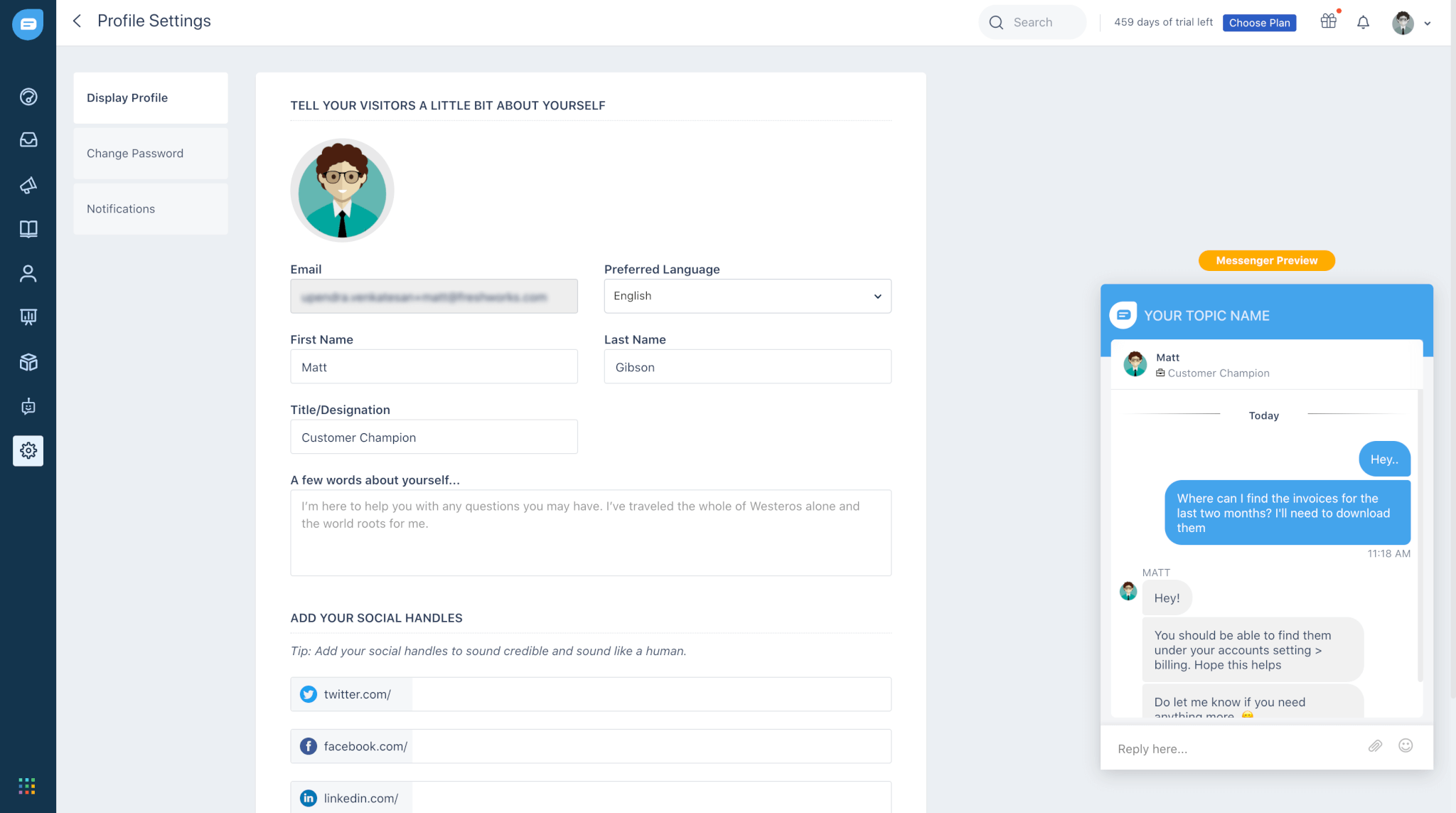
Drift sat on top of your helpdesk. Freshchat sits inside it, provided that helpdesk is Freshdesk. Chats become tickets automatically, contact records stay current without a sync job, and agents see full customer history before they respond. If your support team already runs on Freshdesk, Freshchat is the most logical Drift customer service software alternative on this list. Outside of it, Freshchat is a capable but unremarkable chat tool.
Source: Freshchat
Key Features
- Freddy AI takes over incoming conversations using your knowledge base and suggests replies to human agents in real time from the same inbox.
- Omnichannel inbox. Web chat, mobile, WhatsApp Business, and Facebook Messenger all land in one shared view. History follows customers across channels.
- Native Freshdesk sync. One click turns a chat into a Freshdesk ticket. Changes in either product reflect in both immediately.
- Routing rules. Sends conversations to the right team based on topic, language, or time of day. Agents transfer chats without the customer noticing.
- Full contact history. Every interaction across every channel shows up on the contact profile before the agent types anything.
Pricing
| Plan | Price | What's included |
| Free | $0 | 10 seats, web live chat, mobile app, canned responses, basic analytics |
| Growth | $23/agent/mo | Freddy AI replies, WhatsApp Business, Messenger, email channel, assignment rules |
| Pro | $59/agent/mo | Advanced AI bots, custom roles, multilingual support, deeper analytics |
| Enterprise | $95/agent/mo | SLA management, sandbox, audit log, dedicated account manager |
Watch out for: WhatsApp Business adds Meta's per-conversation fees on top of Freshchat's pricing. Rates vary by country and conversation type. At meaningful volume, this adds up fast.
Free trial: 21 days on paid plans.
Pros and Cons
| The Good Stuff | The Catch |
| Two-way sync means chats become tickets instantly, context is never dropped, and your customer support agents don't have to repeat themselves. | The user interface layout, reporting dashboards, and bot builder work perfectly fine, but they look and feel a step behind category leaders like Intercom. |
| Two-way sync means chats become tickets instantly, context is never dropped, and your customer support agents don't have to repeat themselves. | For straightforward, predictable FAQs, Freddy does great. For nuanced, multi-turn human conversations, it can stumble. |
| Freshchat offers a free tier for up to 10 agents. It’s an excellent option for small operations looking to scale naturally. | If you are using Salesforce or Zendesk, the core selling point vanishes. You’ll spend too much time managing Zapier bridges. |
Best for: Freshdesk or Freshsales users. It adds live chat to your existing stack so you don't have to onboard and manage another vendor.
Crisp
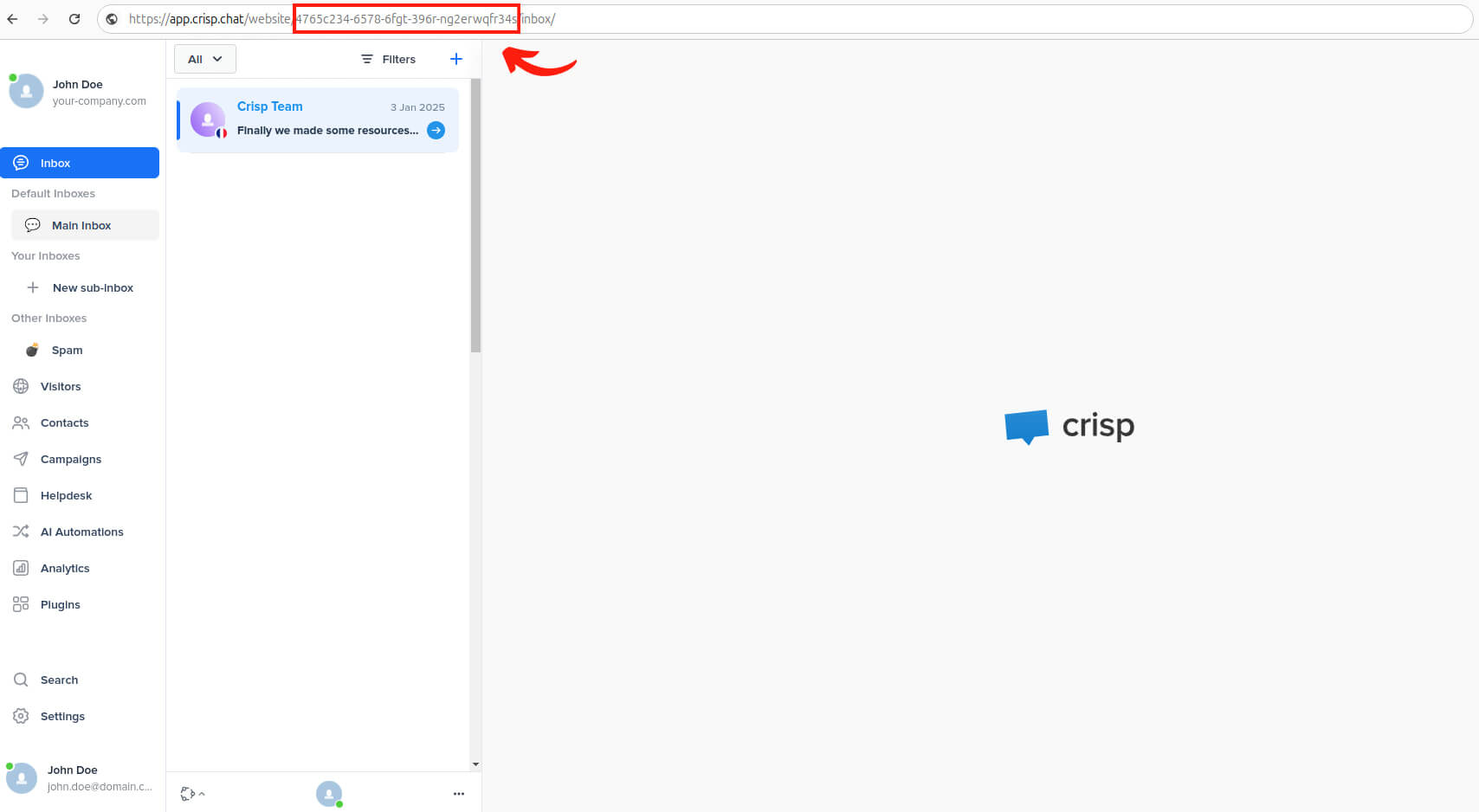
Drift charged per seat at enterprise prices. Crisp charges per workspace and bundles a multichannel inbox, chatbot builder, knowledge base, and EU-hosted infrastructure into one flat rate. It doesn't match Drift's firmographic routing or meeting booking depth, but for teams that used Drift mainly to manage inbound conversations and qualify leads, Crisp covers the core workflow for considerably less. Crisp is among the best Drift alternatives for teams watching their budget.
Source: Crisp
Key Features
- Ten-plus channel inbox. Web chat, email, WhatsApp, Instagram, Messenger, and SMS land in one shared view. Agents collaborate, leave notes, and hand off without the customer noticing.
- Visual chatbot builder. Build conditional conversation flows on a drag-and-drop canvas, branching on visitor behavior, CRM data, or earlier answers.
- Native knowledge base. The chatbot searches your help content and surfaces relevant articles before routing to an agent. No separate integration needed.
- Contact profiles. Every contact gets a record with full conversation history, behavioral data, and custom attributes.
- EU hosting by default. Crisp runs on European infrastructure at every tier. No enterprise agreement needed to satisfy data residency requirements.
Pricing
| Plan | Price | Seats | What's included |
| Free | $0 | 2 | Basic live chat, contact inbox, visitor list, mobile app |
| Mini | €45/workspace/mo | Up to 10 | Unlimited conversations, email channel, Slack and HubSpot integrations, canned responses |
| Essentials | €95/workspace/mo | Up to 10 | Chatbot builder, campaign messaging, Zendesk integration, analytics, knowledge base |
| Plus | €295/workspace/mo | Unlimited | Unlimited AI chatbot usage, white-label widget, native CRM features, custom roles |
Watch out for: Pricing is per workspace, not per seat, which is what makes Crisp good value for growing teams. But each brand or website needs its own workspace. Multiple properties multiply the cost fast.
Free trial: 14 days on Essentials and Plus.
Pros and Cons
| The Good Stuff | The Catch |
| Crisp charges a flat rate per workspace, not per seat or per AI resolution. Ten support agents cost the same as three. | There is a wide jump between their mid-tier and top-tier plans ($95 to $295 per month) with no middle ground for growing teams. |
| A multichannel inbox, a visual chatbot builder, a knowledge base, and a mini-CRM are all included in their standard flat-rate pricing. | Connecting Crisp to heavy-duty CRMs like Salesforce usually requires a custom API build or a stack of Zapier tasks. |
| European data residency is included right out of the box without the usual enterprise contract negotiations. | It covers standard metrics like conversation volume and response times well, but won’t tie chat interactions directly to revenue or marketing funnels. |
Best for: Teams that want a complete conversational platform with predictable, flat-rate pricing. You get everything you need to connect with customers, without the enterprise-level headaches.
Tawk.to
Tawk.to won't replicate Drift's playbooks, AI resolution, or CRM enrichment. What it does is put a working live chat widget on your site at zero cost, with no agent limits and no conversation caps. For teams looking at alternatives to Drift chat who need to keep handling customer conversations while they evaluate long-term options, it solves that problem without adding a new software bill.
Key Features
- No caps, no limits. Unlimited agents, unlimited conversations, free indefinitely. You pay only to remove branding or add staffed agents.
- Core live chat features. Canned responses, file sharing, and chat transfers all come with the free product.
- Real-time visitor dashboard. See every active visitor's location, current page, and time on site. Open a proactive chat from the dashboard directly.
- Mobile apps. Agents respond from iOS or Android with push notifications for new conversations.
- Branding removal. Pay $29 per month to remove the "Powered by tawk.to" label from the widget.
Pricing
| Plan | Price | What's included |
| Free | $0 forever | Unlimited seats, conversations, and websites. Live chat, visitor monitoring, canned responses, file sharing, chat transfers, ticketing, iOS and Android apps, 45+ languages |
| Remove branding | $19/mo (annual) / $29/mo (monthly) | Removes "Powered by tawk.to" from the widget, ticketing emails, chat pages, and Knowledge Base. Includes white-labeled URLs for direct chat links and the Knowledge Base, a white-labeled email footer, and the option to add your own custom link to the widget footer. |
| Video + Voice + Screensharing | $29/mo (per property) | Enables real-time voice and video calls directly from the chat widget, hosted chat page, or direct chat link. Also includes full screen-sharing capabilities for interactive troubleshooting and 24/7 live support. |
| Hired agents | from $1/hour | Tawk.to staffs your live chat on your behalf with professionally trained, native-speaking chat agents. Covers all time zones with 24/7 support, including full onboarding and agent training. |
| Virtual assistants | $7/hour | A monthly service with no long-term contracts providing full talent acquisition, candidate prescreening, and matching. Assistants receive a dedicated email and virtual phone number, group/direct messaging access, onboarding, VA liaison services, daily end-of-day reports, and 24/7 live support. |
Watch out for: Free product support runs through community forums only. If you hit a technical issue, you're on your own unless you're paying for branding removal.
Pros and Cons
| The Good Stuff | The Catch |
| Unlimited agents and unlimited conversations for zero dollars. It’s one of the most unique and enduring offers in the SaaS world. | You can set up basic triggered greetings, but advanced conditional branching, smart routing, and AI features do not live here. |
| This isn't a stripped-down demo. It includes real-time visitor tracking, mobile apps, canned shortcuts, and built-in file sharing. | Keeping external CRMs or helpdesks updated means building and maintaining your own automation bridges. |
| It’s the fastest option on the market to get a basic chat widget running on your site while you map out long-term plans. | There is no AI layer here. If your strategy relies on automated volume resolution, Tawk.to cannot do it. |
Best for: Budget-conscious teams who need a live chat widget up and running immediately, with a focus on human-to-human support rather than complex automation.
Zoho SalesIQ
Drift identified high-intent visitors and started conversations at the right moment. SalesIQ does the same and routes that data directly into Zoho CRM without middleware. Every qualifying conversation becomes a lead record automatically. Among Drift alternatives for lead generation chatbots, SalesIQ fills a well-defined niche. If your CRM is Zoho, this is the most direct replacement for Drift's lead intelligence features. If it isn't, most of the value disappears.
Key Features
- Visitor engagement scoring. Tracks and scores every visitor based on pages visited, time spent, and behavior. Rules open a chat with high-scoring visitors automatically.
- Zobot chatbot builder. Ask visitors questions, route them based on answers, push details to Zoho CRM as a new lead, and hand off to a human when needed. No code required.
- Native Zoho CRM and Zoho Desk sync. Qualifying conversations create or update CRM records in real time. Escalated chats go to Zoho Desk with the full transcript.
- Mobilisten SDK. Adds live chat to your iOS or Android app. Website and app conversations land in the same inbox.
- Automatic language detection. Serves the chat widget in the visitor's browser language across 30+ languages. No manual setup.
Pricing
| Plan | Price | Operators | Visitor tracking | Chatbots | What's included |
| Free | $0 | 3 | 10K/mo | None | Live chat, basic visitor tracking, Zoho CRM integration |
| Basic | $10/operator/mo | 10 | 50K/mo | 1 Zobot | Email and social channels, canned replies, Zoho Desk integration |
| Professional | $17/operator/mo | 25 | 100K/mo | 5 Zobots | Mobilisten SDK, advanced visitor scoring, custom reports |
| Enterprise | $25/operator/mo | Unlimited | 200K/mo | Unlimited | Custom bot responses, advanced routing, white-label option |
Watch out for: Visitor tracking limits reset monthly. A campaign or product launch can burn through the limit mid-period, cutting off tracking until the next billing cycle.
Free trial: 15 days on all paid plans.
Pros and Cons
| The Good Stuff | The Catch |
| It often comes bundled with existing Zoho subscriptions. Bidirectional sync turns qualifying chats into clean CRM leads instantly. | Take away the Zoho CRM connection, and SalesIQ becomes a standard, unvarnished chat widget that requires manual integration work. |
| Paid tiers start at just $10 per operator per month, making it exceptionally friendly for small sales teams. | Zoho prioritizes features over visual polish. The inbox and bot builder are powerful but look far less modern than premium rivals. |
| Real-time visitor scoring shows you exactly who is on your site and what pages they are viewing, giving sales reps a green light for proactive outreach. | Their "Zobot" handles standard qualification flows beautifully, but lacks the autonomous, human-like reasoning of high-end AI support agents. |
Best for: Zoho CRM or Zoho Desk users. Keep your chat, lead qualification, and ticketing connected naturally, so everything just works without any integration headaches.
Zendesk
Drift was a conversational marketing tool. Zendesk is a customer support platform. They serve different jobs. For teams that used Drift mainly to handle support volume and route tickets, Zendesk does that job more completely: chat runs inside the ticketing system, SLA management is built in, and the reporting goes deep. If lead generation drove your Drift use case, look elsewhere on this list.
Source: Zendesk
Key Features
- Chat and ticketing in one system. A chat becomes a ticket with one click. The full transcript attaches and the ticket follows your normal workflow: assignment rules, SLA timers, escalation paths.
- AI ticket deflection. Surfaces relevant help center articles before a chat opens and pulls suggested replies from similar past tickets for agents.
- SLA management. Set response time targets by priority or customer tier. Zendesk flags conversations that risk a breach before it happens.
- Custom reporting and BI export. Agent performance, resolution times, CSAT, and channel breakdown all report, schedule, and export to external BI tools.
- 1,200+ native integrations. The deepest integration library on this list. If you have a complex stack, Zendesk almost certainly connects to everything in it.
Pricing
| Plan | Price | What's included |
| Suite Team | $25/agent/mo | Ticketing, live chat, email, social messaging, help center, basic AI, 1,000+ integrations |
| Suite Growth | $69/agent/mo | Multiple brand help centers, customer portal, AI-powered answers, advanced routing, basic SLA |
| Suite Professional | $115/agent/mo | Full SLA management, breach alerts, CSAT surveys, custom report builder, skills-based routing |
| Suite Enterprise | $169/agent/mo | Sandbox, custom agent roles, dynamic ticket forms, advanced AI, Sunshine Conversations |
Watch out for: Advanced AI features (Intelligent Triage, Intent Detection, Macro Suggestions) cost an extra ~$50/agent/mo on top of Suite pricing. On Professional with AI, that's $165/agent/mo.
Free trial: 14 days on all Suite plans.
Pros and Cons
| The Good Stuff | The Catch |
| Zendesk unifies ticketing, chat, email, phone, SLA tracking, and global reporting into one impenetrable support infrastructure. | Zendesk is built for support, not lead generation. It will not replace Drift’s target-account playbooks or pipeline-building features. |
| Because chat and tickets live in the exact same database, context is never lost when a quick live chat escalates into a support ticket. | Setting up enterprise routing rules and custom analytics dashboards takes weeks. Small teams will find this platform incredibly heavy. |
| With over 1,200 native integrations, the question "Does it connect to our tech stack?" is almost always an easy yes. | Per-seat pricing adds up quickly. While enterprise budgets handle it easily, mid-market companies will feel the pinch. |
Best for: Support operations scaling up. It builds live chat directly into a proper ticketing system, consolidating your stack and streamlining your entire customer support workflow.
LiveChat
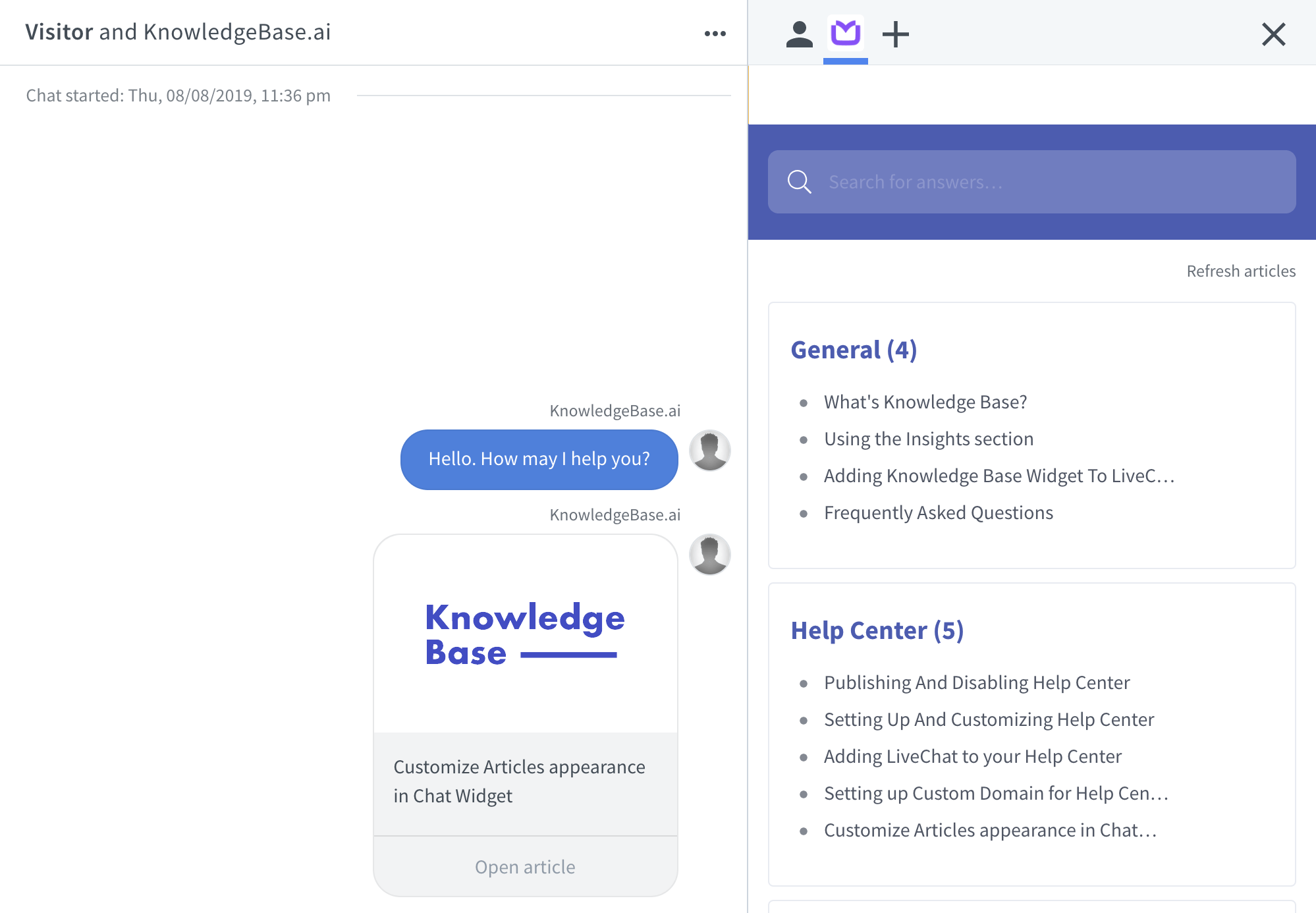
Drift accumulated complexity over time. LiveChat didn't. It's a fast, clean live chat tool that connects natively to Zendesk, Freshdesk, HubSpot, and Salesforce. This Drift chat alternative takes under an hour to set up. It doesn't replace Drift's playbook logic or AI features. It replaces the part of Drift your agents used every day: a reliable inbox for handling customer conversations.
Source: LiveChat
Key Features
- Clean agent inbox. Agents see incoming chats, their queue, and a searchable conversation archive. Loads fast, works consistently, needs no onboarding.
- Canned responses and pre-chat surveys. Agents insert saved replies with a keyboard shortcut. A pre-chat form collects visitor name, email, and question type before the chat opens.
- 200+ native integrations. Zendesk, Freshdesk, HubSpot, and Salesforce connect natively. No Zapier bridges for the major tools.
- Proactive chat triggers. Opens a chat automatically based on page visits, return visits from known contacts, or specific traffic sources.
- AI-assisted replies. Suggests responses based on the customer's message and past conversation history. Agents accept, edit, or ignore.
Pricing
| Plan | Price | History | Visitors tracked | What's included |
| Starter | $19/agent/mo | 60 days | Up to 100 | Live chat, canned responses, pre-chat surveys, file sharing, basic reports, 200+ integrations |
| Team | $49/agent/mo | Unlimited | Unlimited | Full visitor tracking, agent groups, work scheduler, staffing prediction, advanced reports |
| Business | $59/agent/mo | Unlimited | Unlimited | Advanced reporting, data export, permissions management |
| Enterprise | Custom | Unlimited | Unlimited | SSO, dedicated account manager, HIPAA compliance, 99.9% uptime SLA |
Watch out for: ChatBot is a separate product with separate pricing, starting at ~$52/mo. If you want automated qualification flows, you're buying two subscriptions. Factor that in before comparing LiveChat against tools with a chatbot builder included.
Free trial: 14 days.
Pros and Cons
| The Good Stuff | The Catch |
| No multi-week onboarding or complex configuration required. It’s the fastest way to transition off Drift without a headache. | The clean, lightning-fast UI cuts through feature creep, meaning your team will actually enjoy using it. |
Best for: Teams that need a straightforward, reliable chat widget. It offers a clean interface and a stable connection to your existing CRM or helpdesk, with zero setup bloat.
Gorgias
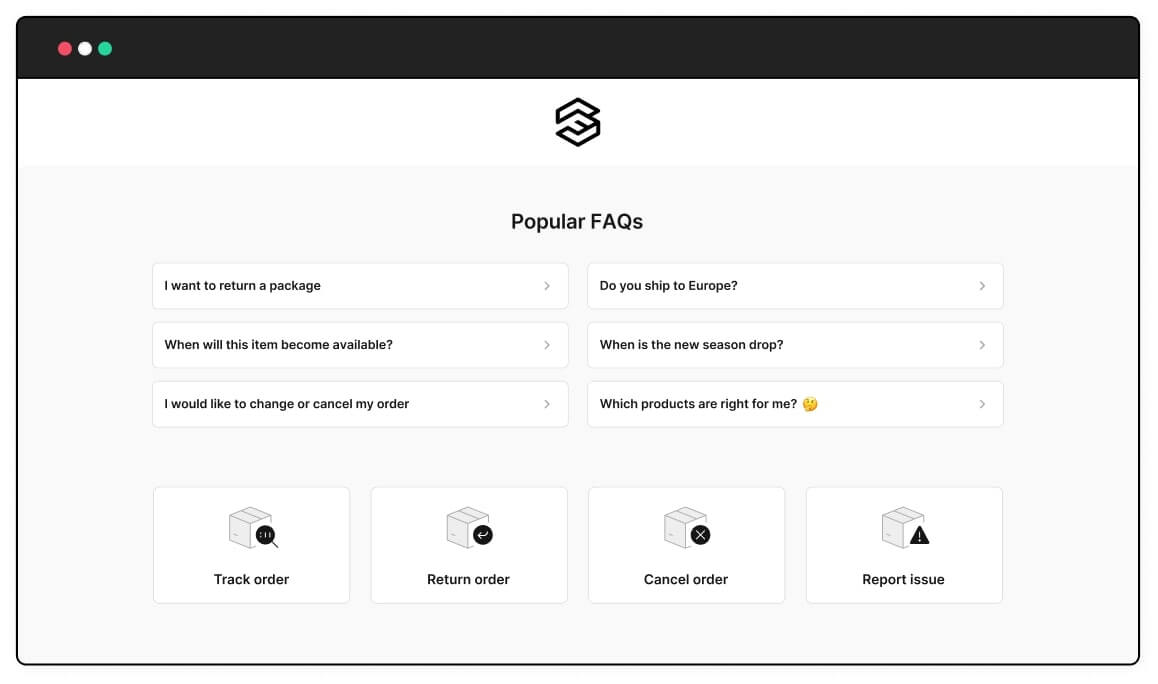
Drift started conversations with website visitors. Gorgias resolves them, specifically for eCommerce teams where resolving a conversation means processing a refund or updating a shipping address without switching tabs. It connects natively to Shopify, Magento, and BigCommerce and pulls live order data into every conversation. Not a lead generation tool. A post-purchase support tool for transactional eCommerce operations.
Source: Gorgias
Key Features
- Order management inside the conversation. Agents process refunds, apply discounts, update shipping addresses, and cancel orders without leaving the chat interface.
- Unified inbox. Website chat, email, Facebook, Instagram, and SMS land in one shared inbox with full channel history on each contact record.
- Revenue reporting. Tracks which conversations lead to purchases and attributes revenue directly to support interactions.
- Intent detection and auto-tagging. Identifies incoming message intent (refund, shipping, product inquiry) and routes conversations to the right queue automatically.
- Native eCommerce integrations. Connects to Shopify, Magento, BigCommerce, and WooCommerce, pulling live order data and customer history into every conversation.
Pricing
| Plan | Price | What's included |
| Starter | $10/mo | 50 tickets/mo, 3 seats, live chat, email, social channels, Shopify integration |
| Basic | $50/mo | 300 tickets/mo, unlimited seats, all channels, automation rules, revenue statistics |
| Pro | $300/mo | 2,000 tickets/mo, advanced automation, custom views, CSAT surveys |
| Advanced | $750/mo | 5,000 tickets/mo, dedicated support, advanced reporting, custom integrations |
| Enterprise | Custom | Custom volume, dedicated account manager, custom SLAs |
Watch out for: Gorgias prices by ticket volume, not by seat. Overage charges apply once you exceed your monthly limit. Budget based on your peak months (Black Friday, seasonal sales), not your average.
Free trial: Timed sandbox trial available.
Pros and Cons
| The Good Stuff | The Catch |
| Agents can issue refunds or edit shipping addresses inside the conversation sidebar. No more copying and pasting between tabs. | Gorgias charges based on ticket volume. If your traffic spikes over the holidays, your bill will spike along with it. |
| Gorgias tracks exactly which chat conversations led to a purchase, proving the financial ROI of your support team. | It does not do B2B lead generation, firmographic routing, or meeting booking. It is a transactional retail tool, pure and simple. |
| It pulls detailed order histories, customer lifetime values, and delivery statuses directly into the workspace. | If you aren't selling physical products online, the specific features that make Gorgias worth its premium price tag won't apply to you. |
Best for: eCommerce operations with high volumes of refunds and order tracking. It brings your transactional data right into your chat, so you can stop hopping between tabs to help your customers.
Olark
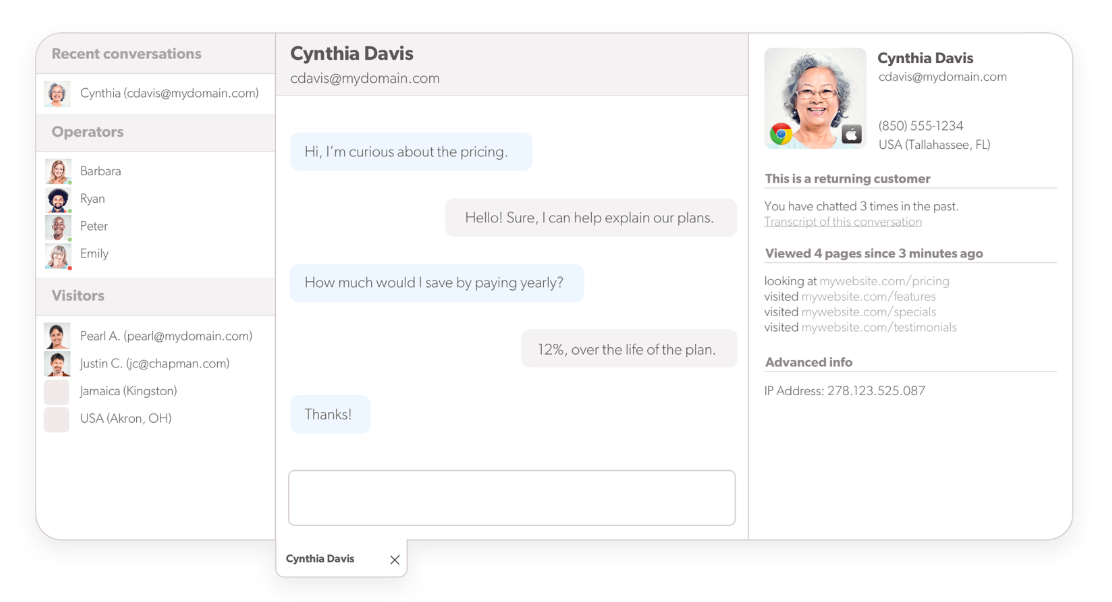
Drift didn't prioritize accessibility. Olark did. Its chat widget meets WCAG 2.1 standards, supporting screen readers, keyboard navigation, and assistive technologies out of the box. For organizations in healthcare, education, or government where accessibility compliance sits in the procurement checklist, Olark addresses something most tools on this list ignore. Outside that context, it's a basic live chat tool at a price that's difficult to justify.
Source: Olark
Key Features
- WCAG 2.1 compliant widget. Supports screen readers, full keyboard navigation, and assistive technologies out of the box. Meets Section 508 requirements for US federal accessibility standards.
- Customizable widget appearance. Adjust colors, fonts, and positioning to match your brand without touching code.
- Automated chat rules. Opens a chat automatically based on visitor behavior, page, time on site, or geography.
- Real-time visitor monitoring. Shows active visitors, their location, and current page. Agents open proactive chats directly from the dashboard.
- Automatic transcript export. Pushes every conversation to Zendesk or Freshdesk automatically. No manual steps.
Pricing
| Plan | Price | What's included |
| Olark | ~$29/seat/mo | Live chat, WCAG-compliant widget, automated messages, visitor monitoring, reporting, transcript archive, Zendesk and Freshdesk integrations |
| PowerUps | Varies | Co-browsing, visitor insights, non-branded chat, and translated chat available as individual add-ons |
Watch out for: Co-browsing, visitor insights, and white-label branding all cost extra on top of the base seat fee. The tool looks simple until you add the features a real support team actually needs.
Free trial: 14 days.
Pros and Cons
| The Good Stuff | The Catch |
| WCAG compliance isn't a checkbox Olark added for sales presentations. It is the gold standard for government, education, and non-profit sites. | Olark completely skips out on AI agents, visual bot builders, or marketing playbooks. It is a tool for live human chat, nothing more. |
| There's no learning curve, and agents can comfortably use it from day one. | At $29 per seat per month for basic text chat, it is hard to justify unless accessibility compliance is your top priority. |
| It pushes complete conversation histories to help desks like Zendesk and Freshdesk reliably and cleanly. | Features like visitor behavior insights, co-browsing, and white-labeling require extra monthly fees on top of your base subscription. |
Best for: Teams with strict WCAG compliance mandates. It delivers a highly accessible chat widget that clears procurement hurdles and actually works for your entire user base out of the box.
LiveAgent
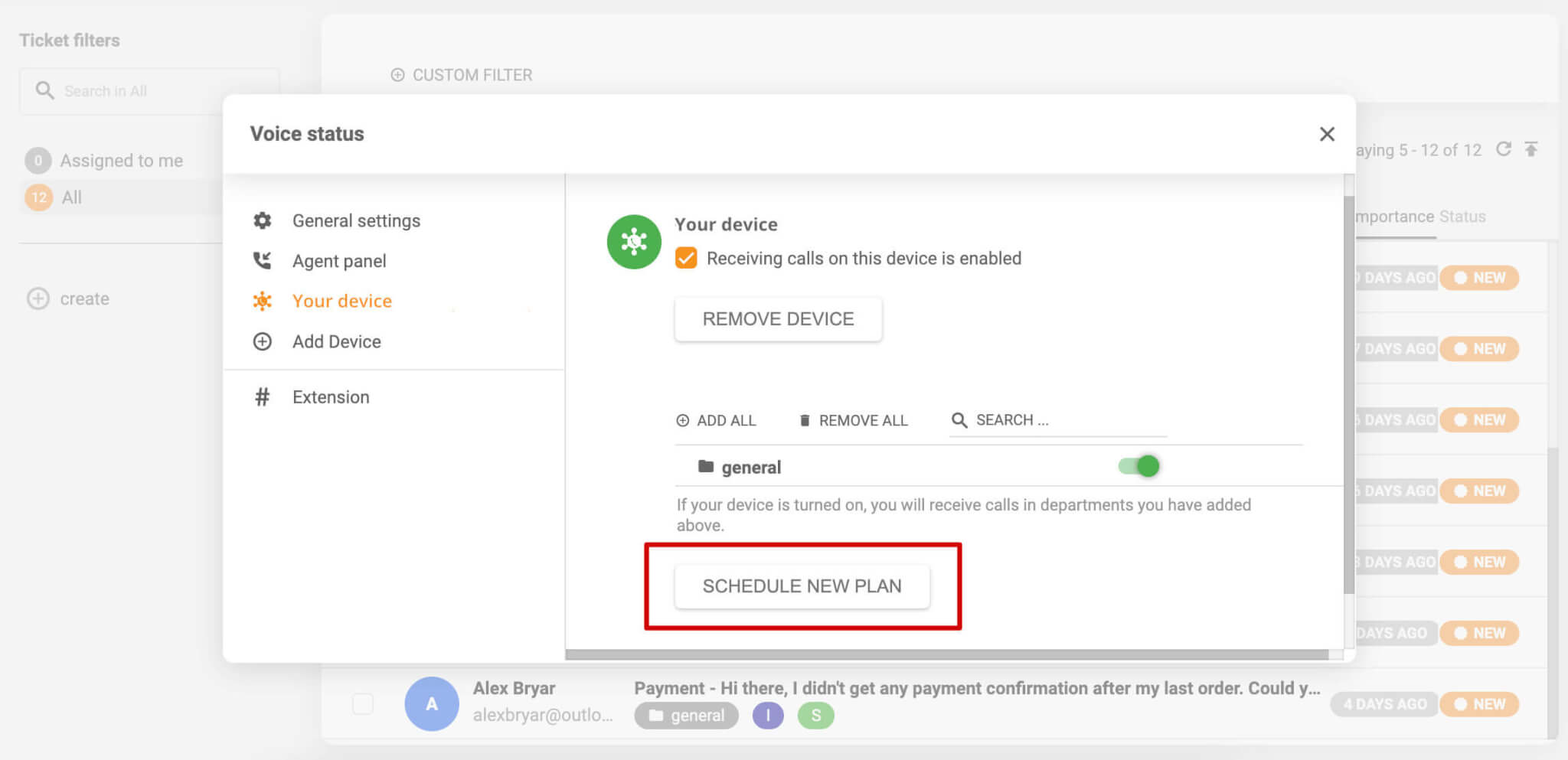
Drift handled website chat. LiveAgent handles chat, email ticketing, and VoIP calls from a single shared inbox at a price well below Zendesk. The UI looks outdated and the AI capabilities are thin. But for small support teams that need all three channels without managing three separate tools or paying enterprise prices, LiveAgent covers that ground without unnecessary complexity.
Source: LiveAgent
Key Features
- Ticketing, live chat, and VoIP in one inbox. Agents handle email tickets, chat conversations, and phone calls from a single interface without switching tools.
- Built-in call center. VoIP calling with IVR routing, call recording, and internal transfers. No separate call center tool needed.
- Real-time typing preview. Agents see what customers type before they hit send, giving them time to prepare a response before the message arrives.
- Universal contact history. Every customer interaction across every channel shows up in one shared inbox with the full contact history attached.
- Automation rules and SLA management. Assigns tickets, sends canned responses, and flags conversations that risk breaching response time targets.
Pricing
| Plan | Price | What's included |
| Small | $15/agent/mo | Ticketing, live chat, knowledge base, customer portal, API access |
| Medium | $29/agent/mo | Everything in Small, plus call center, social media channels, time tracking |
| Large | $49/agent/mo | Everything in Medium, plus video calls, advanced reporting, IP whitelisting |
| Enterprise | $85/agent/mo | Everything in Large, plus dedicated account manager, custom onboarding, custom integrations |
Watch out for: The call center and social channels require Medium or above. If those are on your list, you're starting at $35/agent/mo, not $15. Read the tier breakdown carefully before picking a plan.
Free trial: 30 days.
Pros and Cons
| The Good Stuff | The Catch |
| If you need chat, ticketing, and voice support, LiveAgent delivers the entire stack at a fraction of Zendesk's price. | The UI feels distinctly old-school compared to the polished look of HubSpot or Intercom. |
| Most platforms give you two weeks. LiveAgent gives you a full month to test real conversation volumes before spending a dime. | Like Zendesk, this is built purely for inbound customer support. It won’t build a sales pipeline, book sales meetings, or run marketing playbooks. |
| You don't need a separate call center vendor; phone support runs out of the exact same inbox as your live web chats. | It handles standard triage rules easily, but lacks the autonomous AI resolution and intelligent routing found in modern alternatives. |
Best for: Budget-conscious operations that need core omnichannel support, minus the premium price tag of over-engineered AI and marketing tools.
Free Drift Alternatives Worth Considering
Let's talk about the budget situation honestly.
Migrating platforms costs time, even when it doesn't cost money. And if you're already absorbing the disruption of leaving Drift, adding a new software bill on top of that is a hard sell internally. The good news: three Drift alternatives on this list run genuine free tiers. Not crippled demos with countdown clocks. Actual working products you can run real customer conversations in, right now, at zero cost.
Tawk.to: Completely Free, No Asterisk
We covered Tawk.to in detail above, but it's worth saying plainly: unlimited agents, unlimited conversations, unlimited websites, free forever. Most competitors cap their free tiers at two seats, 50 conversations a month, or a single domain. Tawk.to doesn't. For teams in the middle of a migration who need something running while they figure out the long-term plan, Tawk.to is the fastest zero-cost option on this list. Use it as a bridge. Or keep it permanently. Both are valid choices.
Crisp: Two Seats, No Conversation Cap
Crisp's free plan gives you two agent seats and basic chat with no monthly conversation limit. That's an unusual combination. Most free plans either cap conversations or cap agents. Crisp caps agents and lets conversations run. For a small team testing the platform before committing to a paid workspace, this is more than enough to get a real read on whether Crisp fits. And when you're ready to upgrade, the flat-rate pricing means you already know exactly what you'll pay. No per-resolution fees waiting around the corner.
HubSpot Live Chat: The Free Tier With a CRM Attached
HubSpot's free chat tier does something no other free plan on this list does: it includes a full CRM. Every conversation a visitor starts logs automatically to a contact record. No configuration. No integration to set up. The chat and the CRM are the same product, and both are free.
For B2B teams moving off Drift, this is the closest functional parallel to what Drift offered at zero cost. You get lead capture, contact records, conversation history, and meeting booking, all without paying a dollar. The moment you're ready to add automation and advanced chatbot logic, the paid tiers are there. But you don't have to start there.
How to Migrate from Drift to a New Platform
Nobody gets excited about migrations. But the teams that plan them carefully lose far less than the teams that wing it. Here's what to do, in order.
What Data Can You Export from Drift
First, the honest answer: less than you'd hope.
Drift doesn't give you a one-click export of your conversation history. What you can pull out depends on your plan and how much runway you have left on your account.
- Contacts. This one is straightforward. Go to the Contacts section, export as CSV. You get names, emails, company names, and any custom attributes you've stored. Do this first, before anything else, and definitely before your access ends.
- Conversation transcripts. This requires Drift's API, which means you need either a developer or someone comfortable with a REST API client. The approach: loop through all pages of the list conversations endpoint to collect every conversation ID, then pull each one individually. You end up with a CSV of all conversation data matching your filters. It's not elegant, but it works.
- Playbooks and chatbot flows. These don't export at all, not as structured data, not as anything. Screenshot them. Document every branch, every condition, every routing rule before you lose access. Those documents become your blueprint when you rebuild.
Migrating Chatbot Conversation Flows
Here's something most migration guides gloss over: you can't import a Drift playbook into another platform. There's no file to upload, no migration wizard to run. What Drift called playbooks, every other platform calls something different, and the underlying structure rarely maps cleanly.
This migration is a rebuild. Plan for it accordingly.
The approach that works: document your Drift playbook configurations in as much detail as possible, then use that documentation as a blueprint when you set up flows in the new tool. HubSpot calls them workflows. Intercom calls them series. Crisp calls them chatbot scenarios. The logic is the same. The terminology isn't.
Moving Contact and Conversation History
Contacts are the easy part. Export from Drift as CSV, clean the file (remove duplicates, standardize field names so they match your new platform), and import into your new CRM or CRM integration. Done.
Conversation history is where expectations need adjusting. No chat platform offers a way to import conversation history from a competitor. The goal isn't a seamless transfer. The goal is having the data somewhere your team can find it when they need it. Store the CSV in your internal wiki, or attach it as a note on contact records in your CRM. Then start fresh in the new system.
Re-Connecting Your CRM and Helpdesk Integrations
This is the step that turns a two-week migration into a six-week migration for most teams. Plan for it before you start, not after you're already mid-switch.
Before you do anything else, map out every tool Drift connected to: CRM, calendar, helpdesk, Slack, analytics. For each connection, check whether your new platform offers a native integration or whether you'll need a Zapier bridge. Native integrations hold up better over time, cost less to maintain, and don't add per-task fees that compound monthly.
Drift Alternatives for Customer Support Teams
Most of this guide assumes you used Drift the way Drift wanted you to: intercepting website visitors, qualifying leads, booking meetings. But a lot of teams used Drift for something simpler. They used it to talk to customers who already had questions.
If that was you, the evaluation looks different.
Tools That Connect Natively with Helpdesk Platforms
The single most important thing a support-focused team should check before choosing the alternatives to Drift chatbot isn't the AI capabilities or the chatbot builder. It's whether the tool connects natively, two ways, with the ticketing system your agents already live in.
A Zapier bridge technically counts as an integration. It also breaks, costs money per task, and creates a sync delay your agents will complain about within a week. Native means native. Here's where each tool lands:
- Zendesk. If you're already on Zendesk, Zendesk Chat runs inside the same suite. Conversations become tickets without any integration work because there's no integration. It's one product.
- Freshdesk. Freshchat connects to Freshdesk natively with full two-way sync. Conversations, contacts, and tickets stay current across both automatically. Again, same company, same stack.
- Intercom. Connects directly to Zendesk, Salesforce, and HubSpot. When a conversation needs escalation, it pushes to a Zendesk ticket with the full transcript attached.
- LiveChat. Native connections to Zendesk, Freshdesk, and HubSpot, among 200+ integrations. One of the more reliable integration libraries on this list.
- Gorgias. A dedicated eCommerce support helpdesk that natively integrates with Shopify and Magento, combining live chat, tickets, and customer data in one dashboard.
- Tidio. Native Zendesk and Freshdesk integrations on paid plans. Works well for teams that don't need enterprise-level ticketing depth.
What to Prioritize If Support Is Your Main Use Case
Here's the thing about shopping for the best Drift alternatives 2026 when support is your primary workflow: most of the comparison content out there optimizes for marketing teams. The feature priorities are completely different.
- Ticket routing, not lead routing. Your team needs conversations to escalate cleanly into tickets and follow a support workflow. Meeting booking is irrelevant. SLA timers are not.
- Agent efficiency over chatbot sophistication. Canned responses, collision detection, and internal notes make a bigger difference to a support team's daily output than the most elaborate chatbot playbook ever built.
- SLA and queue management. If you have response time commitments, written or implied, you need a platform that surfaces at-risk tickets before they breach. Zendesk and Freshchat both handle this well. Crisp and Tawk.to don't address it at all.
- A knowledge base that talks to your chatbot. The best support teams close common questions before they reach an agent. That only works if your chatbot can actually pull from your help content. Intercom's Fin does this. Zendesk's native AI does this. HubSpot's chatbot pulls from the HubSpot knowledge base. Freshchat's Freddy AI does the same inside the Freshworks ecosystem.
If all four of those things matter to your team, your shortlist is short: Zendesk, Intercom, or Freshchat, depending on which ecosystem you already live in.
If you're in the middle of moving platforms and working out how to transfer conversation history, contact data, or helpdesk connections, that's exactly the work we help with. Help Desk Migration handles data migrations between support platforms, so your team doesn't have to figure out the API side of it.
FAQs on Drift Alternatives in 2026
It was a corporate consolidation and a strategic pivot. Following Salesloft’s 2024 acquisition, Vista Equity Partners merged the company with Clari, shifting the focus from conversational chat to AI-driven revenue platforms. While Drift officially recommends 1mind’s AI agents as its successor, a major OAuth security breach in September 2025 forced remaining B2B teams to migrate immediately. By 2026, the platform is effectively a ghost town.
While there is no 1:1 clone, the two closest replacements for Drift are Intercom and HubSpot Live Chat.
- Intercom (Best for Conversational Marketing): The truest spiritual successor. It matches Drift’s advanced routing logic, deep CRM integrations, and powerful AI features (via Fin).
- HubSpot Live Chat (Best for CRM-Native Teams): A seamless choice if your sales team already lives in HubSpot, combining meeting booking and contact enrichment out of the box.
Whether you're looking for the best drift alternatives 2025 or evaluating options right now in 2026, these two are the starting point for most B2B teams.
Yes. Top free alternatives include Tawk.to (unlimited seats), HubSpot (free CRM/bot builder), Crisp (2 seats), and Freshchat (10 agents). Route your traffic through Tawk.to or HubSpot Free as a zero-cost holding ground to buy time while you rebuild your complex automation flows elsewhere.
Act fast before Drift’s API degrades. Download Contacts via a standard CSV export. For Transcripts, use the API to loop through individual conversation IDs. Since Playbooks don't export, manually screenshot or document your conditional logic branches before losing platform access entirely.
For Zendesk teams, the best native integration options are Zendesk Chat, Intercom, LiveChat, and Tidio. For Freshdesk, choose Freshchat for the cleanest native workflow, or opt for LiveChat, Tidio, and Crisp. Always test the integration depth before buying. "Works with" can mean anything from a deep, bidirectional data sync to a basic Zapier trigger that just emails a contact record.