
Most teams migrate to AI-powered customer support and watch their AI intent detection drop within the first week. Suggested replies turn stale. The knowledge base surfaces articles that no longer match how the product works. The platform is new. The AI is already behind.
96% of organisations face data barriers to AI adoption (Domo/Airbyte, 2026). The AI features work fine. The data going into them doesn't.
An AI-first migration support platform approach fixes this, but only if you approach it in the right order. This guide outlines a structured, two-step framework for AI-ready helpdesk migration. Move the data that powers your AI first, validate it, and then bring everything else. The result is a platform with working AI from week one and a complete historical record that supports your team for years.
How AI agents read your ticket history
Modern AI features like Zendesk Intelligent Triage, Intercom Fin, and Freshdesk Freddy do not evaluate your tickets and draw conclusions. They run a continuous NLP (natural language processing) training loop. The system scans resolved interactions, extracts patterns from successful outcomes, and applies those patterns to classify new requests and generate responses.
Think of the training loop as a search engine index. A search engine only surfaces what it has crawled. Feed it broken links and duplicate pages, and its results reflect that. Feed your AI loop three years of unresolved tickets, outdated policies, and low-rated interactions and the model confidently learns incorrect patterns.
The specific signals AI relies on
- Resolved and closed tickets only: Open and pending tickets lack a confirmed resolution outcome, meaning the model cannot extract successful patterns from them. Training AI exclusively on closed and resolved tickets ensures it learns from finalized, actionable customer histories.
- CSAT score: High ratings signal high-quality resolutions. When AI learns from your best-rated interactions, it learns your team's best practices rather than performance anomalies, the workarounds, or the tickets where something went sideways.
- Recency window: Tickets from years ago reference legacy pricing, deprecated features, and outdated policies that may no longer exist. Training AI on those resolutions produces accurate answers to questions your customers stopped asking.
- Topic tags: Structured tagging gives AI pre-labelled training data. If your team categorises tickets by product area or intent type, the model can map new requests to known patterns significantly faster.
- KB article links: For most customer support AI, knowledge base quality directly dictates response quality. It's the primary retrieval source, not ticket history. Miss this and intent detection accuracy is largely irrelevant; the AI will route requests correctly but generate responses from nothing.
Step 1: The AI-ready migration
This migration is intentionally narrow. You're not moving everything; you're moving the right things. Good data hygiene at this stage is what separates a platform that performs well immediately from one that takes months to stabilise. Each filter below covers the why before the how. Applying a filter you do not understand causes structural data gaps that you cannot easily explain later.
2.1 Before you start: What to disable on the target platform
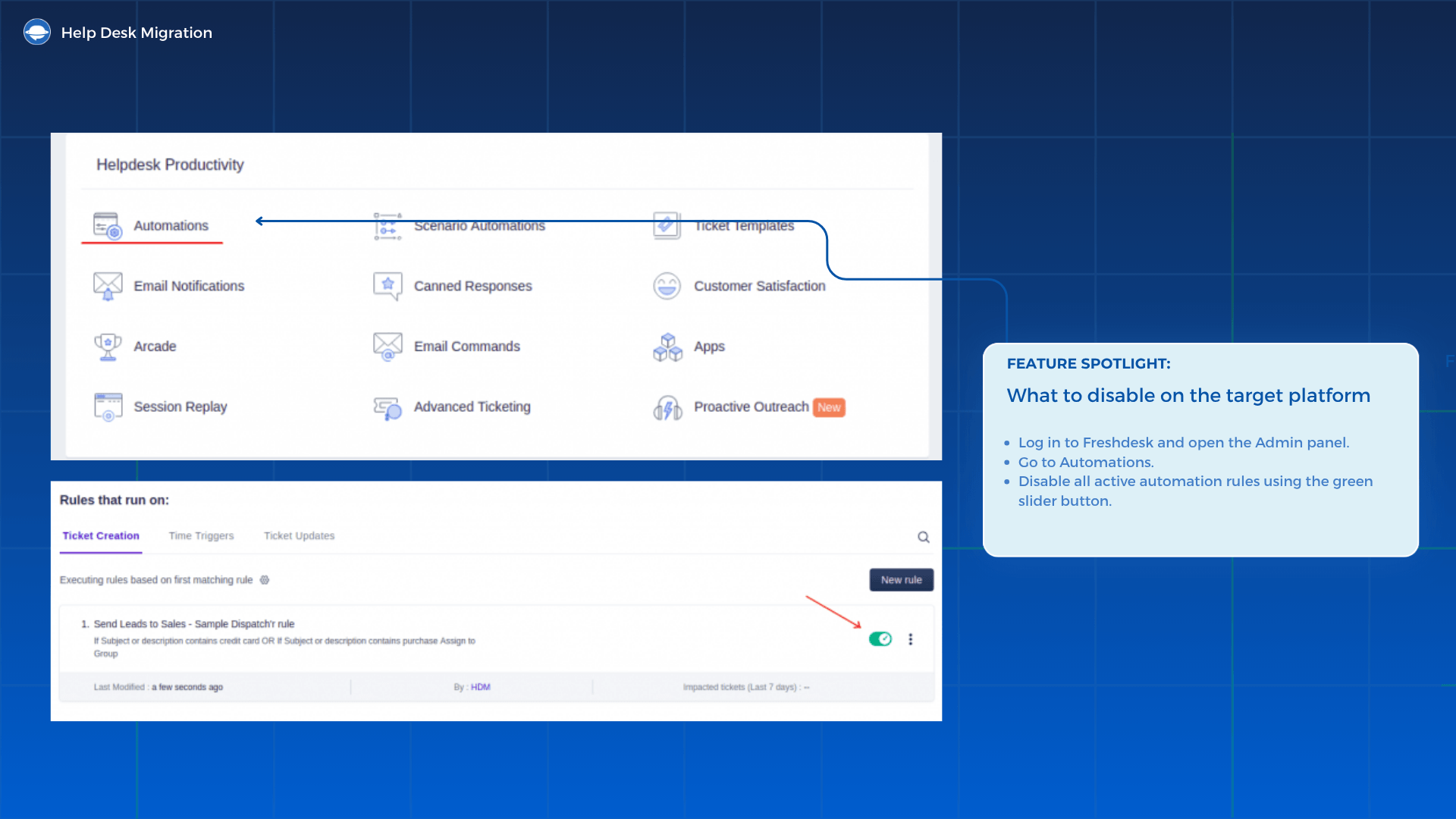
Disable automations on the target platform: Before importing a single record, explicitly disable all outbound notifications, live workflows, active triggers, and automated surveys on the target helpdesk. Software vendors routinely claim their platforms auto-disable these tools during an import, but don't assume your does. If you are unsure, contact support before initiating the migration.
Skipping this step means your customers receive duplicate replies, automated surveys go out mid-migration, and workflows trigger on incomplete data.
2.2 Filter 1: Resolved and closed tickets only
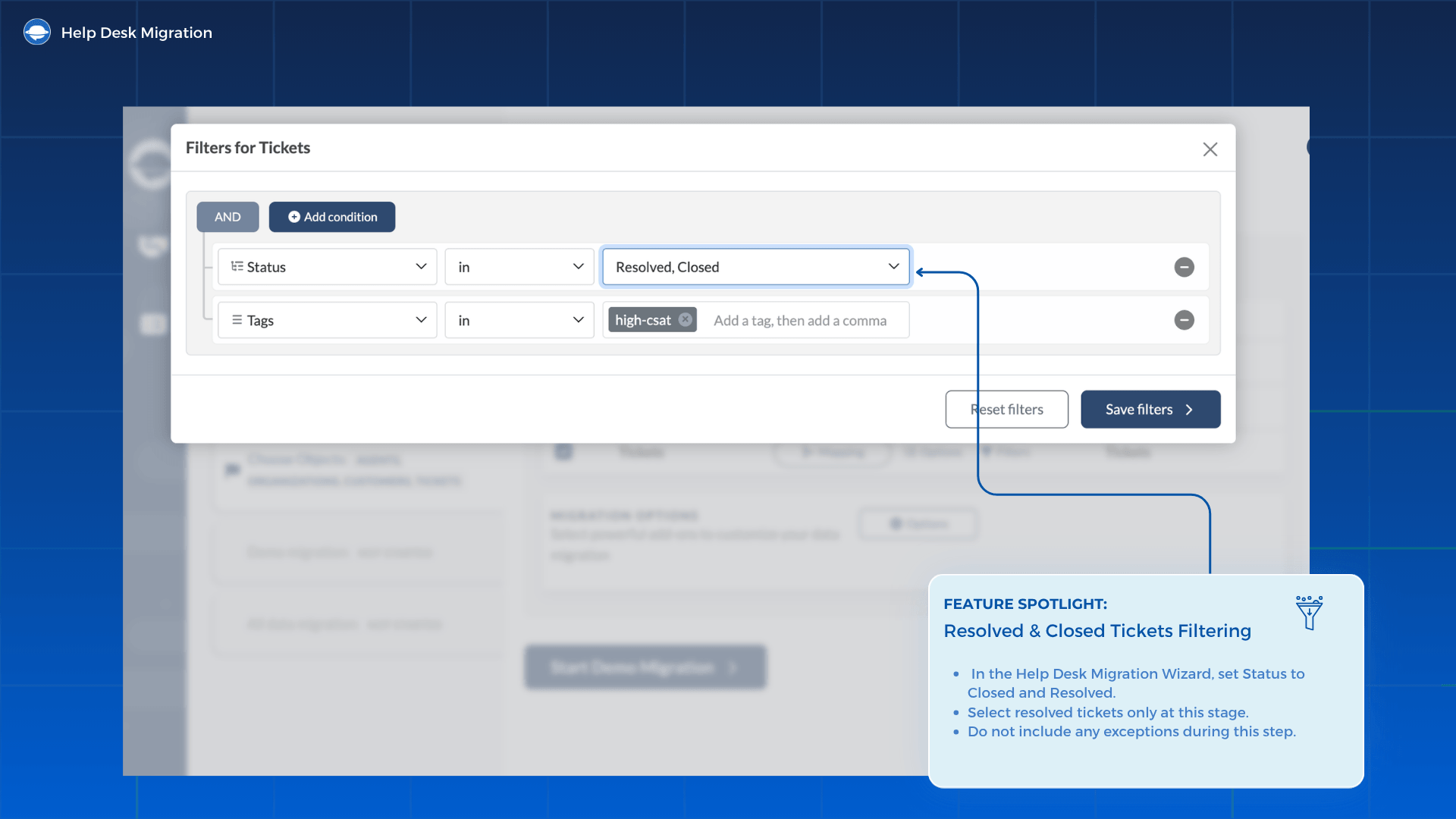
How to set it: In the ticket history filtering tool, set Status to Closed and Resolved. The principle here is simple: select resolved tickets only, with no exceptions at this stage.
2.3 Filter 2: Most recent activity window
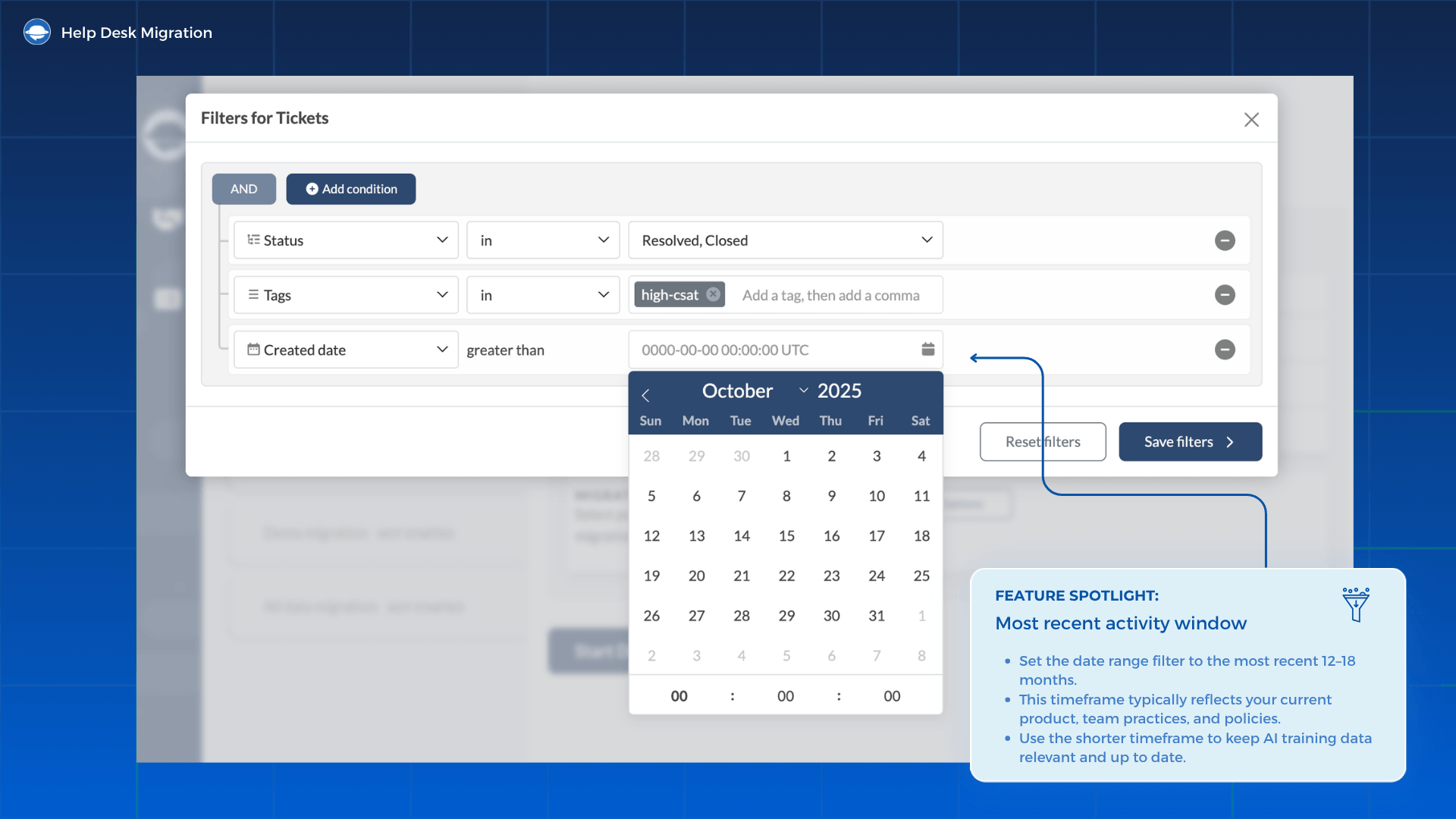
How to set it: Set your date range filter to the most recent 12 to 18 months. For most teams, that window accurately reflects your current product, team practices, and policies. If you completed a major product update or pricing change in the last year, tighten the window to 6 to 9 months to keep AI training data relevant.
2.4 Filter 3: CSAT score threshold
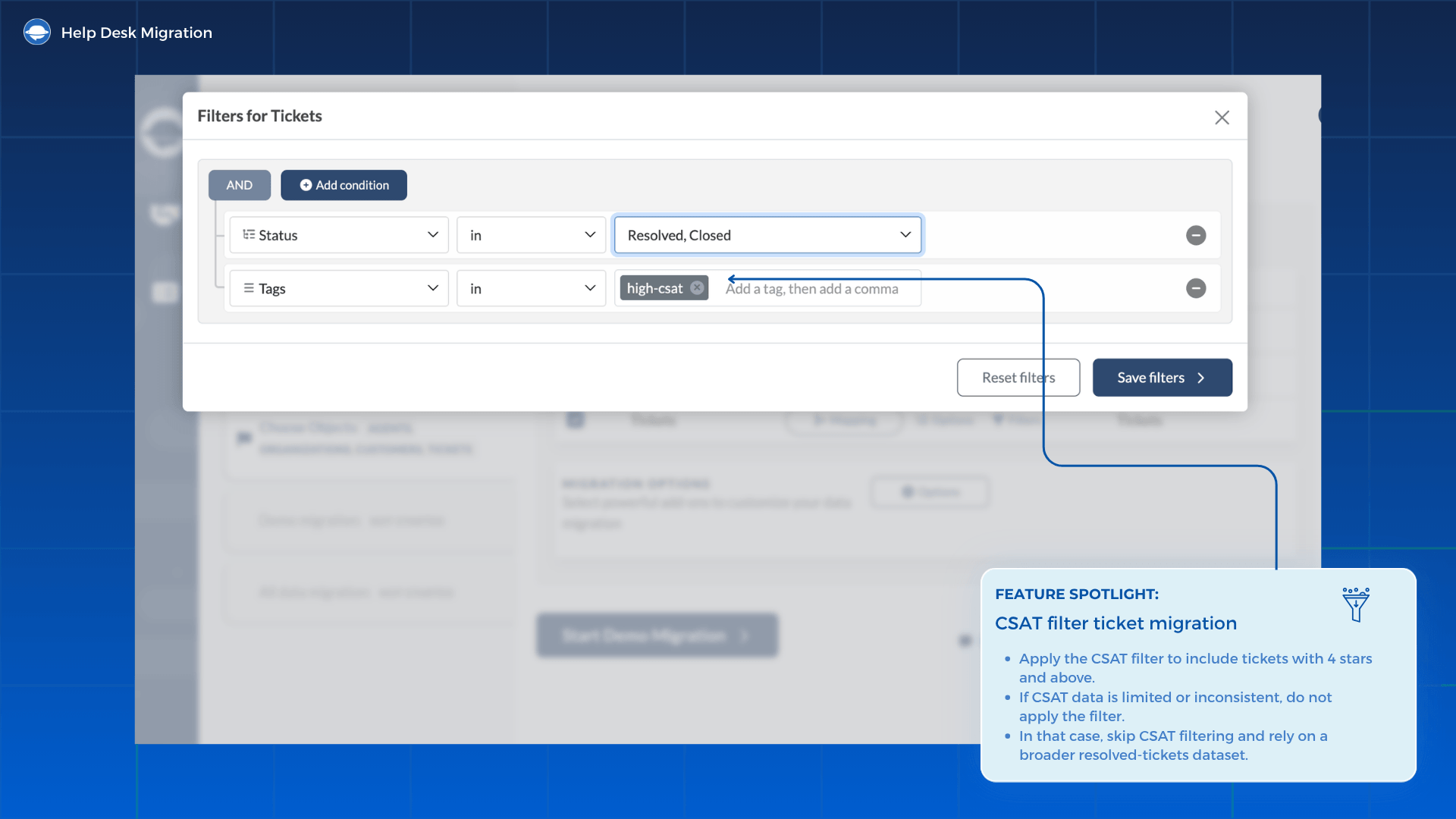
How to set it: Apply the CSAT filter ticket migration setting to scores of 4 stars and above. If your team collected CSAT data sporadically, do not force a broken filter on a thin sample. Skip it entirely and rely on a broader resolved-tickets dataset.
2.5 Filter 4: Tags and intent categories
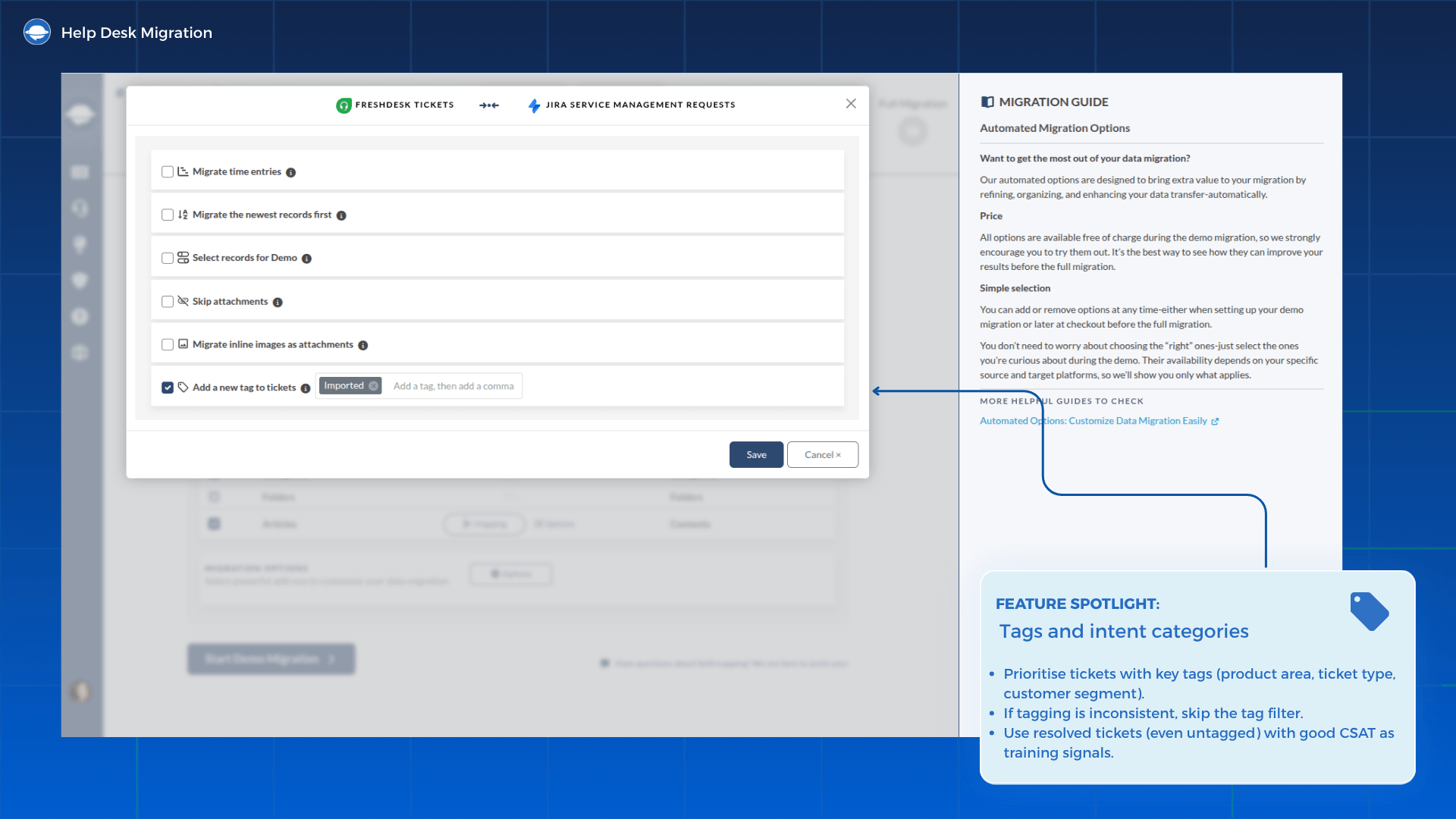
How to set it: Prioritise tickets that carry your most commonly used tags, such as product area, ticket type, or customer segment. If your tagging history shows inconsistency, omit the filter; untagged resolved tickets only with good CSAT scores still contribute meaningful training signals.
2.6 Filter 5: Knowledge base articles (all language versions)
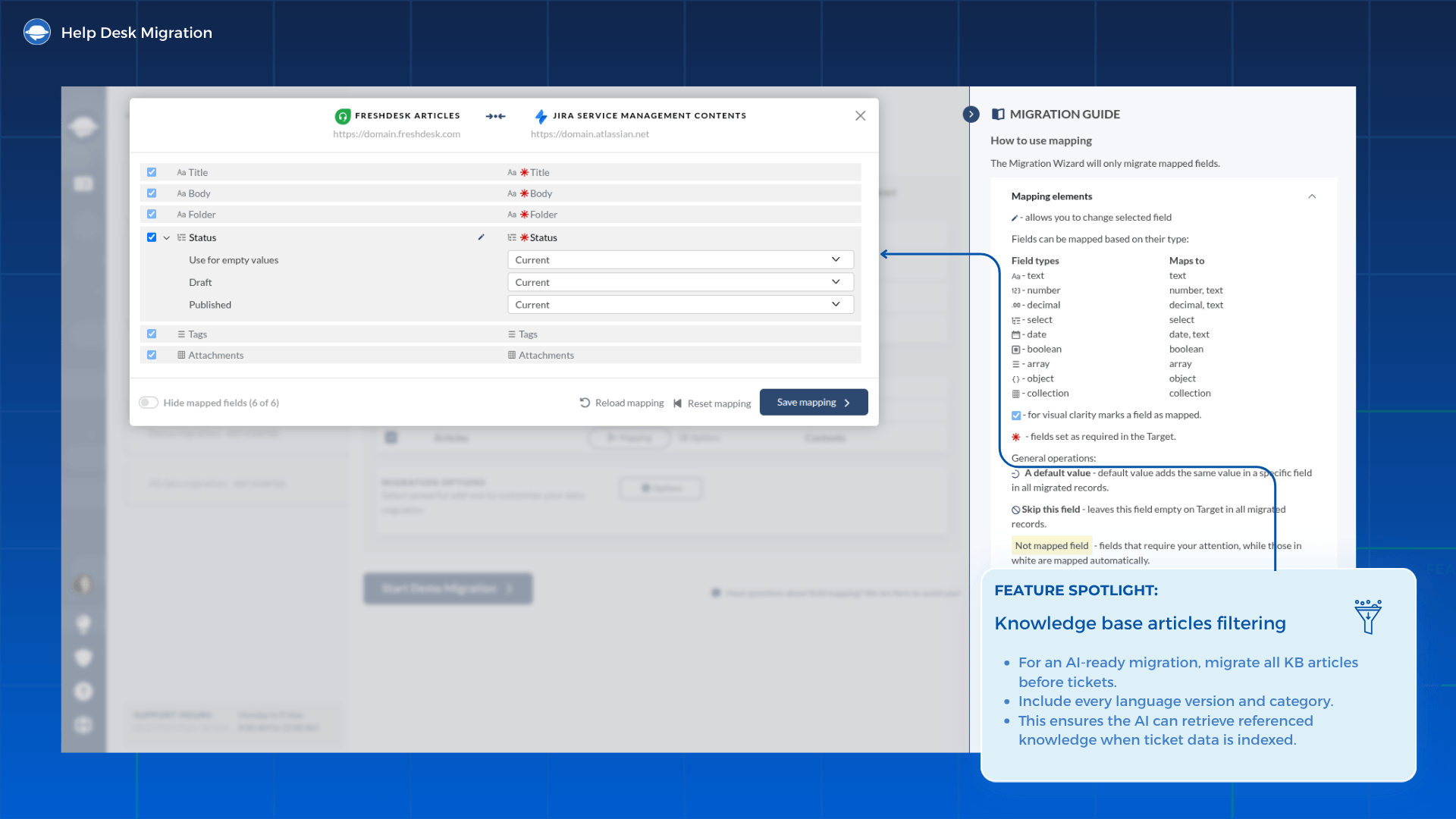
How to set it: Migrate all KB articles before you migrate tickets. Every language version, every category. This is the single most impactful step in the entire AI-ready helpdesk migration, and the sequence matters: tickets indexed before the KB is complete will reference content the AI cannot yet retrieve.
Our data migration platform handles all language versions automatically during Step 1. No manual export or reimport required.
2.7 Built-In Option: Associated contacts and companies only
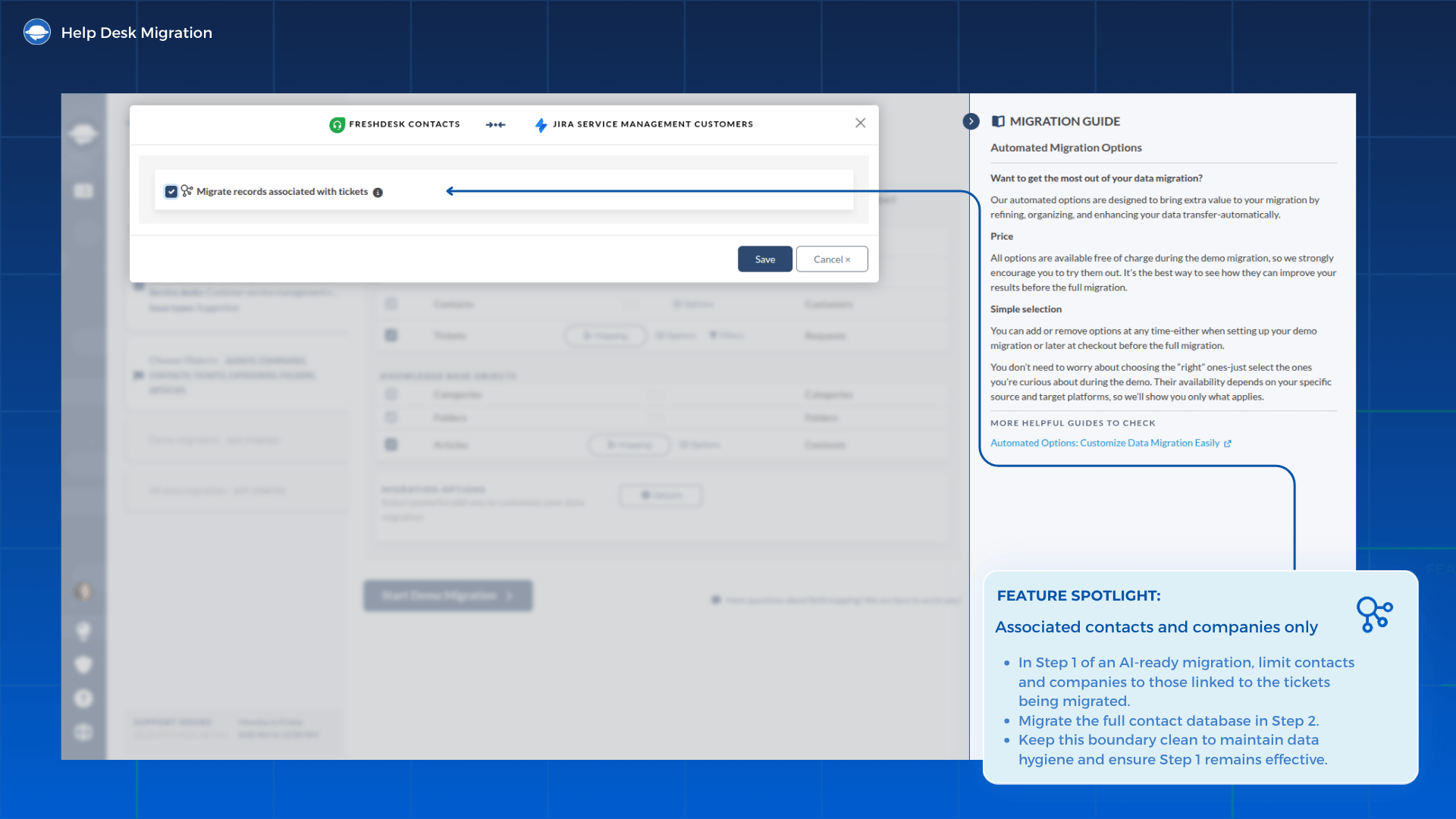
How to set it: Limit contacts and companies in Step 1 to only those associated with the tickets you're migrating. Your full contact database migrates in Step 2. Keeping this boundary clean is a key part of the data hygiene work that makes Step 1 effective.
2.8 Validate AI Accuracy Before Support Platform Cutover
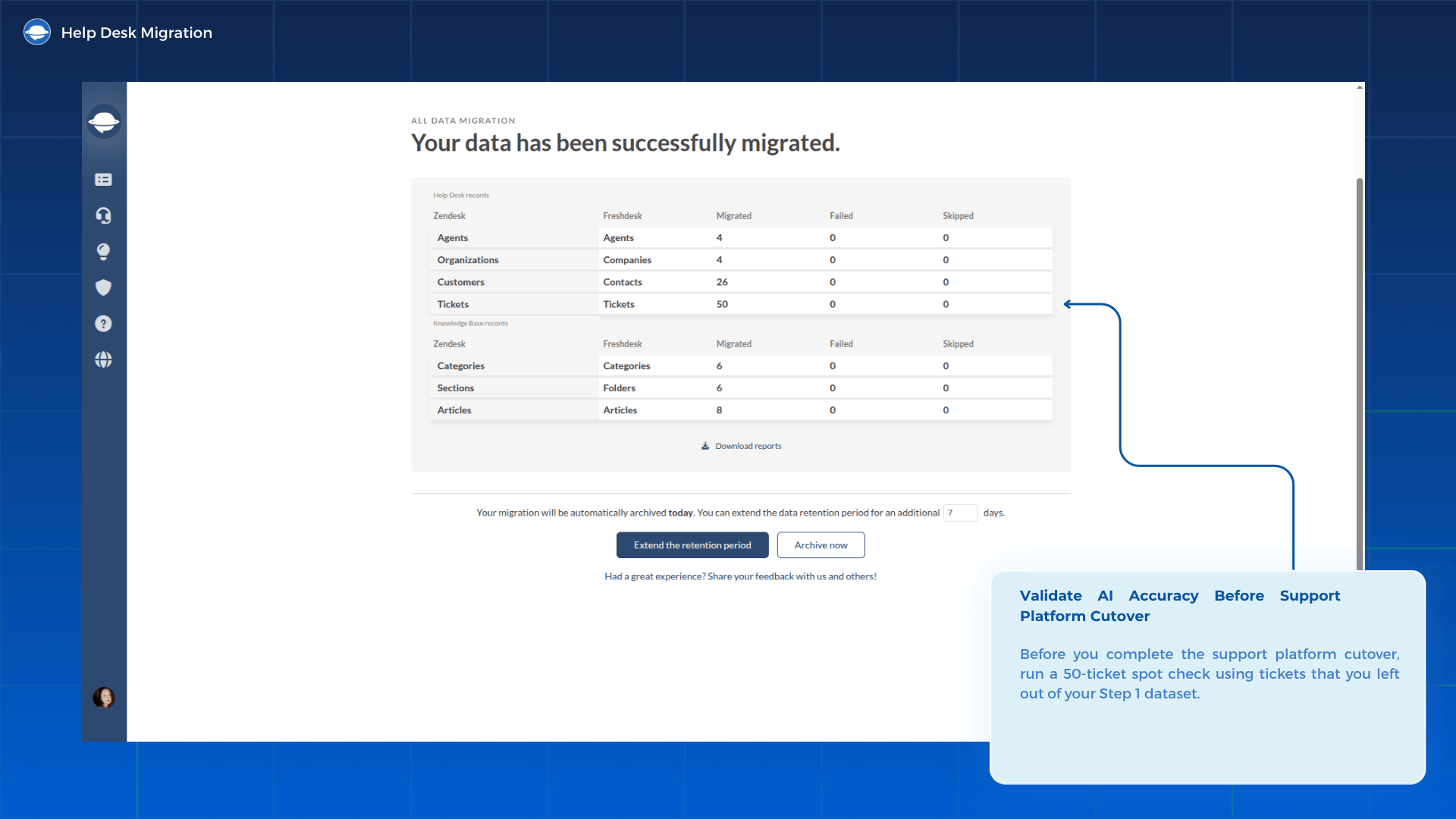
Before you complete the support platform cutover, run a 50-ticket spot check using tickets that you left out of your Step 1 dataset.
You're checking two things:
- 1. Intent detection accuracy: Target ≥ 85%. This is the industry standard for AI intent detection helpdesk accuracy (Unthread, 2026). Below 80%, pause and audit KB content before proceeding.
- 2. KB hallucinations: Zero. If the AI generates responses that reference content not present in your KB articles, your KB is incomplete, or the AI feature hasn't fully indexed it yet.
Only complete the support platform cutover when you hit both thresholds.
Step 2: The full historical migration
Once your team validates Step 1, the historical migration begins: all remaining tickets, contacts, companies, and attachments that Step 1 didn't include. There's no strict deadline for Step 2. Some teams complete it in two nights. Others spread it over several weeks using a chunked migration approach. The timeline depends on volume and your team's capacity to monitor each run
3.1 Why Step 2 is non-optional
Three reasons most teams cannot skip the historical migration:
- Compliance and audit requirements: GDPR, HIPAA, and industry-specific regulations often mandate retaining support records for defined periods. Leaving historical records on the source platform creates audit risk. This risk increases after a support platform cutover when the source platform licence lapses.
- Agent context: Your team will encounter customers who reference conversations from two or three years ago. Without that history in the new platform, agents are reconstructing context mid-conversation, and customers notice when they have to repeat themselves.
- Search and reporting completeness: Your analytics are only as useful as the data behind them. Missing data distorts trend analysis, volume reporting, and SLA tracking, rendering your historical analytics inaccurate.
3.2 Monitoring AI accuracy during Step 2
Watch your intent detection accuracy after processing each chunk. The benchmark you set in Step 1 serves as your baseline.
Flag and pause if: Accuracy drops more than 5 percentage points from your Step 1 baseline after any chunk. That drop indicates that the most recent chunk introduced data that distorts intent patterns. This usually happens with a batch of low-quality or very old tickets. Audit the chunk before continuing. The whole point of AI-ready data is protecting this baseline.
3.3 When Professional Services is the right call
Consider professional services if any of the following apply:
- >100k records: volume this size requires careful chunked migration planning and performance monitoring that goes beyond the standard self-service workflow.
- Strict overnight SLA cutover: if your support team has a hard go-live deadline with zero tolerance for downtime, professional services scopes and coordinates the support platform cutover.
- Custom field dependencies: if your source platform has deeply customised ticket fields, contact records, or workflow logic, mapping these to a new schema requires dedicated attention.
- Multiple source platforms: consolidating two or more help desks to one destination adds complexity that compounds across both steps.
If any of these apply, contact our team to scope your migration before you start. The scoping conversation typically surfaces dependencies that cause delays mid-migration.
The attachment strategy: Skip or move?
Attachments deserve their own decision. For Step 1, skip them because they add significant bulk and contribute essentially nothing to AI performance. For Step 2, migrate them if your compliance obligations require it or your team actively accesses legacy files. If they're largely historical files unlikely to be accessed, skipping them across both migrations is a defensible call.
Platform-specific AI integration requirements: Zendesk, Intercom, Freshdesk
Data structures, custom fields, and API limits vary heavily between tools, so platform-pair planning is everything. If you're mapping a Zendesk to Freshdesk or Freshdesk to Intercom transition, you need a precise plan for how ticket properties translate into the new workspace.
Every ecosystem handles history, tags, and timelines differently. Whether you're running an Intercom to Zendesk migration or a Freshdesk to Zendesk switch, your tech team needs to reconcile those chronological threads carefully. On the flip side, a Zendesk to Intercom shift means mapping legacy fields into active user attributes and event streams.
Keeping data clean across these specific pairs comes down to strict field alignment and systematic validation before go-live.
4.1 Zendesk Advanced AI: data quality and Intelligent Triage
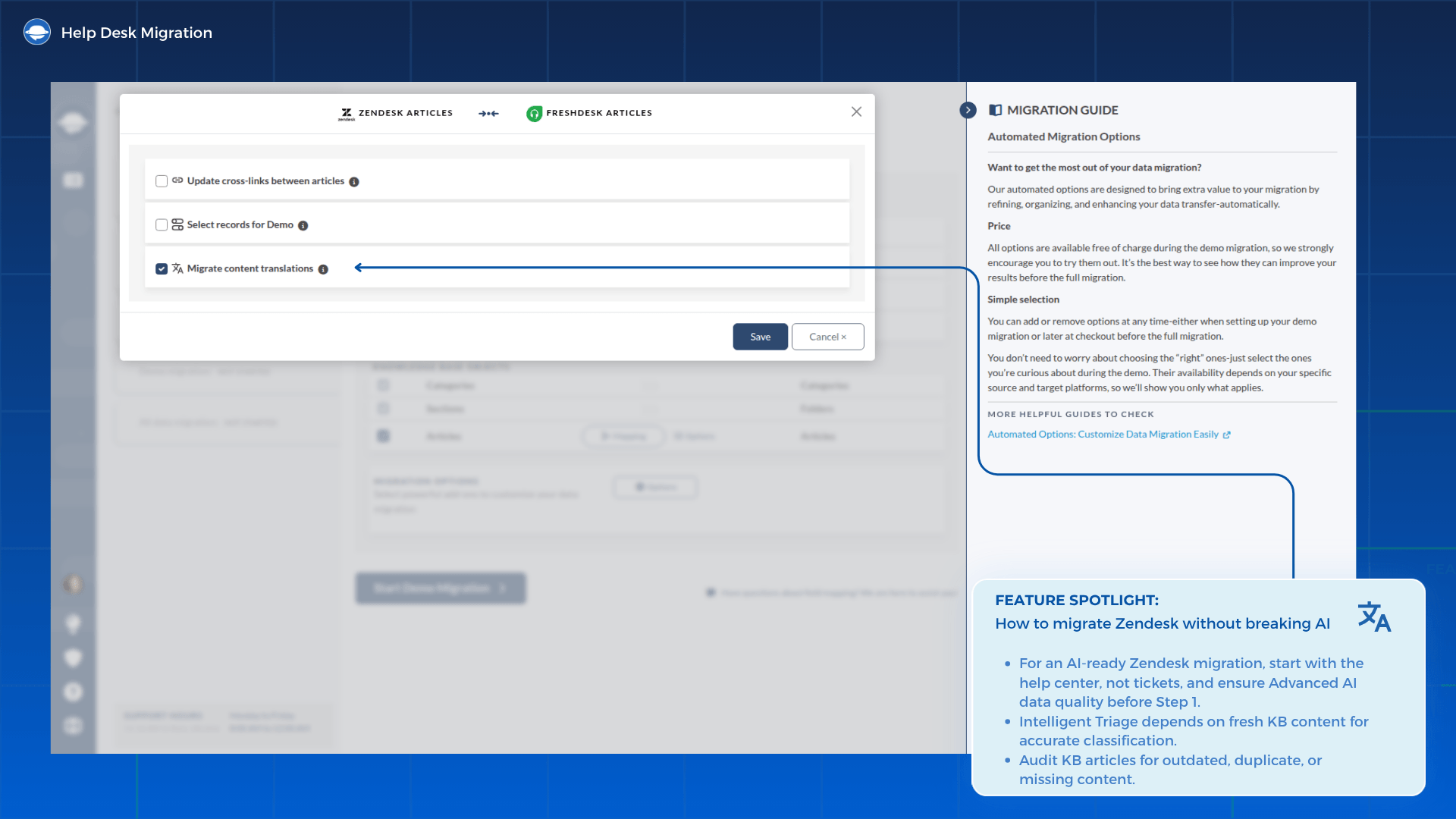
How to migrate Zendesk without breaking AI starts with your help center, not your tickets. Establish Zendesk Advanced AI data quality before a single ticket arrives on the target platform. Zendesk Intelligent Triage relies heavily on help center freshness to classify incoming tickets by intent, sentiment, and language. Before running Step 1, audit your KB articles: outdated content, duplicate articles, and missing categories actively degrade Zendesk Advanced AI triage accuracy right out of the gate.
When enabling Zendesk Intelligent Triage on the new platform, activate it on one queue first rather than opening the queues simultaneously. This creates a contained test environment where you can validate accuracy before rolling it out across your entire operation.
Data shows that enabling Zendesk Advanced AI before completing a thorough content cleanup drops baseline triage accuracy below 40% (Twig, 2026). The two-step migration approach tackles this limitation directly. Clean up your source data first to force Zendesk’s automated intent routing to match real-world customer interactions from day one.
4.2 Intercom Fin: Migration data quality
Intercom Fin migration data quality dictates whether your new automated agent hits its resolution benchmarks from day one or immediately frustrates your customers. Fin processes two specific data sources: your knowledge base and your historical conversations. Both channels alter performance in different ways. KB content determines what Fin can actually say, while conversation history trains the system on how to route, classify, and contextualize customer requests.
Your Step 1 filtering choices directly shape the Intercom Fin resolution rate. Fin's published baseline sits at a 65% resolution rate as of July 2025 (per MyAskAI data). The system achieves this metric on highly curated, AI-ready data rather than unvetted archives. Dumping an unfiltered ticket dump into Fin before proper setup guarantees underperformance.
Prioritize conversation logs that feature clear customer verification and positive resolutions. This direct alignment feeds Fin clean training signals. Consequently, the AI agent resolves tickets autonomously instead of constantly dumping edge cases back into human support queues.
4.3 Freshdesk Freddy AI
Freshdesk Freddy AI powers two critical automated features that depend entirely on your knowledge base data quality for AI. These features are auto-triage for incoming ticket classification and intelligent article suggestions for live agents. The data cleanliness you enforce during Step 1 directly dictates how well both automated systems perform during live operations.
Apply the exact same rigor here: choose resolved tickets only, tighten your recency window, isolate high CSAT score filter, and sync a complete KB dataset before migrating a single message. Keep in mind that you need at least the Growth plan to access Freshdesk Freddy AI capabilities, so verify your tier before configuring your Step 1 migration filters.
Never activate Freddy on a mountain of raw historical garbage, or you will end up with corrupted tags and irrelevant macro recommendations that actively slow your team down. Enforce strict data hygiene during Step 1, so Freddy’s predictive text models and robotic process automation engines inherit sharp, high-intent data. This ensures your agents receive immediate, accurate internal solution prompts and field suggestions during critical cutover periods.
Complex migrations: Signs you need dedicated engineering support
While the self-serve wizard easily handles standard, straightforward data moves, specific enterprise complexities demand a manual, engineered approach. But three specific scenarios consistently push beyond what the wizard alone can manage.
Strict overnight cutovers (e.g., 9:00 AM Monday Go-Live). Live production environments leave zero margin for error or mid-migration troubleshooting. When an international support team expects a fully functioning workspace on Monday morning, you cannot afford delays. This timeline requires a detailed operational playbook: staging full dry runs in sandbox environments, managing live support platform cutover routing, running Delta syncs while agents work, and preparing a verified rollback strategy. There is no room for mid-migration troubleshooting on a hard go-live deadline.
Multi-instance help desk consolidation. Enterprise teams rarely operate from a single support environment. Over time, companies accumulate multiple help desk instances across regions, brands, departments, or acquired businesses. Consolidating these systems into one platform is not a simple data merge — it requires careful coordination between workflows, reporting structures, permissions, and operational processes.
In enterprise environments, consolidation succeeds only when teams can continue operating without disruption while maintaining consistent reporting, workflow continuity, and data integrity across the new unified support ecosystem.
How Professional Services helps. For these scenarios, our Premium Service Package, Enterprise Service Package, and Professional Services team manage the end-to-end process: scoping, Delta migrations, field mapping, support platform cutover coordination, and post-migration validation. This is not the default path for every migration, but it removes execution risk when volume, deadlines, or system complexity make self-serve the wrong tool for the job.
Next steps: Moving from strategy to execution
The two-phase approach exists for a clear reason. It protects AI intent detection helpdesk accuracy from week one, keeps historical data accessible, and gives your team clean data to build on.
The sequence is fixed for a reason: Step 1 builds the AI-accurate foundation, Step 2 fills in the historical record. Run them in order, and the historical migration data doesn't touch the AI baseline until it's already proven stable.
Want to test the filtering logic? to see how the ticket history filtering tools work with your data before you commit.
Skip the guesswork on complex setups. Talk to our team about professional services. We will scope your requirements and outline exactly what the migration involves before you commit.
Not sure an AI-first strategy fits your timeline? Compare alternative paths: grab the full-archive Complete Migration Guide or fast-track your setup with the Express Migration Guide.
AI-First Migration: Frequently Asked Questions
Step 1 of AI-ready helpdesk migration completes overnight for datasets under 50k records. The Step 2 timeline depends entirely on data volume and your chunked migration parameters, typically ranging from two nights to several weeks. The Delta migration pass at the end of Step 2 typically adds a few hours. Because Step 2 runs sequentially after validation, there is no strict deadline or operational pressure for this historical phase.
Yes. Bulk-importing years of unresolved, outdated, or low-rated tickets dilutes the intent detection accuracy your AI relies on. The two-step approach prevents accuracy drops by training AI models exclusively on high-quality, historical best-outcome resolutions first. Then add historical migration records after you validate the AI baseline and confirm it's stable. Data hygiene at Step 1 is what protects the baseline.
Step 1 includes resolved tickets only, filtered by recency and CSAT score filter. It also brings all KB articles, language versions, topic tags, intent tags, and only the contacts associated with those specific tickets. Everything else waits for Step 2. This is the complete AI-ready data foundation.
Most teams under 100k records complete Step 1 of the AI-ready helpdesk migration with the self-serve wizard. Professional services become the practical choice for large record volumes or strict support platform cutover deadlines. They also resolve complex custom field dependencies or multi-platform consolidations.
No. Step 1 must complete and you must validate AI intent detection helpdesk accuracy before Step 2 begins. Running both simultaneously introduces the noisy, unfiltered data that Step 1 specifically excludes. The ticket history filtering logic only protects AI if the steps are sequential.
Run a 50-ticket spot check using tickets from outside the Step 1 dataset. Target ≥ 85% AI intent detection helpdesk accuracy and zero KB hallucinations before declaring Step 1 complete. If you miss either threshold, audit knowledge base data quality for AI and re-run the check before proceeding to support platform cutover.