Document360 Migration Guide
To run a data migration, you’ll need an API token. Follow these steps to generate one in Document360 and add it to the Migration Wizard.
How to Get the API Token for Migration?
1. Open Settings
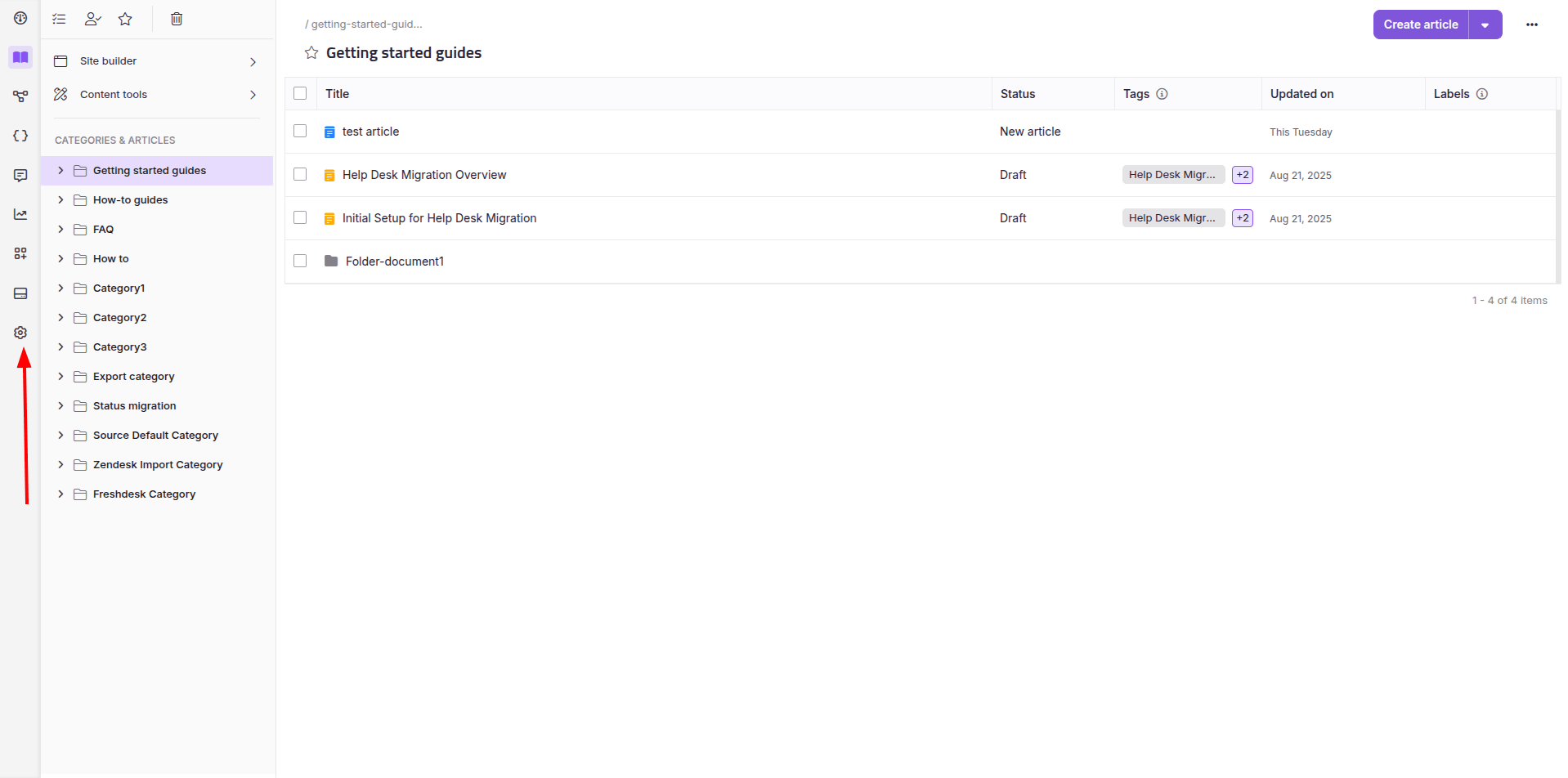
Log in to your Document360 account and click on Settings.
2. How to Manage API Tokens?
In the settings menu, go to the API Tokens tab.
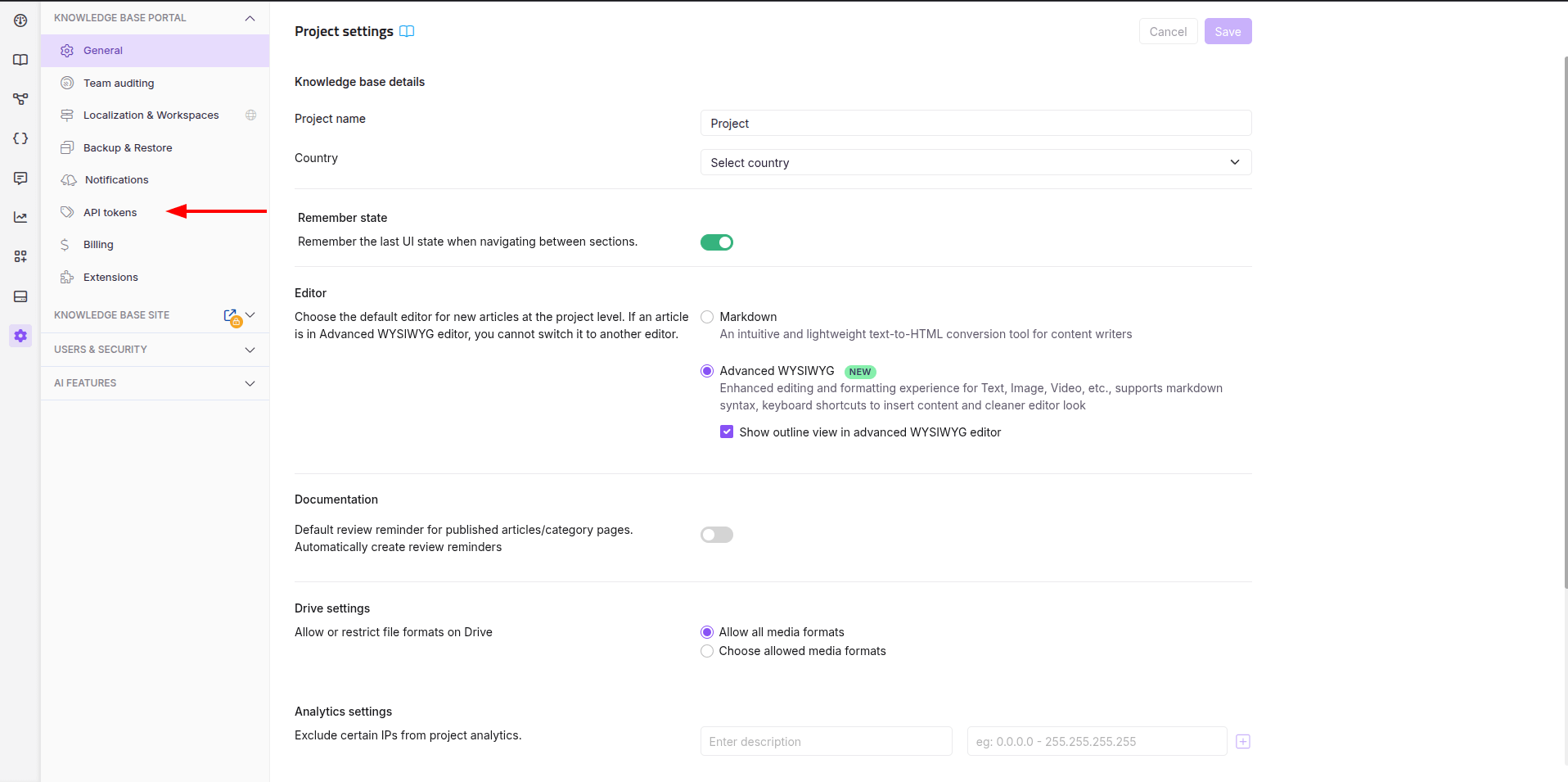
3. How to Create a New API Token?
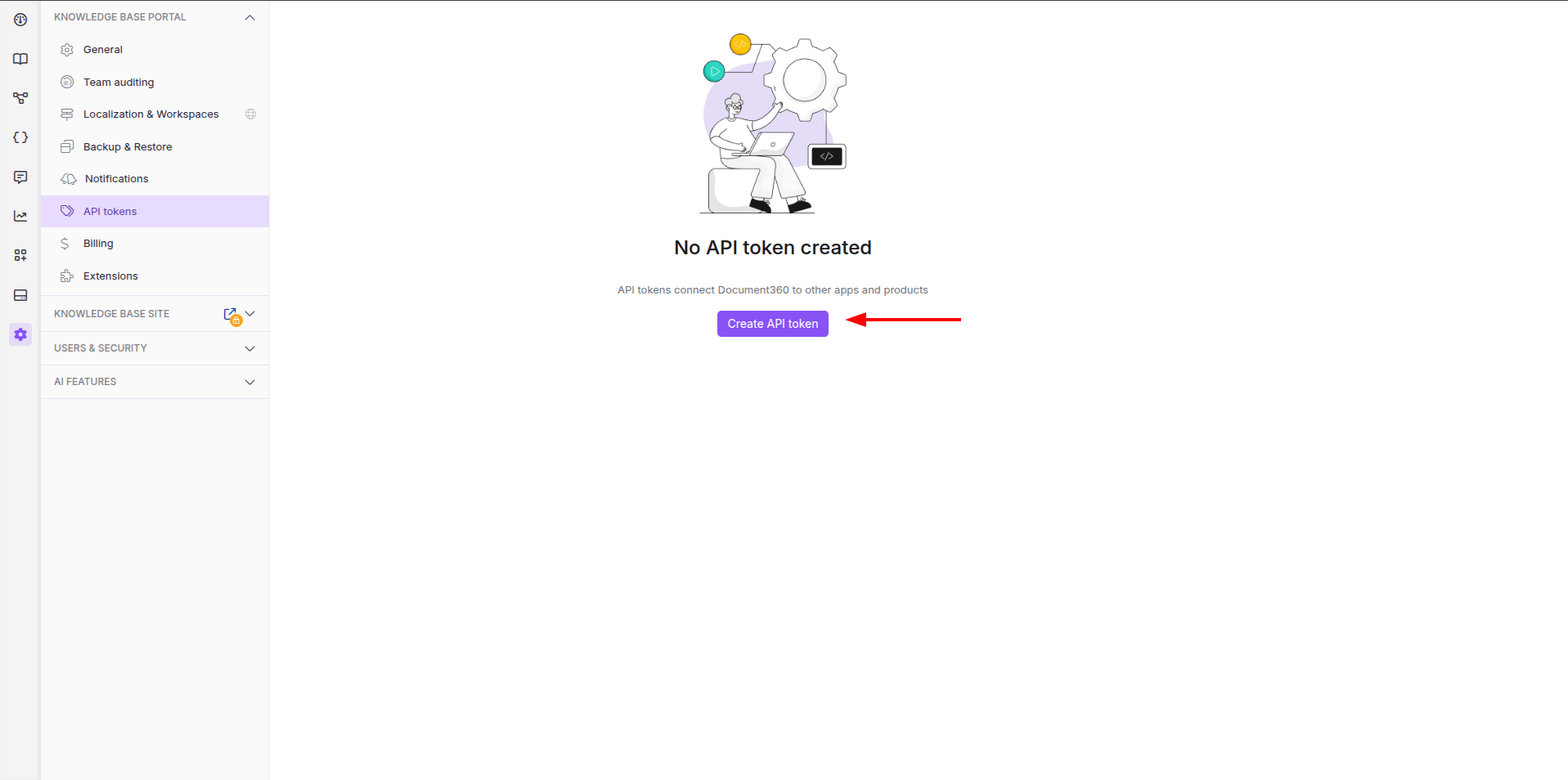
Click on Create API Token.
4. How to Configure the Token?
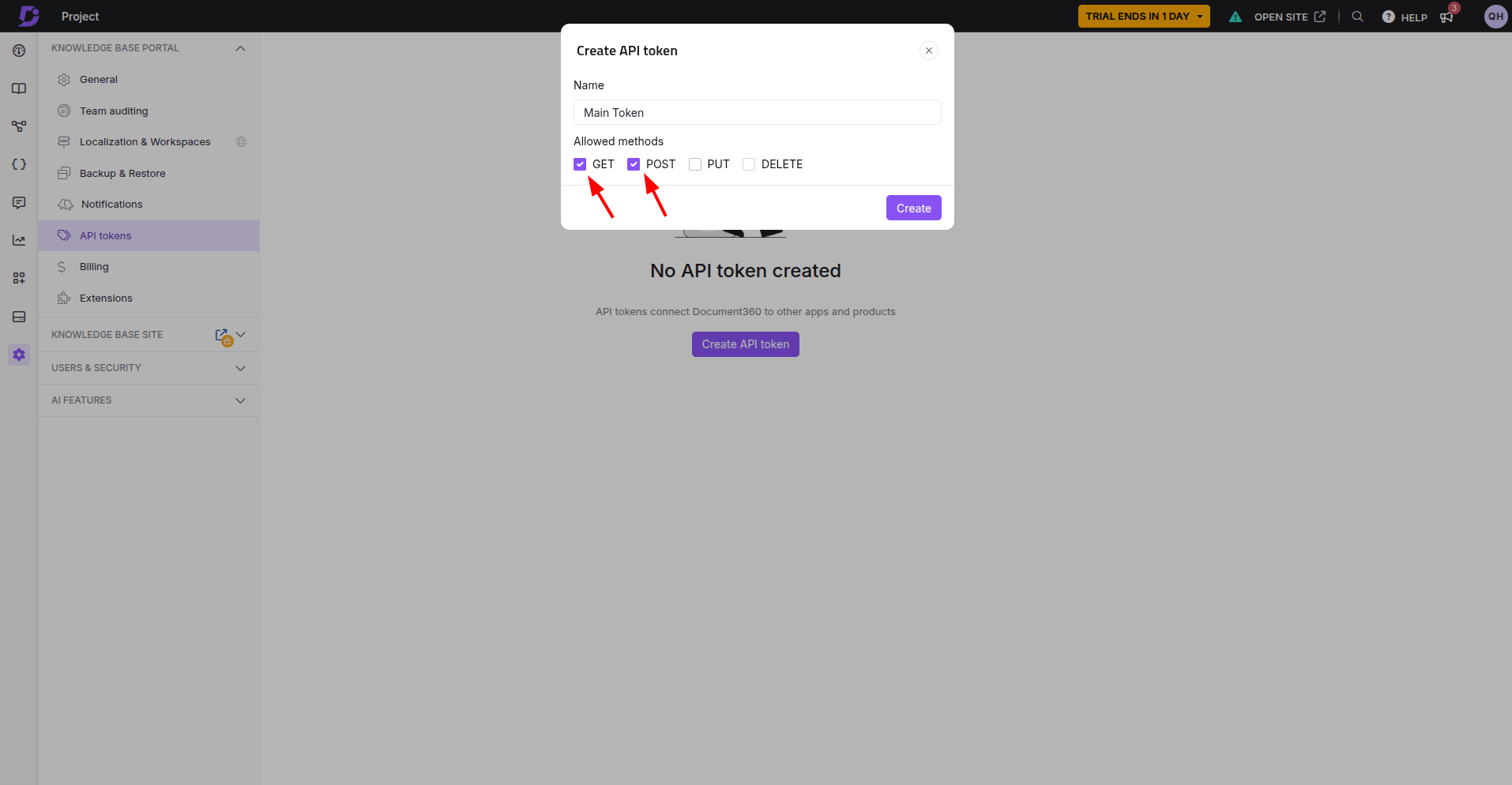
- Enter a name for the token (for example, ‘Main Token’).
- Enable the checkboxes for GET and POST methods to allow both retrieving and importing data.
5. How to Save and Copy the Token?
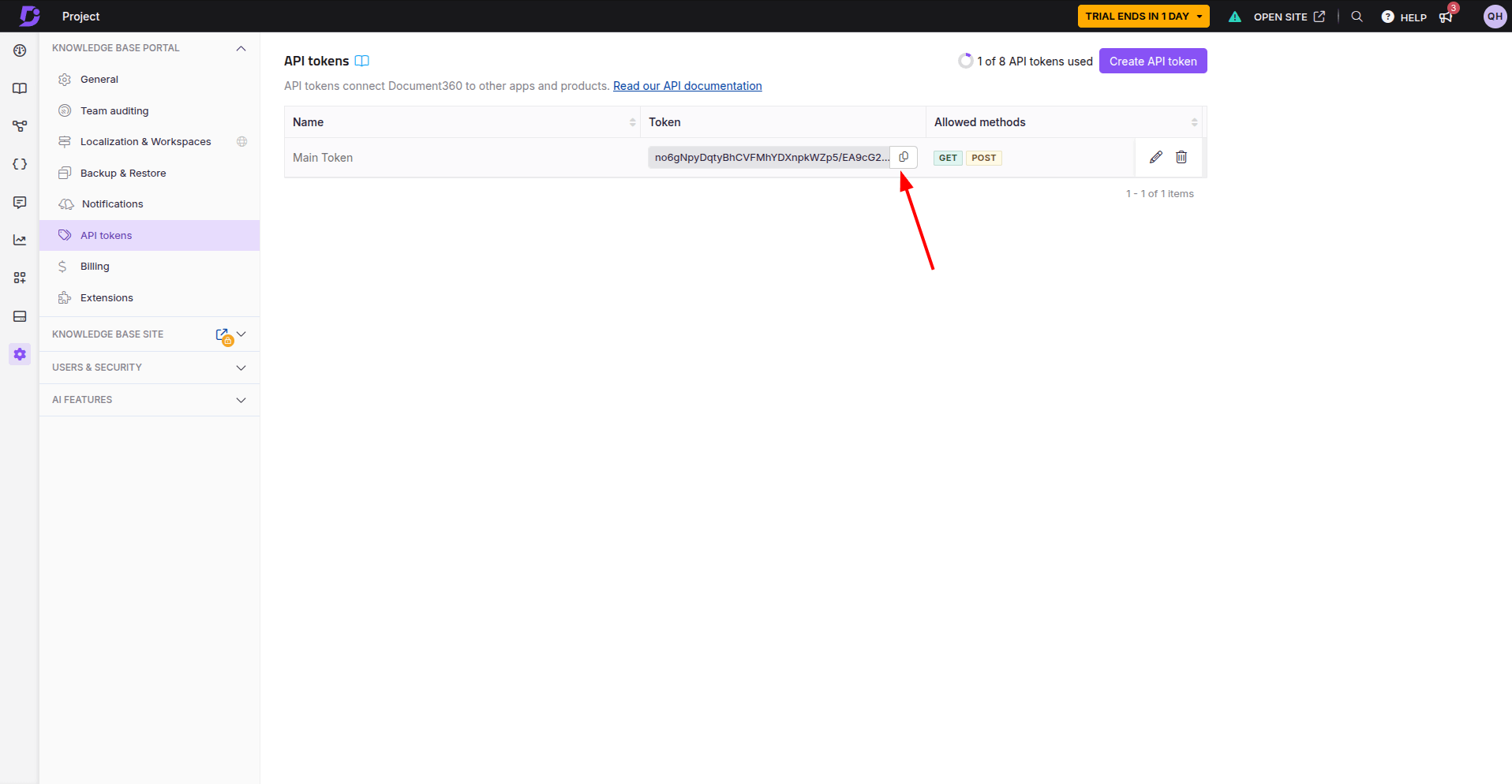
Once generated, copy the API token.
6. Add the Token to the Migration Wizard
Paste the copied token into the API Token field in the to authorize the connection between Document360 and the migration tool.
Tip: Keep your API token secure. Never share it outside the migration process.
Looking for more data migration details?