

Data is everything for businesses. It's how you spot opportunities and minimize risks. Yet, effective data management becomes more challenging. By 2025, global data will explode to 175 zettabytes. This volume, stacked on Blu-ray disks, could reach the Moon 23 times! Data surges don't come just from people — IoT, blockchain, and AI apps all expand our databases.
At the same time, valuable information often gets trapped in isolated systems while teams starve for access. And you risk breaking every egg if you put them all in one basket.
A fix for this problem is replicating data across different servers. This promises faster data access, fewer downtimes, and even more benefits. Yet, without the right software, it’s easier said than done.
In this article, we’ll cover the main types of data replication and guide you through selecting the best data replication tools. Let’s kick off with definitions. The concepts of data replication, synchronization, and migration appear similar, yet it’s critical to distinguish between them.
What is data replication?
Data replication focuses on creating a replica of source data and moving it to a target database.
Data replication isn't just an enterprise-scale concept — many people deal with it when safeguarding personal data. A typical example is creating a backup of iPhone data on a laptop. This backup becomes a separate copy that exists independently on your computer.
The concept of data replication is very close to data synchronization. But still, it’s not identical.
What is the difference between data replication and data synchronization?
Data replication is a one-way street — changes in the target system don't sync back to the source system. Meanwhile, data synchronization coordinates data across two or more systems. Updates in one system are automatically reflected in the other, and vice versa.
The iPhone data backup via laptop is an example of replication. However, uploading photos to the iCloud works via synchronization — any updates made to the files on one device will automatically sync across all other devices connected to the same iCloud account.
Now, what about the third term: data migration?
How does data replication relate to data migration?
Data replication is the transfer of data itself. Data migration is an umbrella concept that implies transferring entire systems into new environments. In that context, data replication is part of the data migration process.
That said, data migration involves abandoning or discarding the old system once the transfer is completed. In other words, the purposes of data replication and data migration are different. If the goal of replication is to increase the number of data locations, then migration changes the data location.
Now that the difference between replication, synchronization, and migration has been clarified, let’s explore the main types of data replication.
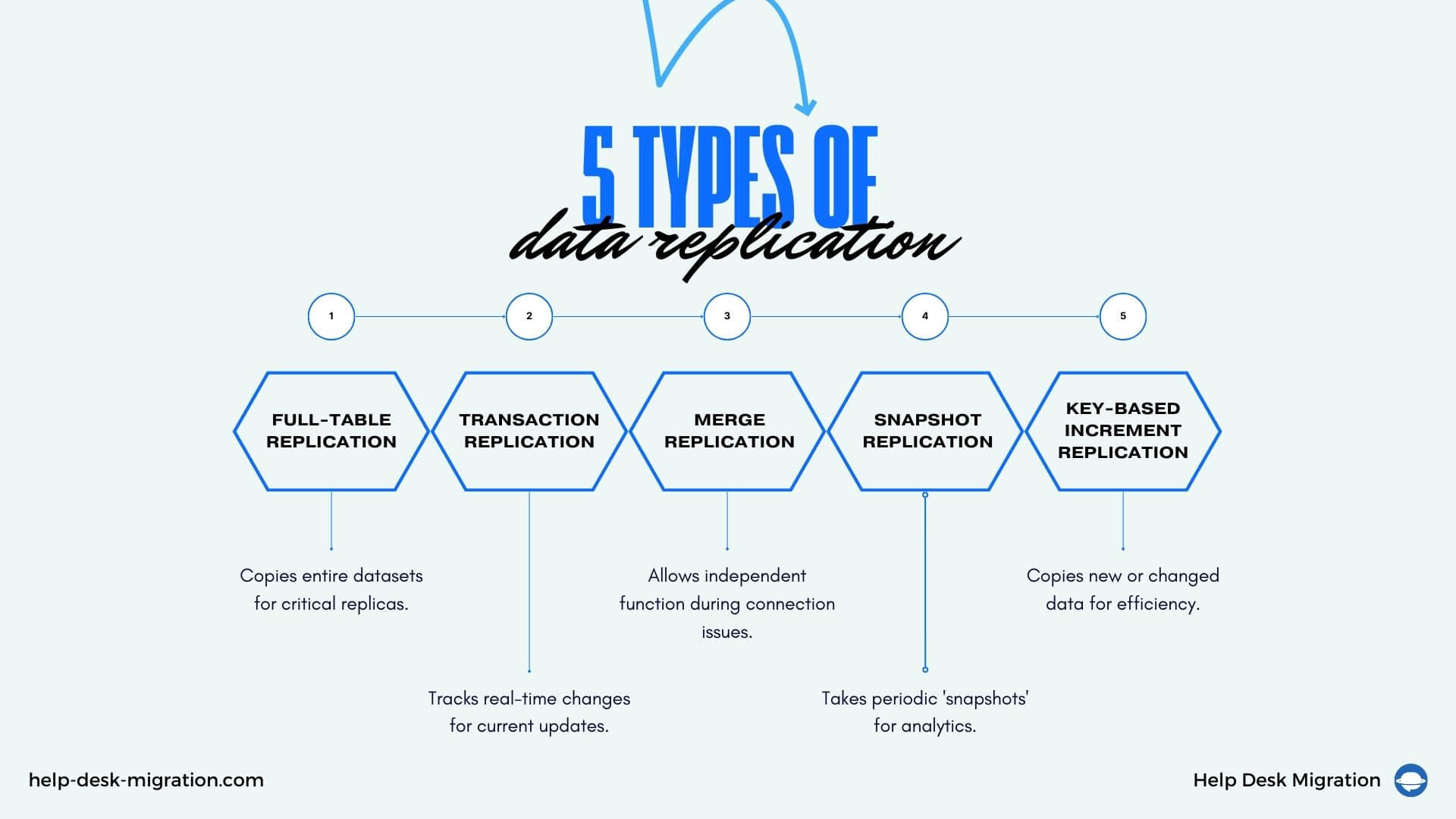
5 types of data replication
There's more than one way to copy data. Here are the most common approaches to data replication and their use cases.
1 Full-table replication
This method copies entire datasets from the source to the destination.
Full-table replication makes sense when complete replicas are critical. Say a business has an old customer database on an aging server. They can use full-table replication to move the whole database to a new cloud system.
2 Transaction replication
This method of replication tracks real-time changes and updates happening in the source database. Then, it sends these changes — and only them — to the destination to keep it current.
Let’s say a customer places a new order. A database replication tool immediately identifies this new record at the source. Afterwards, it replicates just that single transaction to the target database.
But what if the connection goes down? In case of an emergency, merge replication can help.
3 Merge replication
This type of data replication allows separate databases to function independently when they can’t connect. Once the connection comes back, a replication tool merges the offline changes into the second system so nothing gets lost.
Retail stores can still process purchases when networks are down and later merge recent transactions back to the source.
4 Snapshot replication
This replication type works by periodically taking ‘snapshots’ of source data over specific periods, for example, Monday to Sunday.
Snapshot replication is especially useful for analytics. You can create weekly sales snapshots for business intelligence teams. This will equip the analysts with historical data to identify trends within the given period.
5 Key-based incremental replication
Key-based replication copies only those data records that are new or have changed since the last replication run. It uses unique identifiers, like user IDs, order numbers, or product SKUs.
While transactional replication notices any data change, key-based replication only catches brand-new entries or updates within pre-set fields. This method is useful when a significant portion of the database doesn’t require replication in each cycle.
For example, key-based replication mechanisms check the sign-up field as new customers sign up on the website. This way, they can selectively copy only the new user IDs into the main customer database rather than transfer the entire list every single day.
Multiple types of data replication and use cases bring multiple benefits. So, what are the main reasons for embracing data replication?
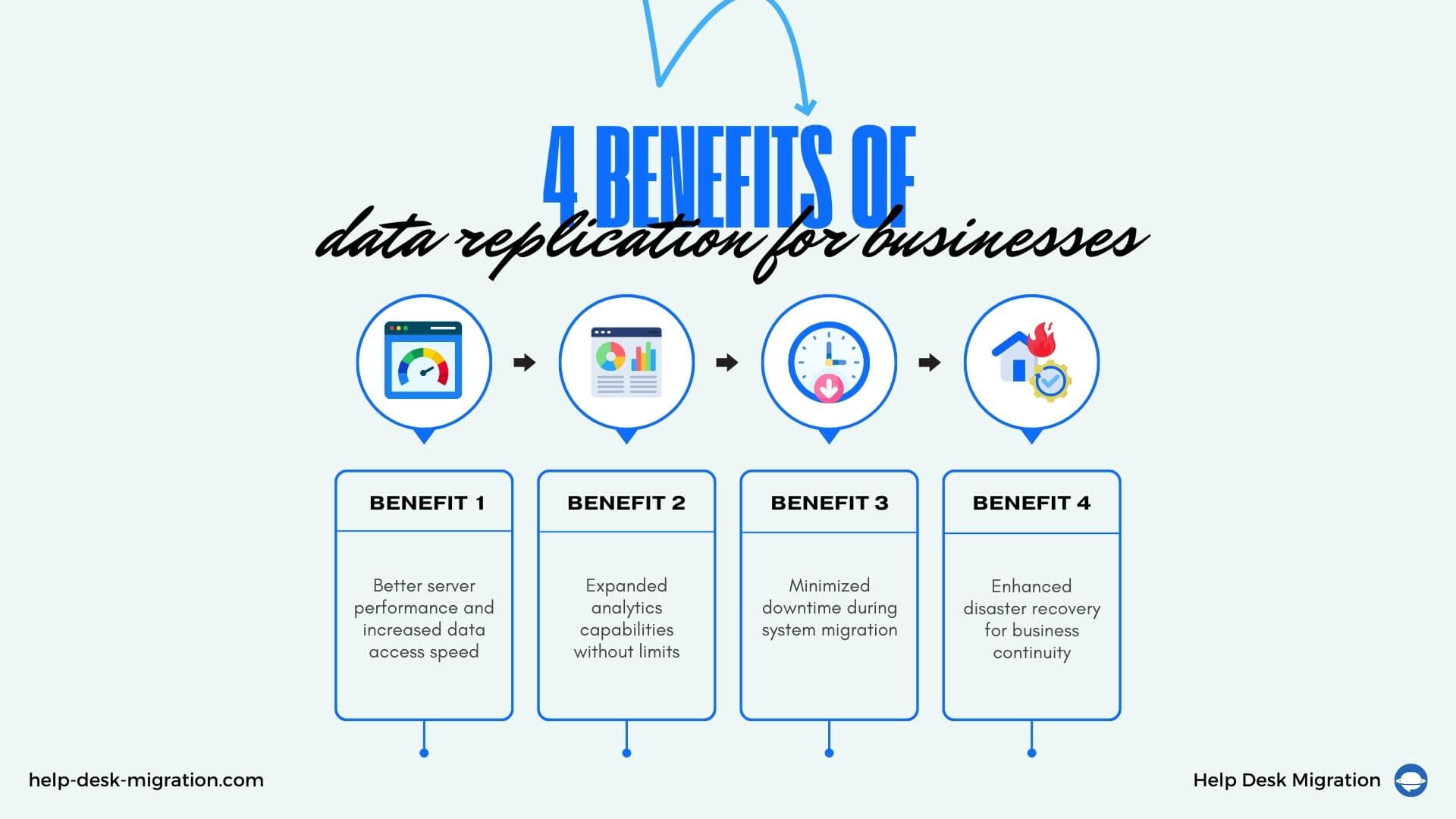
4 Benefits of data replication for businesses
Copying critical data to create identical duplicates has a bunch of advantages. Let’s take a look at some of them.
1 Better server performance and increased data access speed
Replicating data across multiple servers prevents server bottlenecks. The main production server handles critical data processing. However, it might get overwhelmed when inundated by requests from all staff and applications. Localized copies would reduce the load on the central system.
With the workload spread out, access speeds up. Your employees won’t have to wait too long for the information to load.
2 Analytics without limits
Data replication also lifts limits on analytics. If all your company's data lives on one server, you can only run so many reports until its capacities get overburdened.
Your teams can replicate relevant datasets onto servers purpose-built for heavy data processing. Plus, they won’t waste time sifting through unnecessary data, thanks to automated replication focusing solely on what's required.
3 Minimized migration downtime
Transitioning from legacy systems doesn’t mean pausing work during the move.
Replication works in the background, continuously copying the new data changes from the old system to the new platform. If sales reps log new customer meetings in the legacy CRM, replication will automatically migrate those latest records to ensure the new CRM stays current. This helps avoid productivity roadblocks or data falling through the cracks.
However, to enjoy this benefit, you need an efficient database replication tool that smoothly copies new and updated records without duplicating old datasets. A bit later, we’ll explain what to look for in the best data replication software. Meanwhile, the last but not least benefit is...
4 Successful disaster recovery
Data replication plays a huge role in disaster recovery. You risk permanently losing valuable data should anything happen to your server. Data replicated to other servers is your safe, spare copy.
Service downtimes also entail revenue loss until your customers can use the system again. Not to mention cascading failures that also bring other services down. Data failures cost dear. More than 60% of outages incur at least $100,000 in total losses. It’s a significant increase from 39% in 2019.
With data replication, though, if one server goes down, your business will stay up and running using replicated data from another source.
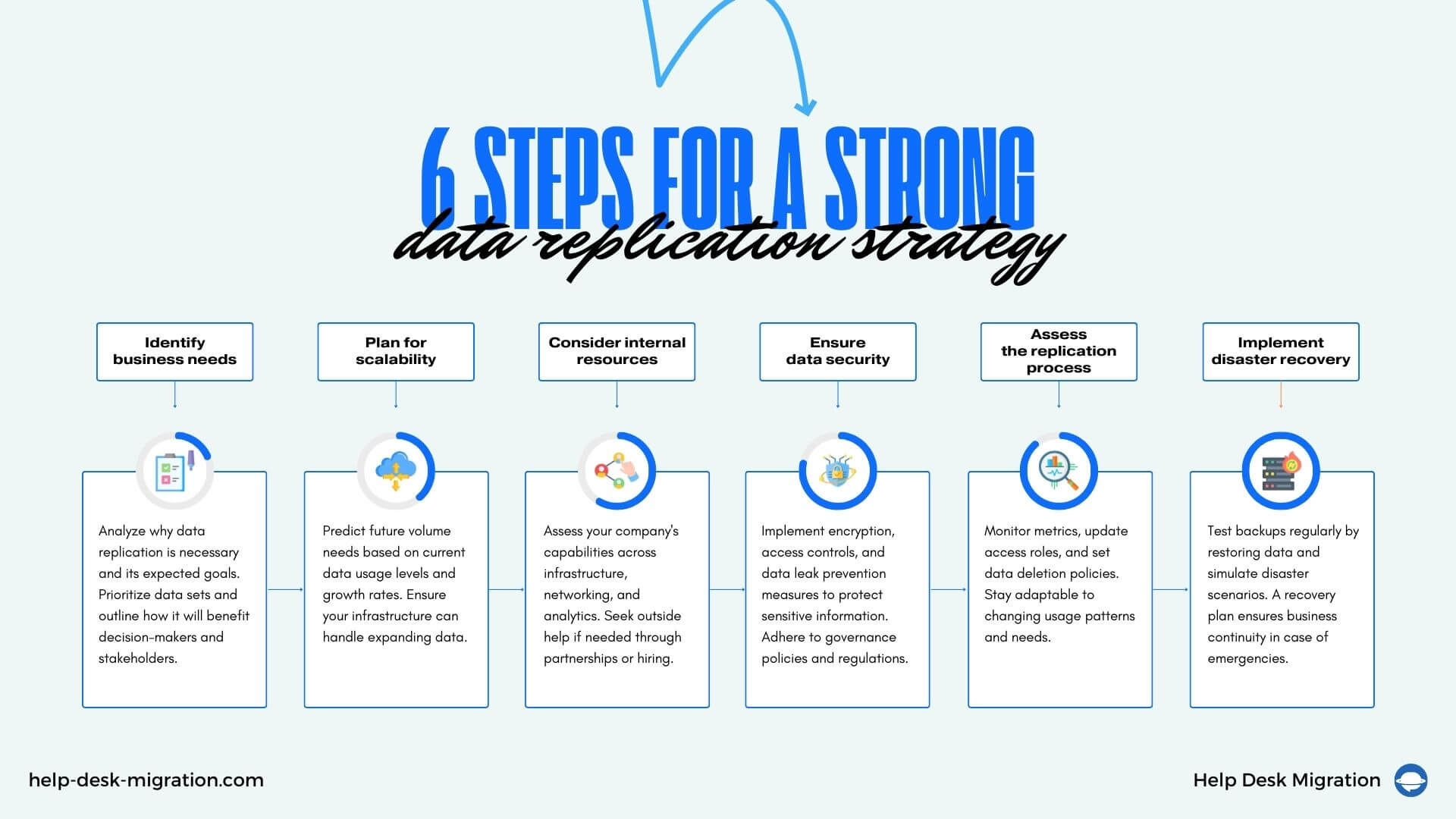
6 cornerstones of a good data replication strategy
Upfront planning ensures your investments perfectly align with business needs. Here are the main steps towards the first data replication.
1 Identify business needs
First of all, analyze why your business needs data replication and what specific goals it’s expected to address. Determine priority data sets and outline how data replication is supposed to help decision-makers, customers, and other stakeholders.
2 Plan for the required scalability
Another big step is planning for scalability as data continues to expand.
Up to 57% of companies say they cannot handle the speed of their data growth. Not to join their ranks, look at current data usage levels and growth rates, and work closely with IT departments to predict future volume needs.
3 Be conscious of internal resources
Data replication takes expertise across infrastructure, networking, data types, and analytics. Be realistic about the company’s capabilities to properly implement replication operations.
You could seek outside help to fill knowledge gaps through managed service partnerships or hire additional staff.
4 Consider data security needs
Ensuring data security is paramount when duplicating sensitive information. Encryption, access controls, and data leak prevention are absolute must-haves. Verify that your replication operations adhere to internal governance policies and external regulations to avoid hefty fines and reputational damage.
5 Assess the replication process
Regular check-ins keep all data processes running smoothly. Monitor metrics indicating a capacity issue. Update access roles during employee transitions. And be sure to set data deletion policies to remove unnecessary data automatically. Also, pay attention to usage patterns and pain points, as your team's needs may shift over time.
6 Implement a disaster recovery plan (if data replication is part of your backup strategy)
No one wants to imagine worst-case scenarios, but being proactive is a must. You can ensure that backups actually work by restoring data from replicated repositories to staging servers.
Another option is to create simulated disaster scenarios to guarantee that your teams can quickly react and seamlessly transfer data to alternative sources. If disaster strikes for real, a recovery plan will help your company bounce back.
The right replication software is yet another part of the strategy to guarantee error-free infrastructure operation.
How to choose the best data replication tool
A robust data replication solution can significantly strengthen your operations. Let’s go through the main considerations when selecting one.
Check for scalability
Scalability is one of the biggest factors, as data volumes will barely ever decrease. Can the tool handle double or even triple capacity needs over the next few years? Ask vendors about the infrastructure and bandwidth behind their data replication software.
Tets the ease of integration
Ease of integration matters, too. Run away if data replication software requires extensive development to work with current systems. Look for simple ways to set up and manage replication. Your IT teams already shoulder a heavy workload, so the fewer headaches, the better.
Dig into performance and latency
Database replication software must pull and push data quickly without major delays between sources and destinations. Therefore, check the service level agreements of your potential vendor to ensure data replication doesn’t take years and inquire about premium options to speed up the transfer.
Does it preserve data consistency and reliability
Reliability and accuracy are critical during replication processes. Ask vendors how their database replication tools handle network interruptions so that no parts of data end up missing.
Be attentive to security features
Evaluate each vendor’s security approach. Your potential data replication software must use encryption, access controls, and permissions. Depending on data sensitivity, some industries also require independent controls audits, so double-check if data replication tools have up-to-date compliance attestations.
Does it offer monitoring and reporting capabilities
Your engineers must track the status and get alerts if anything seems off to catch errors early. Reporting also helps you understand ROI. Top-tier data replication tools provide dashboards, notifications, analytics, and more to keep replication operations running smoothly.
What about the vendor support and maintenance
In addition to functionality, pay attention to vendor reliability. Check whether they have expertise in complex integrations and custom use cases. It’s highly recommended to gauge the level of support and maintenance before committing to data replication solutions that would support key company data flows.
How much does it cost
Last but not least, a higher price tag does not always mean a better tool. Check if the subscription fee matches the value provided. Get multiple vendor demos, cost structures, and references. Some data replication solutions may offer remarkable capabilities at surprisingly affordable rates.
What matters most in a data replication solution?
Let’s recap the essential components of winning data replication tools. The right replication software lets data flow freely between old and new systems. It keeps your data safe and sound yet easily accessible across business departments. The scalability and reliability give you room to grow and change direction as needed.
We hope that our primer on replication types, benefits, strategies, and data replication software features will help you find the perfect fit.
Frequently Asked Questions
- Help Desk Migration service specializes in migrating help desk data, including tickets, contacts, and other related information, between various help desk platforms. Its data replication functionality ensures seamless synchronization of data between source and target systems, allowing organizations to maintain data consistency and continuity during the migration process.
- HVR offers real-time data replication with high performance and minimal impact on source systems. Its log-based change data capture ensures data consistency and integrity, making it a reliable choice for enterprises.
- Attunity Replicate provides efficient and scalable data replication across various platforms, including on-premises and cloud environments. Its automated data synchronization capabilities simplify the replication process and reduce operational overhead.
- Oracle GoldenGate is known for its real-time data integration and replication capabilities. It offers robust support for heterogeneous environments and complex data transformations, making it suitable for large enterprises with diverse IT landscapes.
- AWS DMS simplifies the process of migrating and replicating data between different database engines and cloud platforms. Its managed service approach ensures reliability, scalability, and cost-effectiveness for organizations utilizing AWS infrastructure.
- SAP Data Services is a comprehensive data integration and replication solution designed for enterprises running SAP applications. It offers extensive support for data quality management, ETL processes, and real-time data replication across SAP and non-SAP systems.
- Talend Data Integration provides a unified platform for data integration, replication, and management. Its open-source foundation coupled with powerful data replication capabilities makes it a popular choice for organizations seeking flexibility and customizations for cloud platforms.
- IBM InfoSphere Data Replication offers reliable and scalable data replication solutions for heterogeneous environments. Its advanced features, such as conflict detection and resolution, ensure data consistency and accuracy across distributed systems.