

Comparing Jira Service Management vs. Ivanti Neurons is a natural step when evaluating IT service platforms. Jira is widely used across IT, HR, facilities, finance, and customer service teams, while Ivanti Neurons is commonly used in environments where device visibility and security controls matter.
So, which direction makes more sense for your team? Allow us to break down the core differences, strengths, and pricing approaches of both tools to help you make a decision.
Overview: Ivanti vs. Jira Service Management
Jira Service Management and Ivanti both support IT service delivery, but with different priorities: Jira focuses on fast, collaborative workflows, while Ivanti centers on asset visibility, endpoint control, and security. Let’s get into the details.
What Is Jira Service Management?
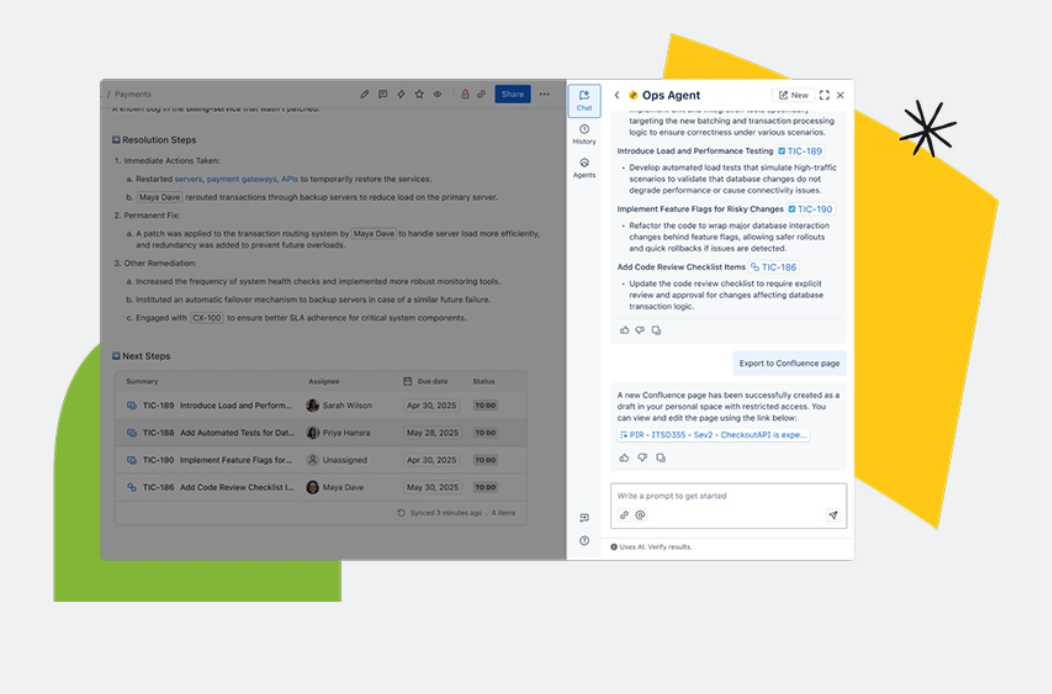
Organizations use Jira Service Management across different departments, including IT, HR, facilities, finance, and customer support. In fact, Atlassian states that the product is adopted by more than 60,000 customers.
What Is Ivanti?
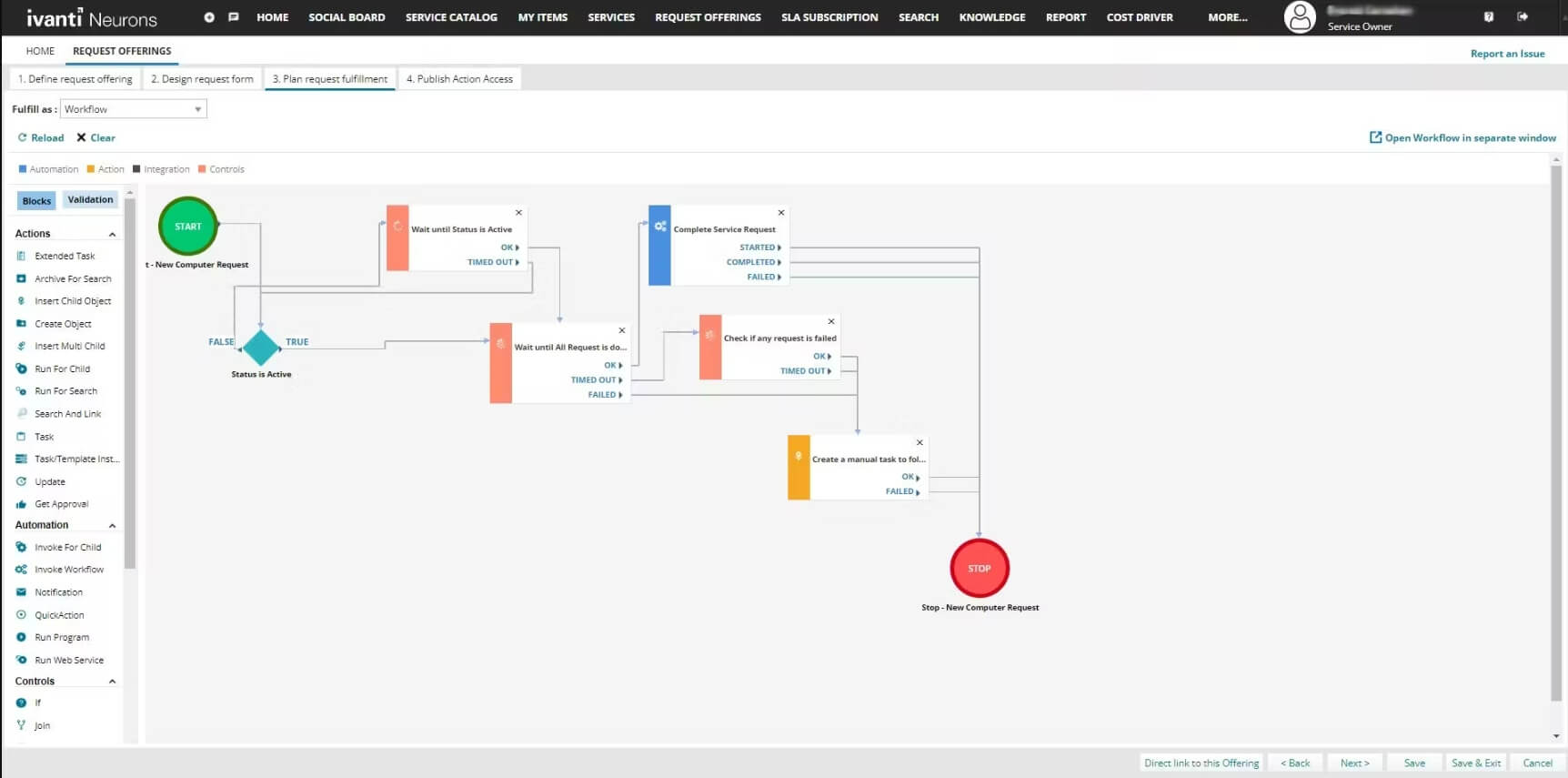
It’s often adopted by organizations that manage large device fleets and rely on capabilities like unified endpoint management, automated patching, and exposure monitoring. According to Ivanti, more than 34,000 customers use its products across industries like healthcare, finance, and government.
Ivanti vs. Jira: Quick Comparison Table
| Feature Category | Jira Service Management | Ivanti Neurons |
| Primary Focus | Cloud ITSM for requests, incidents, and team portals | ITSM plus asset, endpoint, and security management |
| AI Features | Summaries, suggestions, alert grouping | Incident correlation, device diagnostics, and optional self-healing (via Neurons for Healing) |
| Strengths | Collaboration, agile workflows, ease of adoption, marketplace ecosystem | Deep asset visibility, endpoint management, security automation |
| Pricing Model | Transparent tiers per agent | Custom quote-based pricing |
| Best For | Teams using Atlassian; fast setup; cross-team work | Large, security-heavy environments with many devices |
Ivanti vs. Jira Service Management: Feature-by-Feature Comparison
Let’s look at how Jira Service Management and Ivanti Neurons handle workflow automation, customer service processes, knowledge base use, collaboration between teams, and more.
Automation and AI Capabilities
Jira Service Management
Atlassian Intelligence and Rovo add another layer of support by creating quick summaries, suggesting replies, or drafting knowledge articles from existing information. This cuts down on administrative work and helps teams handle a steady flow of tickets.
Ivanti Neurons
It can also connect related incidents and run self-healing routines that resolve common issues automatically — no human needed.
Request, Ticket, and Incident Management
Jira Service Management
With Atlassian Intelligence (available in Standard+), Jira Service Management can create a brief recap of a ticket’s activity, which is great for teams that handle ongoing, rapid-fire requests and don’t have time to read through long comment chains. Plus, they get follow-up messages and status checks with automated notifications.
Ivanti
During peak activity, Ivanti can spot connections between multiple issues and point teams toward the source of the disruption instead of treating every alert as isolated work. This is especially helpful in setups where issues stem from device health, patching gaps, or changes detected through UEM tools.
User Experience and Interface
Jira Service Management
For new users, the layout feels familiar if they’ve worked with any modern issue-tracking tool. Where some teams need more time, though, is adjusting to Jira’s configuration layer: queues, request types, and workflows offer a lot of flexibility, but the setup process requires a bit of orientation before everything feels intuitive.
Ivanti Neurons
The layout is more structured and sometimes more formal than Jira’s. It’s usually clear where key information lives, but the number of administrative options can feel heavy at first, especially for teams that haven’t worked with platforms that combine ITSM with endpoint and security data.
Security, Compliance, and Risk Management
Jira Service Management
For companies with regulated workflows, Jira Service Management includes options like data residency, audit logs, and enterprise-grade access controls. Larger organizations often lean on Atlassian Guard for central authentication and identity management, which helps maintain consistency across multiple Atlassian tools.
Ivanti Neurons
Zero Trust access is a core part of how Ivanti controls risk. Decisions about what a user can reach depend on who they are and whether their device meets the organization’s requirements.
Ivanti also places a strong emphasis on understanding where vulnerabilities come from. Its tools help teams identify what’s connected to the network, assess the level of risk, and send fixes or updates directly to affected devices.
Asset Management and Configuration Management
Jira Service Management
Inside incidents or change requests, agents can see how different items relate to each other and how an update in one place might influence something else. This makes it easier to judge whether a change is safe to move forward with and helps teams get to the root of service issues faster.
The system is very flexible, but teams often need some time to shape the structure so it fits the way they work.
Ivanti Neurons
With modules like Neurons for Discovery or UEM, Ivanti can scan the environment for devices, gather details from different sources, and follow each asset through its lifecycle. Because this information sits alongside ITSM data, service teams can quickly see whether an issue is linked to outdated software, a configuration problem, or a vulnerability on the device.
Knowledge Base and Self-Service
Jira Service Management
AI assists with maintenance by summarizing articles, suggesting updates, and flagging topics that people search for but can’t find. This keeps the knowledge base in good shape without demanding constant manual updates.
On top of that, users can access information through personalized help centers, article suggestions inside the portal, or chat tools like Slack and Microsoft Teams. These updates also strengthen day-to-day knowledge management so content stays useful.
Ivanti Neurons
AI plays a role as well. It can draft new articles based on resolved cases, offer suggestions while agents work on tickets, and support virtual agents that guide users toward answers early on.
And because Ivanti links service records with data pulled from Discovery, endpoint agents, and UEM tools, self-service entries include background information that helps users understand the issue on their own. This setup trims repetitive customer support questions and shortens time to resolution.
Integrations and Ecosystem
Jira Service Management
Outside of Atlassian’s own apps, the marketplace includes thousands of integrations and add-ons, ranging from small workflow helpers to more advanced ITSM extensions. Slack and Teams connections also improve team collaboration, since agents can pick up and update requests where work already happens.
Ivanti Neurons
Ivanti does allow third-party integrations, but the smoothest experience usually appears when its ITSM, ITAM, and UEM products run together because they share the same data foundation.
Jira Service Management vs. Ivanti: Pricing
Pricing is one of the most striking differences between Jira Service Management and Ivanti. Jira publishes transparent, tier-based prices, while Ivanti uses a quote-driven model that varies by product mix, number of users, and deployment choices.
Jira Service Management Pricing
Jira Service Management offers four tiers (Free, Standard, Premium, and Enterprise) with pricing based on the number of agents:
- Free: Up to 3 agents. Includes core ticketing, templates, multichannel intake, embedded knowledge base, and community support.
- Standard: $20 per agent/month. Adds AI-powered search and chat, branded help centers, unlimited email notifications, audit logs, and data residency options.
- Premium: $51.42 per agent/month. Includes virtual agents, asset and configuration management (Assets/CMDB), advanced incident and problem management, change management, and AIOps capabilities.
- Enterprise: Quote-based. Adds advanced analytics, extended admin controls, enterprise-grade identity management, unlimited automations, and multi-site support.
Atlassian provides a pricing calculator that shows how costs change depending on team size and usage. It allows teams to begin with a modest plan and upgrade when they outgrow it.
Ivanti Pricing
Ivanti uses customized pricing rather than fixed tiers. Costs depend on:
- Specific products selected (ITSM, ITAM, UEM, security modules, etc.)
- Deployment type (cloud, hybrid, or on-premises)
- Size and distribution of the device fleet
- Automation requirements
- Support and implementation services
Ivanti is generally geared toward mid-size and large enterprises with wide IT and security needs, so the overall cost can be higher than standard SaaS plans.
Summing up, here’s what you need to consider:
- Smaller teams usually find Jira easier to budget, since the cost is tied to agent seats and the feature set is predictable.
- Enterprises with large device inventories may see stronger value in Ivanti’s unified ITSM + UEM + security environment.
- Scalability costs rise differently: Jira scales with agent count; Ivanti scales with endpoints, product modules, and service levels.
For team leaders, the key is weighing per-agent costs against how much workflow automation reduces manual work over time.
Jira Service Management vs. Ivanti Neurons: Pros and Cons

Before committing to Jira Service Management or Ivanti, let’s take a final look at what each tool does well and where teams may run into limitations.
Jira Service Management: Pros
- Easy to adopt for teams already using Jira Software, Confluence, or other Atlassian tools
- Transparent pricing with predictable per-agent costs
- Strong collaboration features, especially between IT and development teams
- AI support built into the platform, including request summaries, suggested responses, and incident analysis
- Flexible for non-IT teams, making it suitable for HR, facilities, finance, and internal service desks
- Large marketplace ecosystem for extending workflows, integrations, and automations
Jira Service Management: Cons
- Asset and configuration management is only fully available in higher tiers
- Complex setups may require configuration work, especially when aligning multiple teams under one environment
- Some organizations outgrow the Free plan quickly due to the 3-agent limit
- Not designed for deep endpoint or device-level control, which limits its use in environments with heavy UEM or security requirements
Ivanti: Pros
- Unified view of devices, assets, and service data, which helps teams that operate large or diverse fleets
- Extensive endpoint management, including iOS, Android, Windows, macOS, Linux, ChromeOS, and rugged devices
- Risk-focused security features, such as exposure management, patching, and Zero Trust controls
- Automation at the device level, including self-healing and real-time diagnostics
- Strong fit for industries with strict security obligations, including healthcare, government, and finance
Ivanti: Cons
- Pricing requires a quote, making cost comparisons less straightforward
- Broader platform scope can lead to longer onboarding or heavier administrative work
- Interface and navigation may feel dense for teams that don’t need endpoint or security modules
- Cloud capabilities vary by module, and some organizations still rely on on-prem deployments
- Fewer third-party integrations compared to Atlassian’s marketplace ecosystem
Ivanti vs. Jira: Which Tool Is Best for You?
Below are practical scenarios to help match each platform to the right type of team.
Best for Small Teams
Winner: Jira Service Management
Jira works well if your service desk sits next to project management, and you want a user-friendly interface that your team already knows. It requires less setup, offers straightforward pricing, and fits naturally into environments that already use Jira Software or Confluence. Small teams usually get productive faster because they don’t need a complex operational structure or deep device management.
Best for Mid-Size Teams
Winner: Both
Jira suits mid-size companies adopting standard ITSM practices and expanding service operations into HR, facilities, or finance. At the same time, Ivanti suits mid-size companies that already manage many devices or need tighter coordination across service, asset, and endpoint data.
Best for Large Enterprises
Winner: Ivanti
Enterprises with wide infrastructure, many device types, or strict governance often benefit from how Ivanti brings service management, asset visibility, UEM, and security into one system. Jira can support large organizations, too, but Ivanti tends to fit environments that depend on unified endpoint management, exposure tracking, and device-level automation at scale.
Best for Security-Heavy Organizations
Winner: Ivanti
Ivanti tends to be a better fit for security-heavy environments. Its exposure tracking, patch automation, and Zero Trust-style access controls help teams spot issues, understand how serious they are, and address them directly in the same platform they use for everyday operations.
Best for Agile Development Environments
Winner: Jira Service Management
Jira works well for teams that already use Atlassian tools for development. Incidents and changes connect to the same project structures engineers rely on every day, which lets teams move work forward without jumping between systems or entering information twice.
Best for IT Operations Teams
Winner: Both
Jira supports IT Ops teams that move quickly through incidents and work closely with engineering. It’s a solid match when incidents and requests need tight coordination with delivery work and clear team collaboration paths. But Ivanti tends to fit teams whose daily work depends on understanding how devices are performing or how they’re configured.
Best for Organizations That Need UEM
Winner: Ivanti
Ivanti’s UEM tools are considerably more extensive, covering a wider range of platforms, from desktops and mobile devices to rugged and IoT endpoints. Jira doesn’t provide these capabilities natively.
Best for HR, Facilities, and Business Teams
Winner: Jira Service Management
Jira is easier for non-IT departments to adopt because forms, workflows, and queues can be adjusted without technical knowledge. Plus, it works well as a centralized employee support system across multiple teams.
Conclusion
Jira Service Management suits teams that want a flexible, collaborative service platform that adapts quickly and fits naturally into everyday work, especially if they already use Jira or Confluence.
Ivanti Neurons, on the other hand, is a better match for organizations with complex infrastructures, strict security expectations, or large device fleets. Its ITSM capabilities work closely with endpoint management and security, which is helpful when technical context shapes most service requests.
In the end, both platforms can support modern IT operations, but the right choice depends on how your teams work and what you need to manage. And if you ever choose to switch tools, Help Desk Migration can transfer your records securely so the transition stays smooth.
FAQs About Jira Service Management vs. Ivanti Neurons
Jira focuses on collaborative ITSM workflows and cross-team support, while Ivanti combines ITSM with deep endpoint, asset, and security management.
Ivanti provides deeper device-level automation and self-healing, while Jira offers strong workflow automation and AI features for summaries, routing, and knowledge creation.
Yes. Jira’s transparent per-agent pricing, simple setup, and tight integration with Atlassian tools make it ideal for small and growing teams.
Ivanti is best for mid-size and large enterprises with many endpoints, strict security needs, or requirements for UEM and real-time device monitoring.
Both offer strong incident handling, but Ivanti adds endpoint diagnostics and vulnerability insight, while Jira excels in collaborative incident response and DevOps alignment.
Jira offers flexible asset tracking through Jira Assets (Premium+), while Ivanti provides deeper, real-time asset and configuration data through discovery and UEM modules.
Jira provides transparent tiered pricing, while Ivanti uses quote-based pricing that varies by modules, endpoints, and deployment type.
Both Jira Service Management and Ivanti Neurons offer strong security. Jira leverages Atlassian’s cloud standards, including ISO/IEC 27001, SOC 2, audit logs, and enterprise-grade access controls. Ivanti emphasizes Zero Trust, device-level security, vulnerability management, and swift risk mitigation across ITSM and endpoint environments.
Jira Service Management integrates natively with Jira Software, Bitbucket, Confluence, and other Atlassian tools, making it the preferred option for DevOps environments.
Yes. Platforms like Help Desk Migration can securely transfer tickets, assets, knowledge base content, and other records between Jira and Ivanti.