
Why Companies Are Leaving Intercom (Now Fin)
Big news is here! Salesforce is buying Intercom, now renamed as Fin (the name of the company’s flagship AI tool). The purchase is expected to close in the fourth quarter of Salesforce’s fiscal year 2027. The plan is that Fin will join SF’s flagship product, Agentforce as a point solution to provide clients with an AI-centered service.
Still, that’s just a plan, which means the whole thing is by large all up in the air. Salesforce acquired companies in the past and almost every time this is an “absorb, rebrand, and integrate” scenario. So Desk.com, Quip, Do.com, and many others were shut down after their technology was used to boost SF’s titan. Thus, the real destiny of Fin is up to a discussion.
But if the above cause for concern is based on probability only, there are other, more certain reasons why companies might take to their heels when it comes to Fin.
The rebrand explained: Intercom → Fin
In May 2026, the CEO of former Intercom, Eoghan McCabe, officially announced that “we’re changing the name of our company to Fin”.
For nearly 15 years, Intercom was known and beloved as a primarily human-centered help desk product with diverse functionality. Their signature feature, which they in fact invented, was a little in-app chat widget in the corner of your screen, where humans interacted with humans.
Then in 2023 Intercom launched another groundbreaking feature: an AI agent named Fin.
Another crucial goal the company pursued was dropping “the baggage” of the past. McCabe insightfully noted that AI startups have an advantage compared to the older companies as people immediately see them as cutting-edge AI:
I believe this so thoroughly that I actually think that the relative success of the newcomers in our category, despite the fact that we have provably superior technology, is a result of the fact that they have no baggage.” Eoghan McCabe, CEO of Fin
The baggage of previous product experience, on the other hand, can mess this image up. Thus, by rebranding the company also symbolically got rid of its baggage.
Thanks to the rebranding, the company made itself look like a perfect target for the acquisition by Salesforce. Namely, Fin looked exactly like a pure-play AI powerhouse Salesforce was looking to buy.
And for Fin itself, the acquisition by Agentforce looks beneficial for it, too.
- As co-founder Eoghan McCabe noted, they have been intensely launching products recently and that “with the resources of Salesforce this will only accelerate”.
- Also, by plugging their tech into Salesforce, Fin instantly gains access to the largest enterprise customer base in the world.
- By joining Salesforce, Fin secures practically infinite engineering resources and financial backing for developing their AI model.
Possible downfalls though are present as well:
- Fin’s ultimate vision is to have a single customer agent that spans the entire customer journey. So for Fin’s technology to work as intended, corporate users will have to abandon their perceived "ownership" of the customer. Thus, Fin could face internal resistance from enterprise buyers who refuse to break down their organizational silos.
- This massive acquisition spree (including Fin and Contentful) can be a sign that Agentforce isn't meeting expectations and that Salesforce is desperately trying to fill major gaps in its product capability. Fin could easily get caught in the middle of a messy product roadmap.
- Customers are now questioning AI and its real value. If enterprise customers experience fatigue from Salesforce's grand-stage promises and refuse to upgrade their core systems, Fin’s ability to sell into that legacy customer base will stall out.
The $0.99/resolution pricing model — what it actually costs
99 cents. That’s the price of one ticket resolution when you use Fin. It’s too early to rush into judgement though.
A “value-based” or “outcome-based” pricing model indeed looks pretty beneficial until you see how things work in practice. The hidden reality is that Fin can define the case as resolved even when it’s not. In a so-called assumed resolution, customers can just close the tab without asking for human support or replying to Fin within 24 hours. But the AI agent still counts it as a success. Customer is gone, mission accomplished. $0,99 please.
So what you actually pay for
When companies read "$0.99 per resolution," they assume if the AI resolves 100 tickets, they pay $99. But really, they also pay for:
- Golden silence: Businesses regularly get charged $0.99 for completely failed conversations just because the customer went silent.
- The seat trap: The $0.99 fee doesn't replace regular software costs. Companies still have to pay $29 to $132+ per month per human agent just to use the Intercom platform.
- The “Success tax”: If a company gets hit with a massive spike in traffic (like during Black Friday), and Fin successfully handles 10,000 conversations, you pay $9,900, which feels like a tax considering that the AI’s success is the result of your training.
The Reality Check
Businesses have reported their Intercom bills jumping from $1,200 to $10,000 a month after turning Fin on.
While 99 cents from Fin is drastically cheaper than paying a human cs rep to handle a ticket (which usually costs a business $5 to $12 in wages), because of usage-based pricing and phantom charges it becomes incredibly expensive compared to other AI bots that charge flat rates or just a few cents per chat.
Real-world cost scenarios (100 / 500 / 2,000 resolutions/month)
Let’s take a closer look at the math you’re gonna get using Fin for different monthly volumes.
As you remember there are 2 ways to use this AI:
- as an Intercom customer;
- as a standalone integration (Fin works natively with HubSpot, Freshdesk, Zendesk, and Salesforce, and it even has an open API so you can connect it to custom, homegrown systems🌱).
Based on your preferred way, you’ll get a different outcome.
We will use a standard 5-agent team on their popular "Advanced" plan at $85/seat to show you a typical picture.
100 Resolutions per Month
If you use Intercom's Helpdesk:
- Human Seats: 5 agents\ $85 = $425
- Fin AI Fee: 100 resolutions\$0.99 = $99
- Total Monthly Bill: $524
If you use Fin Standalone:
- You just pay for the outcomes.
- Total Monthly Bill: $99
At this size, the cost is incredibly manageable. The AI fee is a tiny fraction of your software budget, and you barely notice it.
500 Resolutions per Month
If you use Intercom's Helpdesk:
- Human Seats: 5 agents \$85 = $425
- Fin AI Fee: 500 resolutions \ $0.99 = $495
- Total Monthly Bill: $920
If you use Fin Standalone:
- Total Monthly Bill: $495
This is the tipping point where the "AI Tax" takes over. On the Intercom platform, the AI now costs more than all your human software licenses combined ($495 vs $425).
2,000 Resolutions per Month
If you use Intercom's Helpdesk:
- Human Seats: 5 agents \ $85 = $425
- Fin AI Fee: 2,000 resolutions \ $0.99 = $1,980
- Total Monthly Bill: $2,405
If you use Fin Standalone:
- Total Monthly Bill: $1,980
You hit a growth spurt - a successful marketing campaign, or a busy holiday season. Fin is working overtime and your overall bill explodes.
Summary Table
| Monthly Volume | Standalone Fin Cost ($0.99/res) | Total Intercom Bill (With 5 Seats*) |
|---|---|---|
| 100 Resolutions | $99 | $524 |
| 500 Resolutions | $495 | $920 |
| 2,000 Resolutions | $1,980 | $2,405 |
*Note: Total bill includes a structural base floor of $425/month for 5 human agent seats on Intercom's Advanced plan ($85/seat/month billed annually).
What to Look for in an Intercom Alternative
Pricing model (flat seat vs. resolution-based)
There are 2 Intercom major pricing models: flat seat and resolution-based.
Flat seat
A flat seat or flat rate basically means there is a fixed price. If one seat costs $50, whether an agent answers 5 tickets or 5,000 tickets that month, the price for that seat remains exactly the same.
Before AI came along, this model was the absolute undisputed queen of software billing, used by all traditional CRM platforms.
Businesses loved it cause it’s:
- Highly Predictable: You know exactly what your software bill will be next month. It only changes if they hire or fire people.
- Encourages Maximum Usage: Since you aren't charged per ticket, you want your team using the software as much as possible to get your money's worth.
Resolution-based
Resolution- or usage-based model arose with the development of AI. It now confidently conquers the software world killing the flat-rate all over the place.
And, though maybe a bit ruthless, that makes sense.
A Gartner report highlights a massive shift in software billing, predicting that 40% of enterprise SaaS budgets will transition to usage- or outcome-based pricing models by 2030. Gartner via TheNextWeb, 2026
The flat-seat model is shaped by human limitations. 8-hour working day and a certain amount of tickets solved. The AI agent, on the other hand, needs no rest and can handle 100,000 customers at the exact same time.
That is why the big shift is happening and software companies are moving toward the wilder usage/resolution-based models. In this model, teams pay for the value the AI creates, resolution by resolution, rather than a digital space provided to a human CS agent to create this value.
AI and automation capabilities
Your next cynosure when choosing an Intercom alternative is how strong is their AI and how wide the automation spectre is.
In contrast to a common misconception, automation and AI are not the same.
- Automations are deterministic. Those are pre-written scripts created to run simple tasks. Example: Instant order cancellation / Refund process.
- AI is probabilistic. It calculates likelihoods and makes decisions based on training, not a rigid script. Example: Customer ticket with not-trivial issues requiring a targeted response.
When evaluating an alternative, look for a platform where these two forces work in tandem. True efficiency happens when rigid automation handles the routine pipelines, while sophisticated AI takes the wheel for complex, human-like problem-solving.
Data portability and migration ease
Choosing a new help desk is not only about how efficiently you can unpack your data on day one, it’s also about how easily you can pack it back and leave on day 100 in case the AI is hallucinating or the prices have skyrocketed.
- Data Portability: Your legal and technical right to leave your hosting platform. It means you own your data (tickets, customer profiles, attachments, knowledge base articles) and can export it in clean, structured formats (like JSON or CSV) via APIs at any time.
- Migration Ease: The degree of stress you’d face if you decided to utilize your data portability right in practice. The measure of migration ease indicates whether switching platforms takes hours or weeks, and whether it disrupts active agents.
When considering data portability and migration ease in the context of help desk platforms, you are addressing the ultimate insurance policy for any business.
Key features: shared inbox, live chat, knowledge base, automation
When you are shopping for an alternative to a powerhouse like Intercom, you have to look past the marketing fluff. There are 4 foundational features which platforms simply can’t afford to screw up.
1. Shared Inbox
A shared inbox is a centralized workspace where all external communication channels converge (email, WhatsApp, Instagram, phone, and SMS) and are converted into trackable tickets. Agent-to-agent collaboration is also integrated directly into the inbox, happening behind the scenes via internal notes.
What to look for: Look for strict collision detection (so two agents don't accidentally reply to the same customer at the same time), internal tags, and real-time @mentions so teammates can collaborate on a ticket behind the scenes without the customer seeing the messy drafts.
2. Live Chat
In the past, "Live Chat" just meant the little widget in the corner of a website. A customer typed into it, and a human agent typed back in real time.
Today, when you use a premium help desk like Fin, Live Chat is heavily powered by AI.
Instead of waiting for a human to log online, an AI Agent greets the customer, reads the question, crawls the knowledge base, uses logic to solve the issue, and responds in mere seconds.
If the issue is too complex, the AI hands the conversation over to a human agent.
What to look for: A great live chat needs to feed the agent live data: what page is the user staring at right now? What is their customer history? It should also support proactive triggers, like opening a chat box automatically if a user is stuck on the checkout page for more than two minutes.
3. Knowledge Base
They say, the best customer ticket is the one that never gets created because the user found the answer themselves. And Knowledge Base is exactly the place where the answers to most common questions dwell and wait to be tracked down. But to make this “prey” look attractive for users, the trails leading to your help center must be frictionless and impossible to miss.
What to look for: An intuitive rich-text editor for your team to write articles, clean categorization for customers, and critically: SEO optimization so your help articles rank on Google when customers type a problem into a search engine.
4. Reporting & Analytics
In help desk operations, deep analytics is your eyes, without it you are flying blind. A premium platform must provide real-time data to help you optimize your operations.
What to look for: Look for critical metrics like CSAT (Customer Satisfaction scores), FRT (First Response Time), and Resolution Rate. In the age of AI, you also need specialized dashboards that track AI Deflection Rate, showing exactly how many tickets the AI solved completely on its own without costing you a human agent's time.
12 Best Intercom Alternatives for 2026
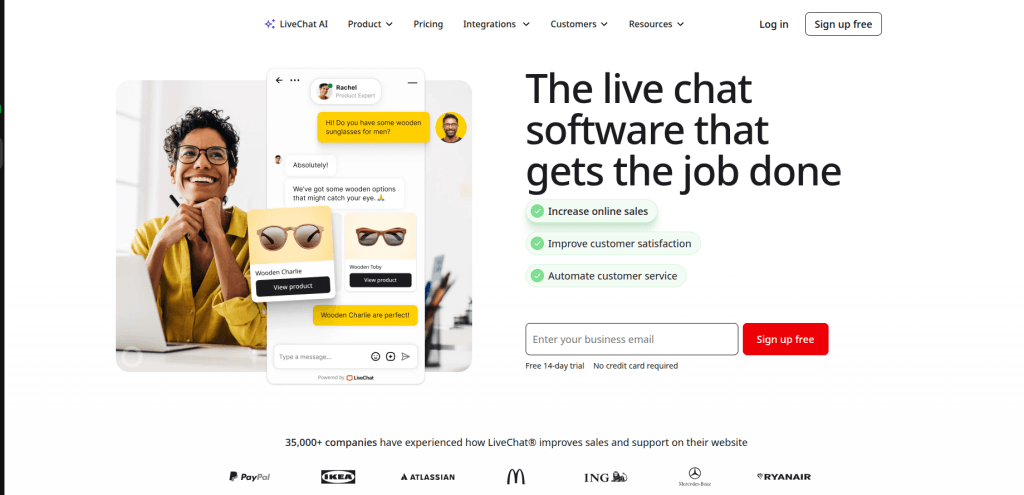
1. LiveChat — Best for dedicated sales and live customer support
- Pricing: Starts at $20/user/month (Starter plan) up to $59/user/month (Business plan).
- Key features: Real-time chat widget, sneak-peek (see what users type before sending), targeted chat triggers, basic ticketing system, and AI-powered canned responses.
- Pros: Lightning-fast interface built strictly for high-volume live chatting. / Excellent team performance reporting and agent tracking.
- Cons: Lacks robust native email marketing and asynchronous in-app messaging / Requires separate add-ons or integrations for heavy automation.
- HDM migration: Supported ✓
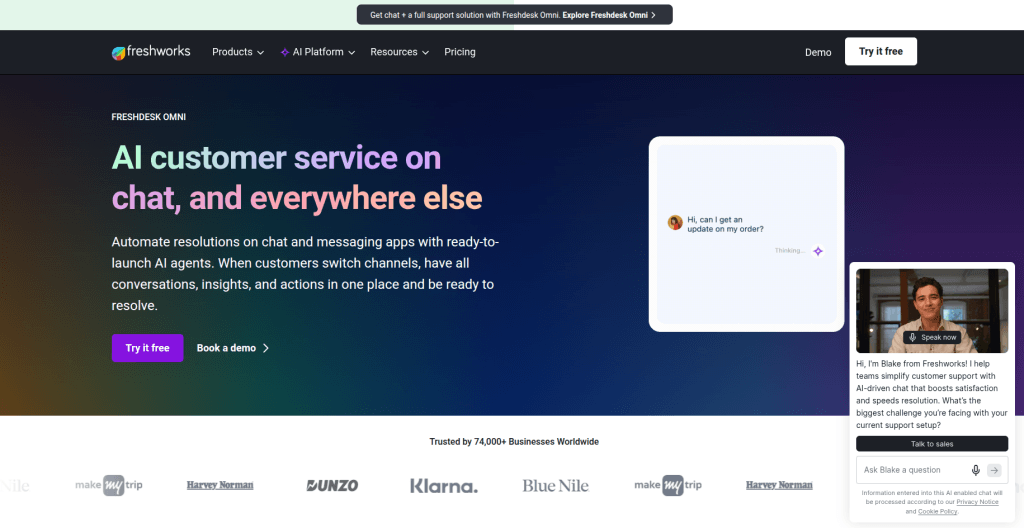
2. Freshchat — Best for omnichannel mid-market scaling
- Pricing: Free tier available; paid plans start at $19/agent/month up to $95/agent/month. Freddy AI add-on is available at extra cost.
- Key features: Unified inbox (WhatsApp, Apple Business Chat, Messenger), Freddy AI bot for self-service, proactive campaigns, and agent-assist tools.
- Pros: Seamlessly connects with the broader Freshdesk ecosystem. / Affordable entry barriers with robust multilingual bot support.
- Cons: The interface can feel cluttered when managing high-volume enterprise queues. / Advanced AI routing requires the most expensive tiers.
- HDM migration: Supported ✓
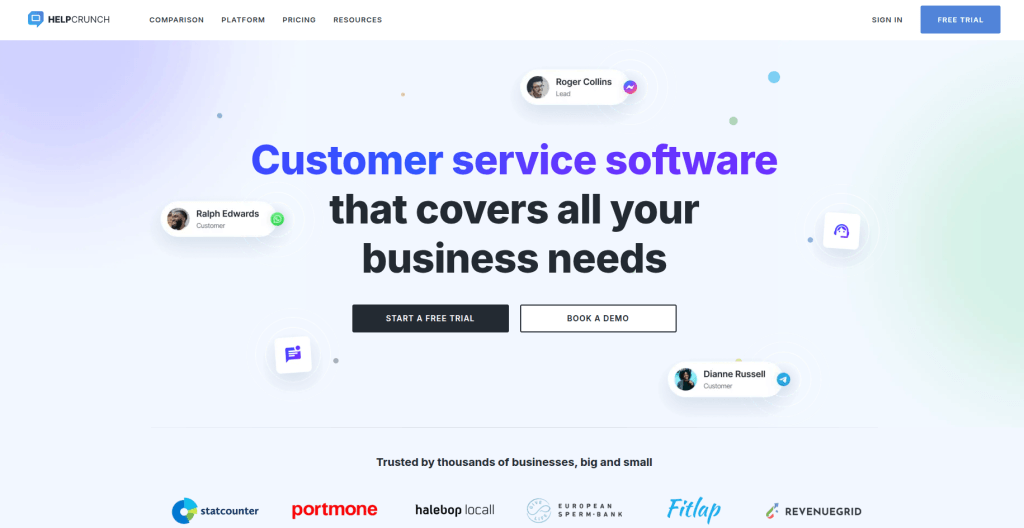
3. HelpCrunch — Best for budget-conscious startups
- Pricing: Starts at $12/user/month (Basic plan) up to $49/user/month (Pro plan).
- Key features: Live chat, email marketing automation, pop-ups, shared inbox, and a native knowledge base.
- Pros: Incredibly cost-effective alternative that packs chat and email marketing into one tool. / Clean, Intercom-like modern interface.
- Cons: The built-in chatbot builder relies heavily on rigid, rule-based logic rather than fluid LLMs. / Fewer deep integrations compared to older helpdesks.
- HDM migration: Supported ✓
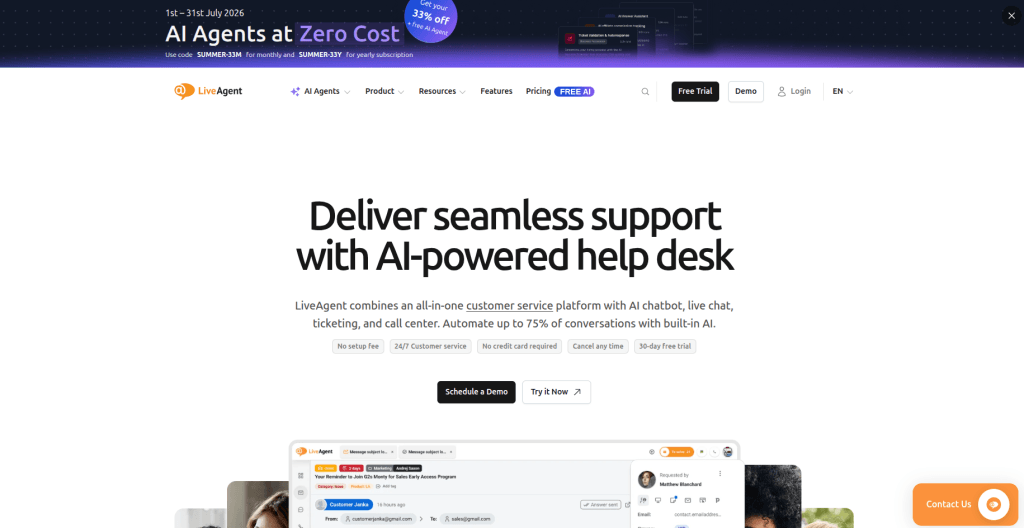
4. LiveAgent — Best for call-center and multi-channel ticketing
- Pricing: Free tier available; paid plans start at $9/agent/month up to $69/agent/month for large businesses.
- Key features: Universal inbox, built-in call center (VOIP), live chat widget, ticket routing, and customer portals.
- Pros: Unrivaled ticketing speed and comprehensive native telephone system integration. / Very aggressive, budget-friendly per-seat pricing.
- Cons: The agent interface and widget customizer look a bit dated. / Lacks the slick, modern "product adoption" or in-app guided tour feel of Intercom.
- HDM migration: Supported ✓
5. Zendesk Chat — Best for enterprise-level customization
- Pricing: Part of Zendesk Suite, starting at $55/agent/month up to $115+/agent/month. Zendesk Advanced AI is an extra add-on.
- Key features: Omnichannel live chat, macro workflows, Zendesk AI deflection, advanced skills-based routing, and deep analytics.
- Pros: Infinite scalability and robust security compliance for massive enterprises. / Powerful native AI that tracks ticket sentiment and automates workflows.
- Cons: Prohibitively expensive for early-stage or small businesses. / Setup is notoriously complex and often requires a dedicated administrator.
- HDM migration: Supported ✓
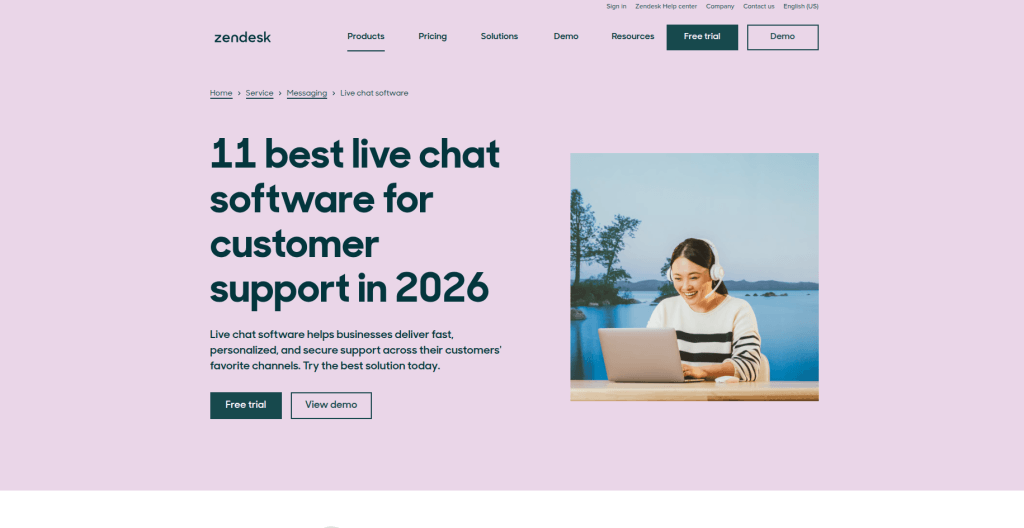
6. Gorgias — Best for Shopify and e-commerce brands
- Pricing: Starts at $10/month (Starter plan, includes 50 tickets) up to $750+/month for enterprise tiers.
- Key features: Deep Shopify/Magento integration, macro automations, instant order modification within chat, and social media comment tracking.
- Pros: Agents can issue refunds, track shipments, and edit orders without leaving the chat interface. / Excellent auto-responders for repetitive queries like "Where is my order?".
- Cons: Billed by ticket volume rather than just seats, which can get costly during holiday sales surges. / Not designed or optimized for SaaS or B2B software companies.
- HDM migration: Supported ✓
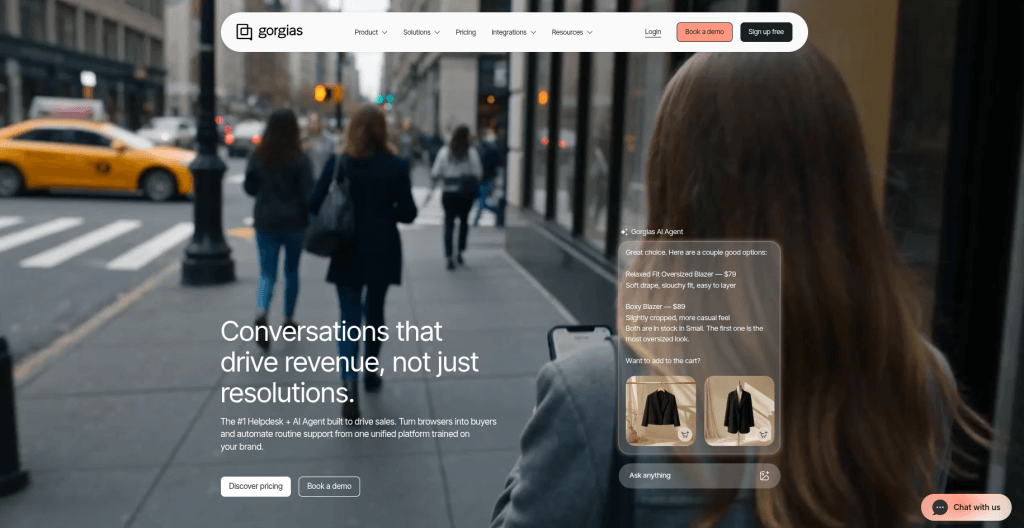
7. Re:amaze — Best for multi-brand e-commerce stores
- Pricing: Flat per-team-member pricing starting at $29/flat rate per month up to $89/user/month.
- Key features: Multi-brand management from one login, live chat, automated push campaigns, FAQ generation, and cue triggers.
- Pros: Allows you to manage customer service across multiple separate stores or domains seamlessly. / Live view allows you to see what page the customer is on in real time.
- Cons: Reporting dashboards lack the deep granularity found in Zendesk or Salesforce. / Mobile app UX is clunkier compared to Intercom's smooth mobile application.
- HDM migration: Supported ✓
8. Front — Best for B2B collaborative operations and email-heavy teams
- Pricing: Starts at $59/user/month up to $129/user/month (requires annual commitment).
- Key features: Shared email inboxes, internal comments/tagging behind emails, live chat widget, SLA management, and AI-suggested drafts.
- Pros: Transforms traditional email into a collaborative multiplayer workspace. / Stops internal forward/CC loops entirely by letting agents comment privately under tickets.
- Cons: High entry price point with a steep learning curve for non-email tasks. / Live chat and in-app targeting features are basic compared to their core email capabilities.
- HDM migration: Supported ✓
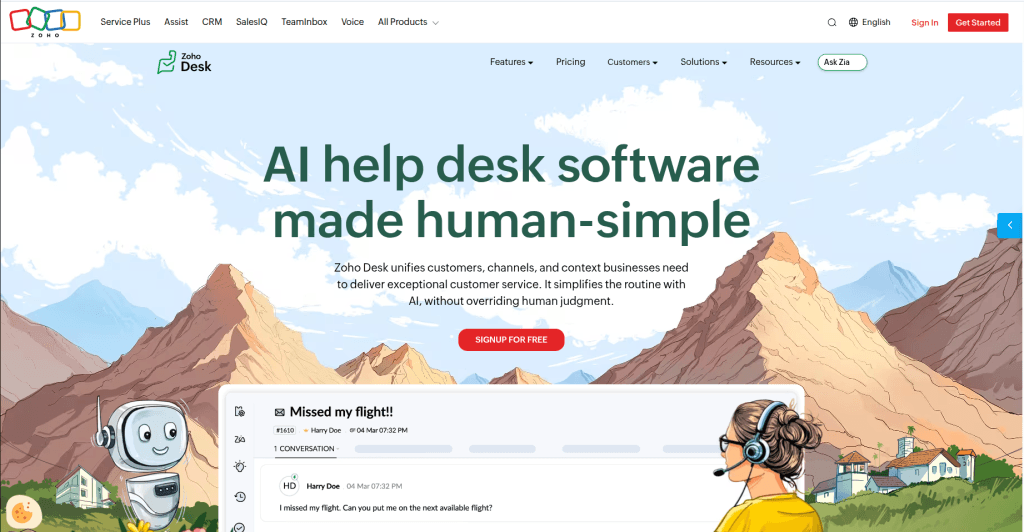
9. Zoho Desk — Best for businesses integrated into the Zoho ecosystem
- Pricing: Free tier available; paid plans start at $14/user/month up to $40/user/month (billed annually).
- Key features: Zia AI assistant, cross-department ticket assignment, live chat embedding, time tracking, and multi-brand help centers.
- Pros: Extremely affordable given the vast breadth of enterprise features included. / Flawless data syncing with Zoho CRM and Zoho Projects.
- Cons: The setup process can feel tedious due to a rigid, modular framework. / The UI feels functional and corporate rather than engaging and modern.
- HDM migration: Supported ✓
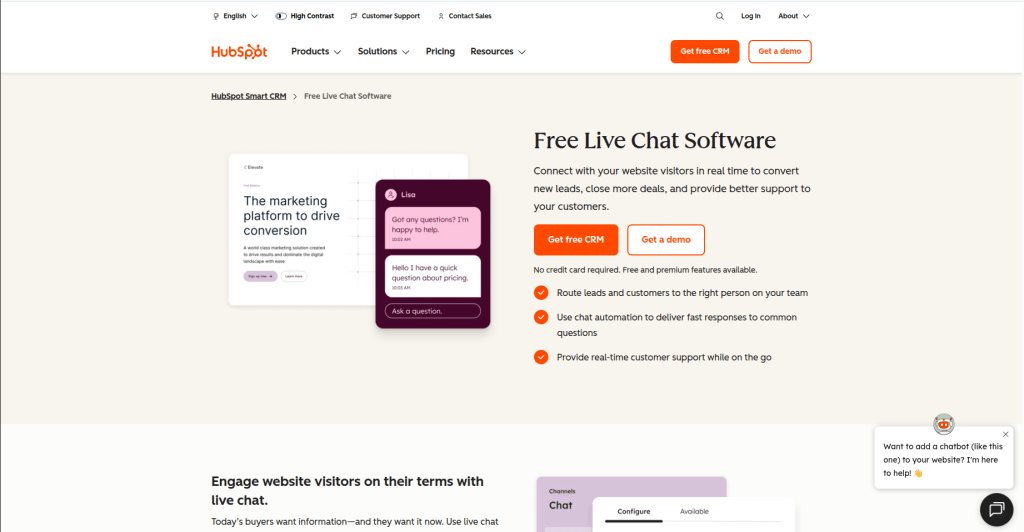
10. HubSpot Chat — Best for marketing and sales-driven alignment
- Pricing: Free basic tool; advanced live chat features scale into Service Hub/CRM suites starting at $15/user/month up to enterprise tiers.
- Key features: Chatbots synced to CRM data, meeting schedulers inside chat, conversational marketing triggers, and unified customer history.
- Pros: Gives support agents a complete, rich history of a lead’s marketing and sales journey. / Excellent for automated routing to specific account executives or dedicated success managers.
- Cons: Pure helpdesk capabilities (like complex ticketing structures) are weaker unless you buy into higher Service Hub tiers. / Can become an expensive suite if you only want a standalone chat tool.
- HDM migration: Supported ✓
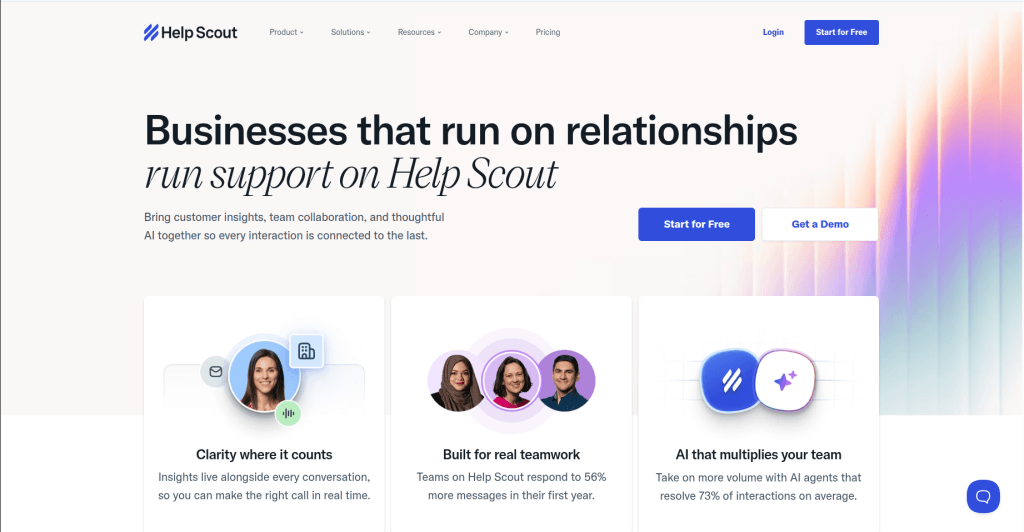
11. Help Scout — Best for straightforward, human-centric support teams
- Pricing: Starts at $20/user/month up to $65/user/month. AI Answers chatbot costs an additional flat $0.75 per successful resolution.
- Key features: Shared team inboxes, Beacon live chat widget, Docs knowledge base, AI drafts/summaries, and basic automated workflows.
- Pros: Uncluttered, elegant layout that mimics a normal email interface, keeping support personal. / Predictable consumption model with a lower price-per-AI resolution ($0.75) compared to Intercom Fin ($0.99).
- Cons: Lacks complex, multi-layered proactive in-app marketing campaigns or product tour tools. / Limited deep native multi-channel integrations (like SMS/WhatsApp) out of the box.
- HDM migration: Supported ✓
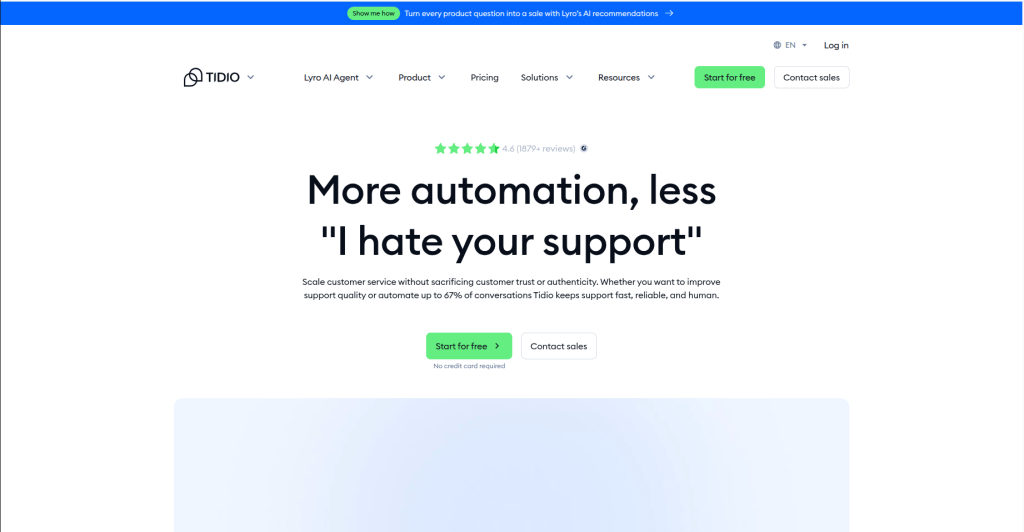
12. Tidio — Best for small-to-medium businesses wanting flat-rate AI
- Pricing: Free plan available; paid tiers start at $29/month. The Tidio+ tier starts at $494/month and includes Lyro AI with flat-rate predictability.
- Key features: Lyro AI bot, visual drag-and-drop chatbot builder, live visitor monitoring, and multi-channel integrations (Instagram, WhatsApp, Messenger).
- Pros: Lyro AI offers small businesses a much more predictable billing cycle than Fin's un-capped usage fees. / E-commerce integrations (especially Shopify) are fast to set up and track checkouts accurately.
- Cons: Lyro AI's multi-turn technical logic isn't quite as advanced as Intercom's GPT-4-powered framework. / Not ideal for highly technical, product-led enterprise B2B SaaS frameworks.
- HDM migration: Supported ✓
Free and Low-Cost Intercom Alternatives
Best free plans
If you are a bootstrap startup, solo operator, or just want to test a tool long-term without financial pressure, these platforms stand out for providing actual value on their $0 plans.
1. HubSpot Chat (best for marketing-focused teams)
What you get:
- Unlimited agent seats on their free live chat and ticketing features.
- A customizable live chat widget.
- A universal conversation inbox.
- A basic chatbot builder
- Direct synchronization with the free HubSpot CRM.
The Catch: Everything carries heavy "Powered by HubSpot" branding.
2. Freshchat (best for small teams looking for modern UX)
What you get:
- Free for up to 10 agents with a capped number of handled monthly conversations.
- The web chat widget.
- A unified inbox view.
- Basic conversation labels.
- A simple chatbot builder.
- Mobile SDKs.
- Native integrations with WordPress and Shopify.
3. Zoho Desk (best for traditional email ticketing)
What you get:
- Free for up to 3 agents.
- Inbound email ticketing.
- Basic customer management.
- Private knowledge base (for internal team documentation).
- Predefined SLA rules.
The Catch: It feels more corporate than creative.
Best under $50/month
Here are the 4 tools out of 12 best Intercom alternatives that will give you the closest "Intercom feel" while keeping your monthly bill under $50.
1. HelpCrunch
If you want the closest literal clone to Intercom’s look, UI, and feature set without the price tag, this is it.
- The Price: Basic Plan ($15/agent/month) or Pro Plan ($25/agent/month).It includes a modern live chat widget, a shared inbox, a knowledge base, and even built-in email marketing/popups (which Intercom charges an arm and a leg for).
- But: On the Pro plan, you only get 50 AI conversations per month.
Perfect for 1-2 human agents.
2. Tidio
Tidio is your man if your primary goal is to replicate Intercom's AI capabilities (Fin) on a budget.
- The Price: Starter Plan (~$24–$29/month).Tidio’s Lyro AI is one of the best budget smart-bots on the market. It scans your knowledge base and answers questions naturally. Tidio is also unique because their plans allow up to 10 agents right out of the gate (they bill by conversation volume rather than seat count).
- But: The Starter plan caps you at 100 total human conversations per month and requires an add-on for heavy AI usage.
3. LiveAgent
If you care less about fancy marketing widgets and more about a robust, powerhouse help desk and ticketing machine.
- The Price: Small ($15/agent) or Medium ($29/agent). LiveAgent arguably has the fastest live chat widget on the web and features massive omnichannel depth (email, chat, forums, and a knowledge base).
- But: The user interface looks a bit outdated and utilitarian. Plus, no advanced AI automation at this price tier.
4. Zoho Desk
The best choice if you are a solo entrepreneur or a strict 2-person team needing deep business features.
- The Price: Standard Plan ($14/agent/month) or Professional Plan ($23/agent/month). It provides a decent amount of logic, macros, ticket routing, and multi-channel support for under $25 a seat.
- But: It feels like traditional corporate software.
Pricing Comparison Table (all 12 tools)
| Tool | Starting Price (Billed Annually) | Pricing Model | Under $50/mo? |
|---|---|---|---|
| HelpCrunch | $15 / agent / mo | Per Agent | YES (For 1-3 agents) |
| Tidio | ~$24–$29 / mo flat | Volume-Based (Up to 10 agents) | YES |
| LiveAgent | $15 / agent / mo | Per Agent | YES (For 1-3 agents) |
| Zoho Desk | $14 / agent / mo | Per Agent | YES (For 1-3 agents) |
| Freshchat | $15–$19 / agent / mo | Per Agent | YES (But scales fast) |
| LiveChat | $25 / agent / mo | Per Agent | PARTIALLY (Max 1-2 agents) |
| Help Scout | $22 / agent / mo | Per Agent | PARTIALLY (Max 2 agents) |
| Re:amaze | $29 / agent / mo | Per Agent | PARTIALLY (Max 1 agent) |
| Zendesk Chat | $19–$55+ / agent / mo | Per Agent | NO (Hidden costs) |
| HubSpot Chat | $15–$50+ / agent / mo | Per Agent | NO (Hidden costs) |
| Gorgias | ~$50–$60 / mo flat | Volume-Based | NO |
| Front | $59 / agent / mo | Per Agent | NO |
How to Choose the Right Intercom Alternative
For SaaS companies
SaaS platforms require a deep-sea level of user context, in-app messengers, and the ability to track product adoption or point users to documentation inside the app.
- Top Pick: HelpCrunch
- Why: It offers the truest “in-app messenger" vibe similar to Intercom, meaning you can easily embed it inside your web application to assist logged-in users. It also features a clean, built-in knowledge base and popup triggers to help guide users during their onboarding phase.
For e-commerce brands
E-commerce businesses’ focus of care is tracking order numbers, managing shipment FAQs, and deploying quick, visual automation flows that drive revenue.
- Top Pick: Tidio
- Why: It integrates natively with popular storefront platforms like Shopify and WooCommerce. Its AI agent, Lyro, excels at answering repetitive queries regarding refund policies, stock updates, and shipping times without needing human agent intervention.
For enterprise teams
Enterprise organizations prioritize granular user permissions, strict security compliance, complex routing rules, multi-brand support, and robust Service Level Agreement (SLA) management.
- Top Pick: Zoho Desk / LiveAgent
- Why: Both platforms focus on deep, backend ticket routing, macros, and business-logic flows over sleek design. They provide the traditional corporate dashboard infrastructure required to handle high volumes across multiple departments cleanly.
For industries
When selecting a customer communication tool for specialized industries like medical, legal, or finance, the deciding factor shifts from frontend features to strict regulatory compliance and budget stability.
Here are a few examples of an Intercom alternative suiting a precise industry.
| Industry | Recommended Alternative | Why it is the best match | The Compliance / Feature Detail |
|---|---|---|---|
| Medical & Healthcare | Zendesk Chat / Help Scout | They are among the few on the list willing to sign a BAA (Business Associate Agreement) required for HIPAA. | If you handle Protected Health Information (PHI), standard budget chat apps will not legally cover you. Zendesk Advanced Security and Help Scout (on higher plans) offer HIPAA-compliant configurations and strict access logging. |
| Legal & Law Firms | LiveAgent | Excellent for law firms requiring highly reliable, absolute audit trails. | LiveAgent allows you to store data on secure, dedicated AWS servers and retains a perfect, unalterable log history of all chats and emails. This is critical for legal record-keeping and case evidence tracking. |
| Finance & Fintech | Front | Unmatched internal collaboration and security permissions for high-stakes financial operations. | Financial teams often need to discuss a client's account internally before replying to a chat or email. Front allows secret internal comments directly inside the customer thread and features enterprise-grade SOC 2 Type II data security. |
| E-Commerce & Retail | Gorgias | Built strictly and entirely for e-commerce store infrastructure. | It pulls live Shopify, Magento, or BigCommerce data directly next to the live chat screen. It allows customer service agents to issue refunds, cancel orders, and edit shipping addresses instantly without ever opening a separate tab. |
What Happens to Your Intercom Data When You Switch?
Data you can export from Intercom
Intercom is completely fine and easy-going with allowing you to pull your raw data out of their ecosystem. And when it comes to the format, it depends heavily on how you extract it.
- Via standard CSV downloads: You can directly download lists of your Contacts (users and leads), Companies, and Ticket metadata (IDs, timestamps, status, and tags).
- Something to beware: Intercom’s built-in CSV exports do not include conversation transcripts or message bodies. To get your full chat history, message text, and attachments, you must either bulk-export them as HTML/PDF files from the Inbox UI (limited to a few hundred at a time) or pull them via Intercom's REST API using JSON format.
What HDM migrates automatically
If you use Help Desk Migration (HDM) to move to your new platform, we do the heavy lifting of mapping and restructuring Intercom's nested data for you. HDM automatically transfers:
- Tickets & Conversations: The actual chat text, message chronology, and timestamps.
- Customer & Agent Profiles: Mapping your customers and team members so history stays linked to the right people.
- Attachments & Inline Images: Transferring files sent during chats.
Knowledge Base Articles: Moving your help center documentation, including folder structures, language versions and internal cross-links. - Internal Notes & Tags: Keeping your internal team communication and categorization intact.
How long a migration takes
The duration of a migration varies from a few hours to several business days, depending on three primary factors:
- Record Volume: A few thousand tickets can be moved in under a day. Hundreds of thousands of historical conversations will take longer.
- API Rate Limits: Both Intercom and your new help desk limit how many pieces of data can be requested per second. If your new platform has strict API throttling, the migration software has to slow down to match those guardrails.
- Attachments: Extracting and re-uploading large image or file attachments takes longer than migrating simple text.
Most teams perform a Delta Migration. With it historical data is moved in the background over a few days while the team continues working. Then a quick final sync of the newest open tickets happens on the very day you officially switch.
Frequently Asked Questions
- Tidio: Offers a highly functional free plan that includes live chat, a shared inbox, basic ticketing, and a limited number of automated monthly chatbot conversations for small sites.
- Freshchat / HubSpot Chat: Both provide free entry-level live chat widgets suited for simple, real-time message routing.