InstantDocs Migration Guide
To connect the InstantDocs platform to the Help Desk Migration Wizard, you will need to provide an API key.
How to get an InstantDocs API key?
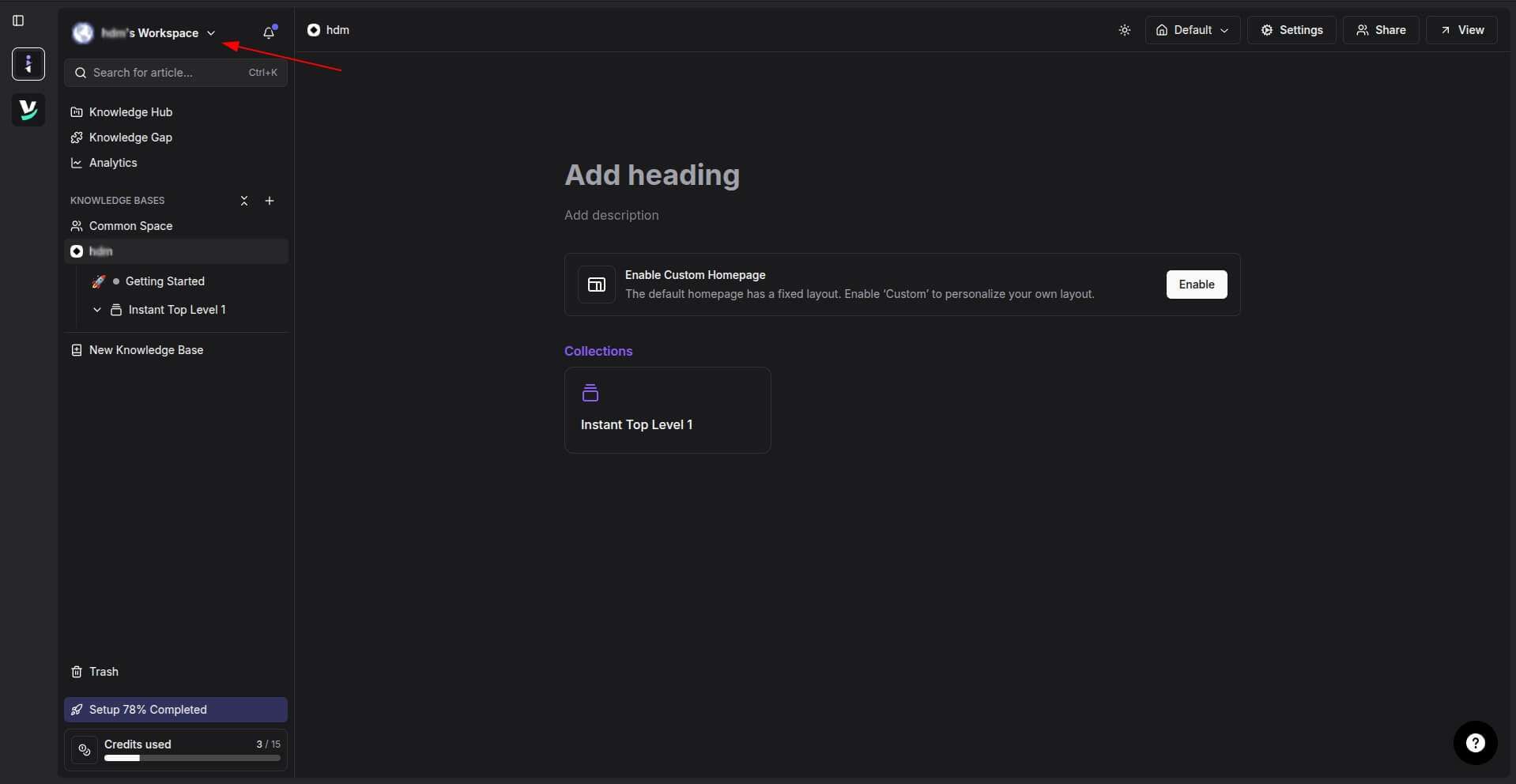
1. Click the dropdown menu next to your Workspace name.
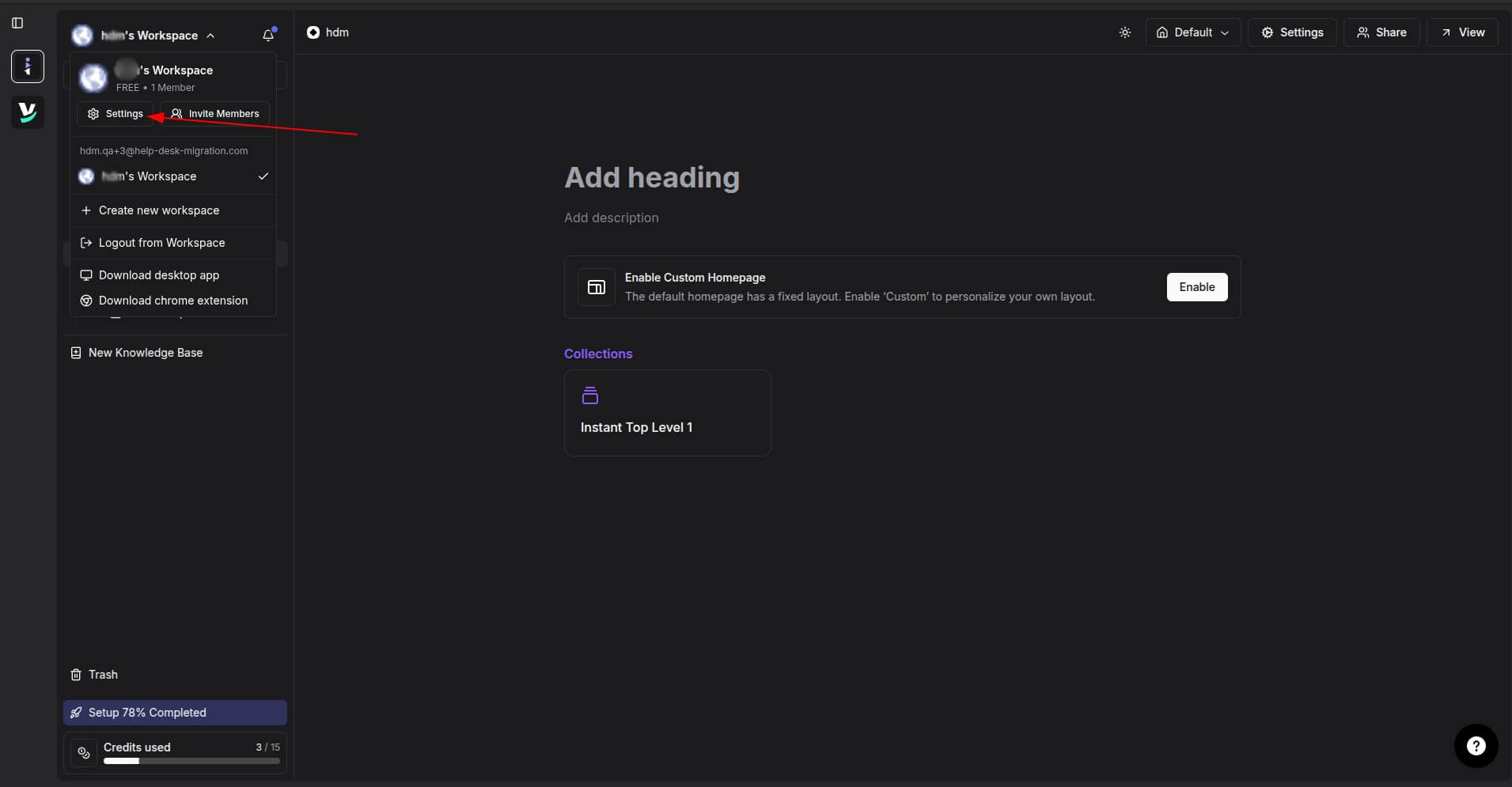
2. Select Settings.
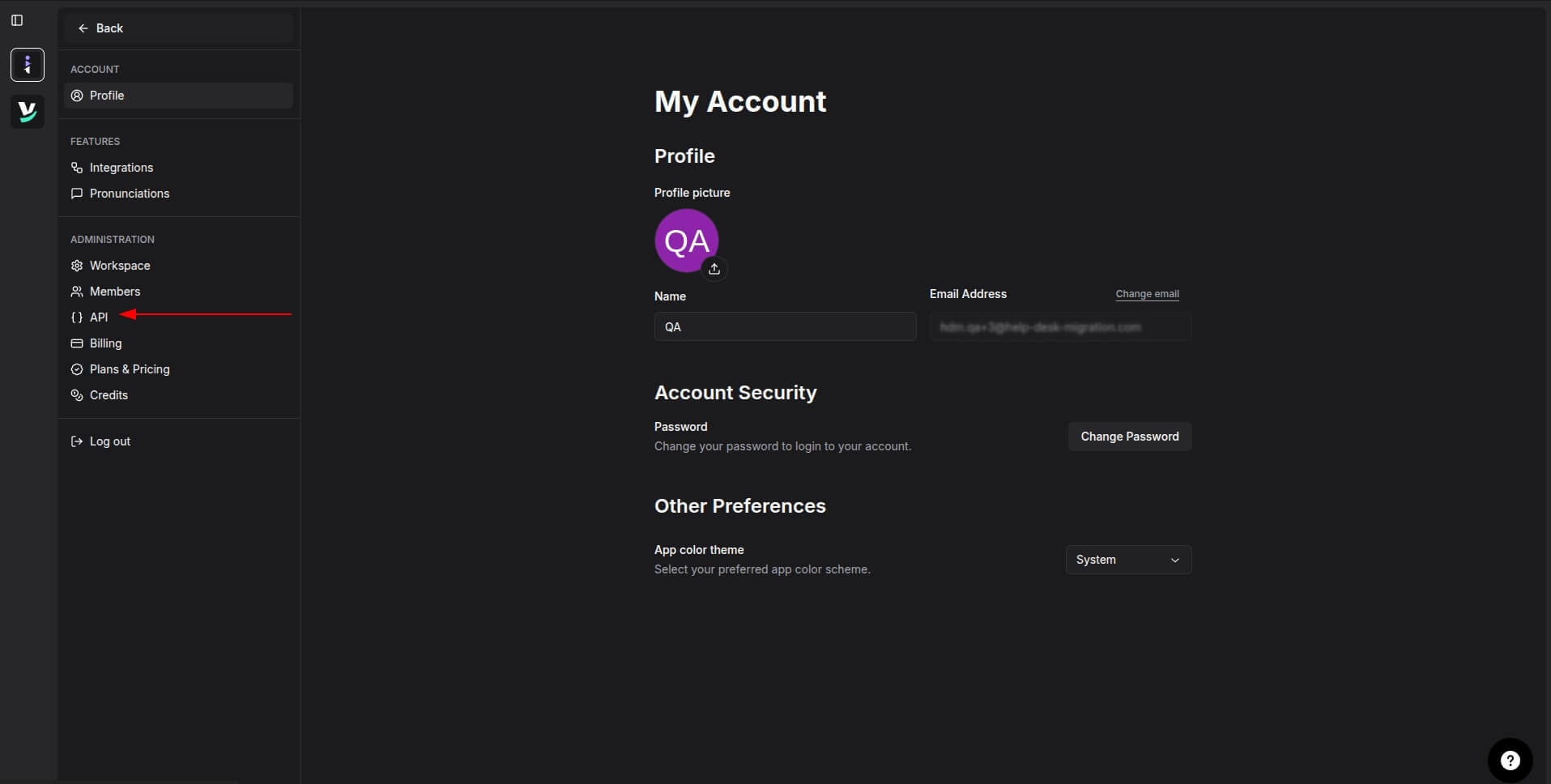
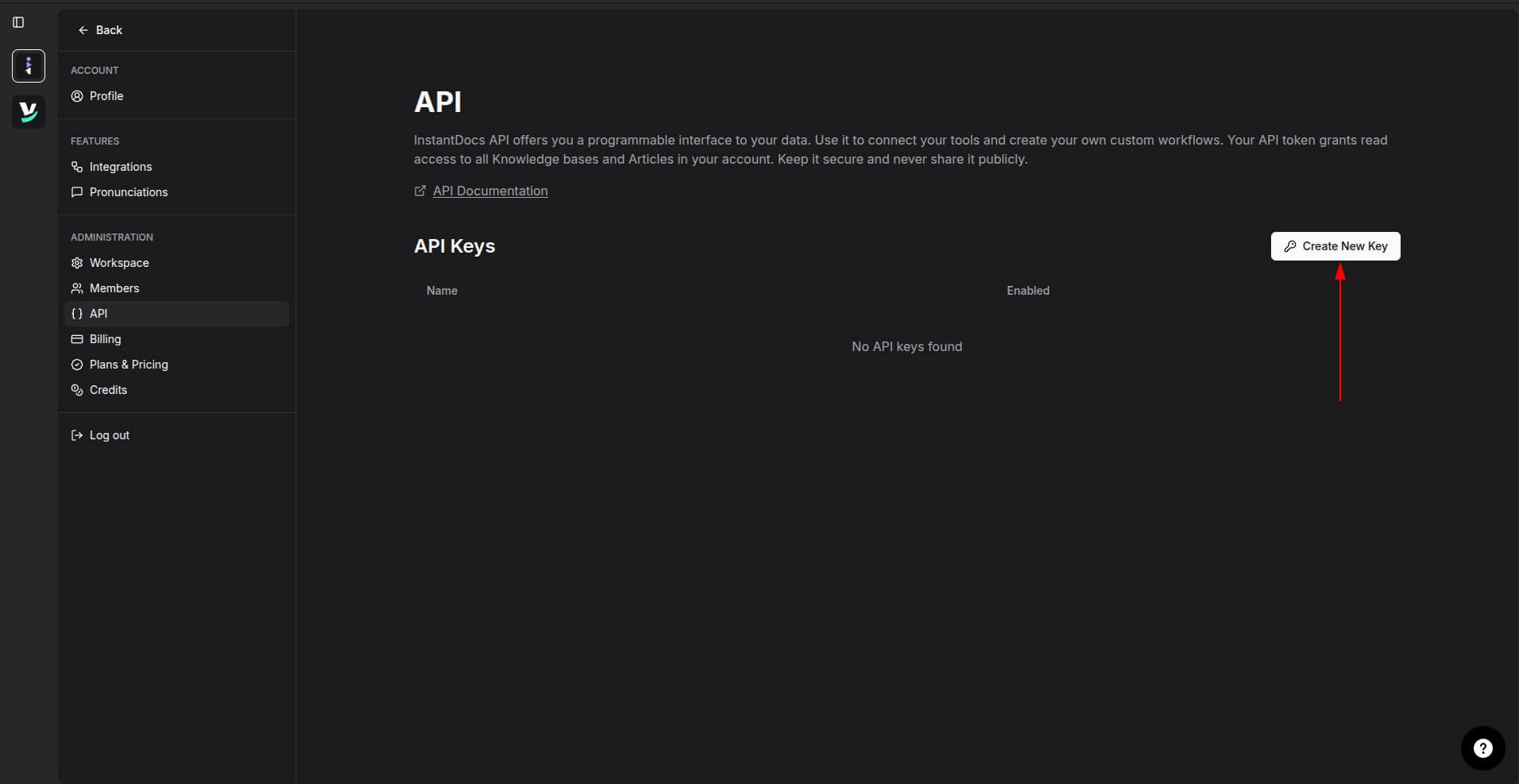
3. In the Administration section, click API.
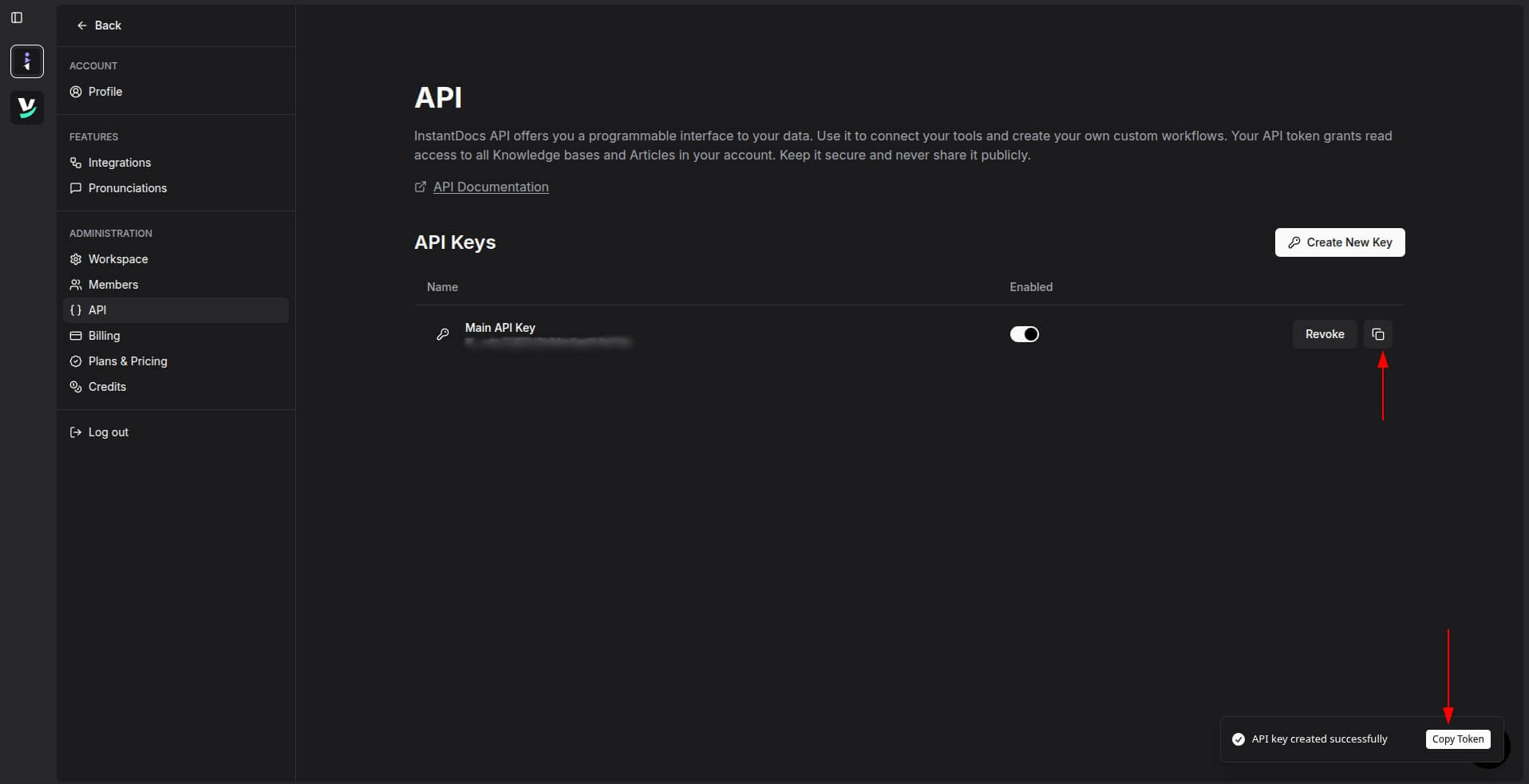
4. Click Create New Key.
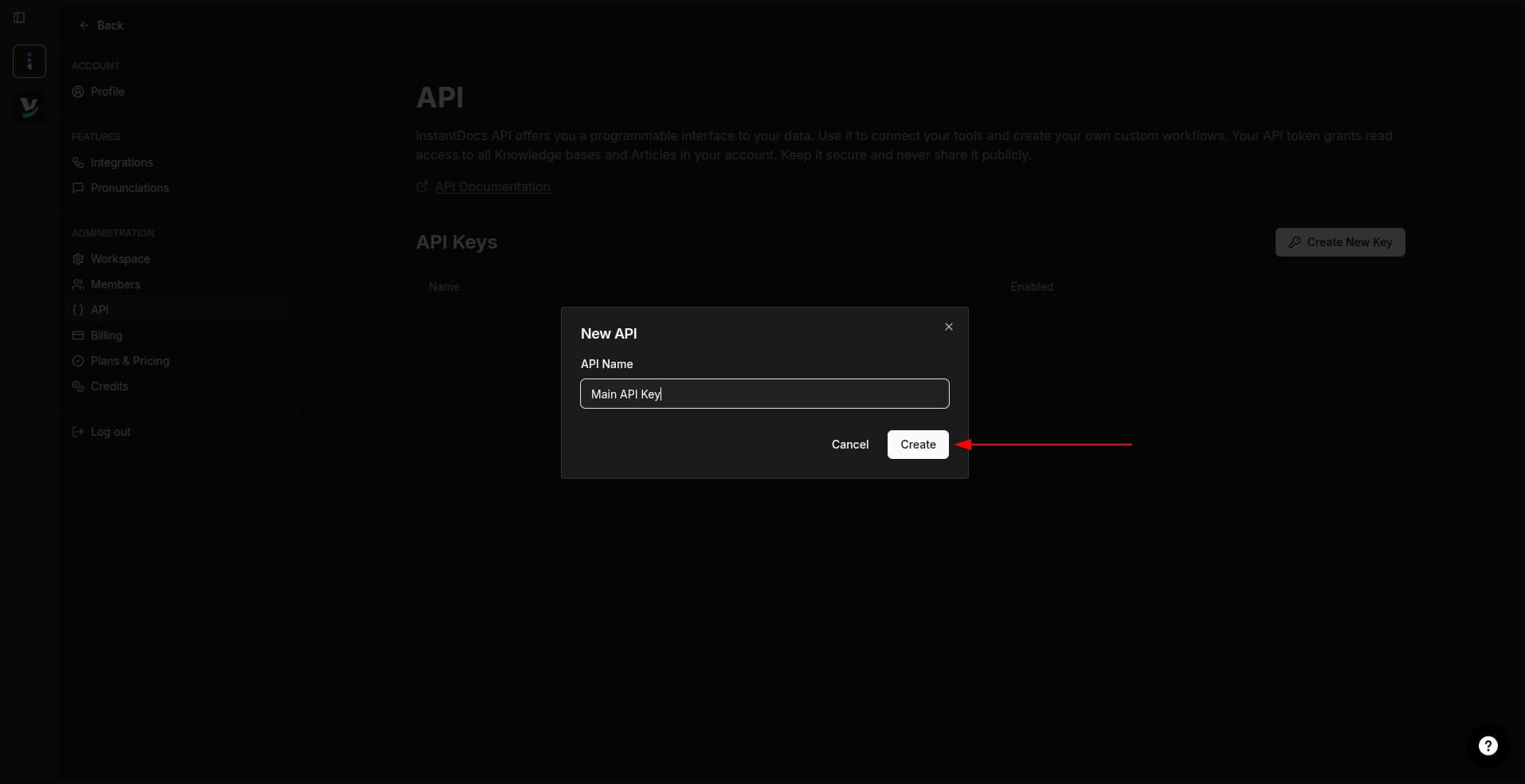
5. Enter a name for your API key and click Create.
6. Copy the newly generated token for use in your integration.