

The Freshdesk Marketplace features nearly 300 apps and plugins, but not all of them are worthwhile. We’ve analyzed this marketplace and selected 18 Freshdesk apps that solve real problems for support teams — from ticket tagging and real-time chat to CSAT surveys and integrations designed to boost productivity.
Each app below is grouped by use case, so you can select the type that is most suitable for your needs. The five types include: ticket management, chat and messaging, productivity integrations, team performance & monitoring, and surveys.
Best Freshdesk Apps for Ticket Management
Managing tickets is what most support teams deal with. The four Freshdesk apps listed below offer ticket tagging, routing, AI-powered responses, and field autocomplete features, helping your agents spend less time on manual tasks.
Freshdesk Apps for Ticket Tagging and Routing
#1 Cx MOMENTS AI
Cx MOMENTS AI app enhances ticket tagging and routing. The process is automated and based on the NLP analytics (for tagging) and the Observer rules (for routing or sending a self-service reply). The tags created by AI also can be used as filters in your Freshdesk reports. The app helps to detect common customer issues and weak spots in support team performance and prioritize self-service content.
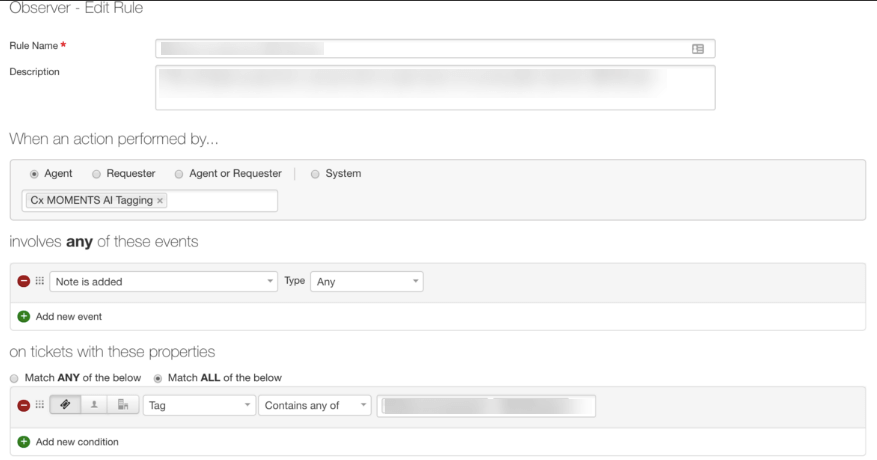
Example of Cx MOMENTS AI Application's Interface. Source
#2 Auto Ticket Merger
Auto Ticket Merger automatically merges the tickets of the same customer within a short period. For example, the following tickets will be merged with the first and marked as "closed." Yet the app uses an email ID, so if the ticket is raised from a social media account, it won't be merged. This solution isn't compatible with Freshdesk's old look, so you'd better seek a free trial to see how it fits in your design language.
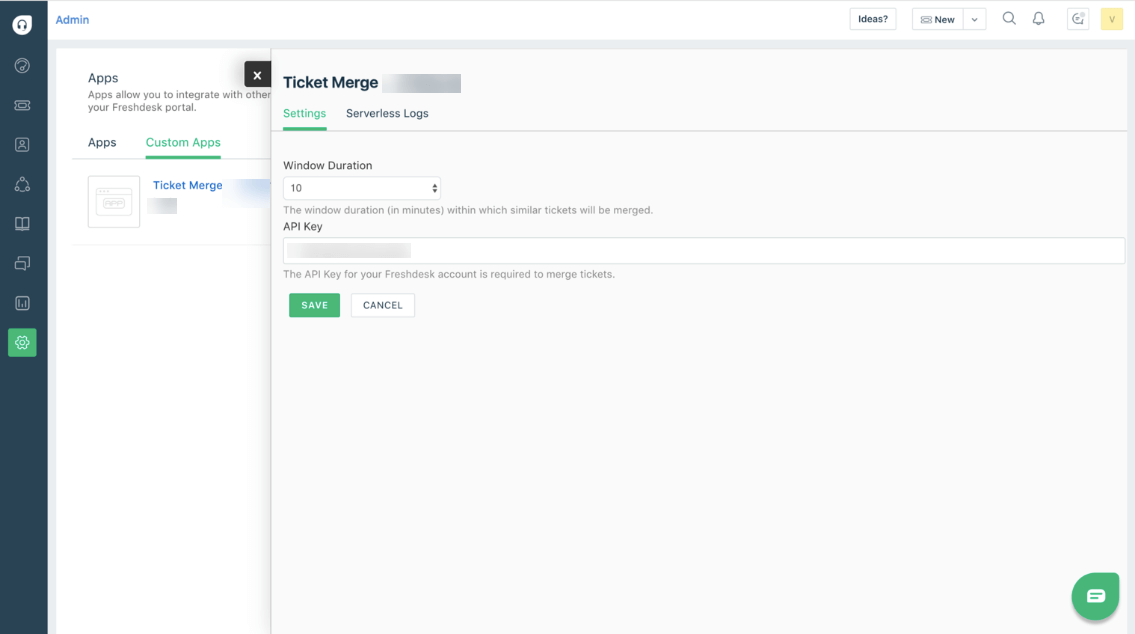
Example of Auto Ticket Merger Application's Interface. Source
#3 Google Hangouts Chat or #4 Microsoft Teams
Google Hangouts Chat or Microsoft Teams delivers updates on the tickets you are assigned to. Being one of the best Freshdesk apps will inform you about any updates, responses, and notes on your ticket while you work with your colleagues on Google Hangouts chat or Team in real-time.
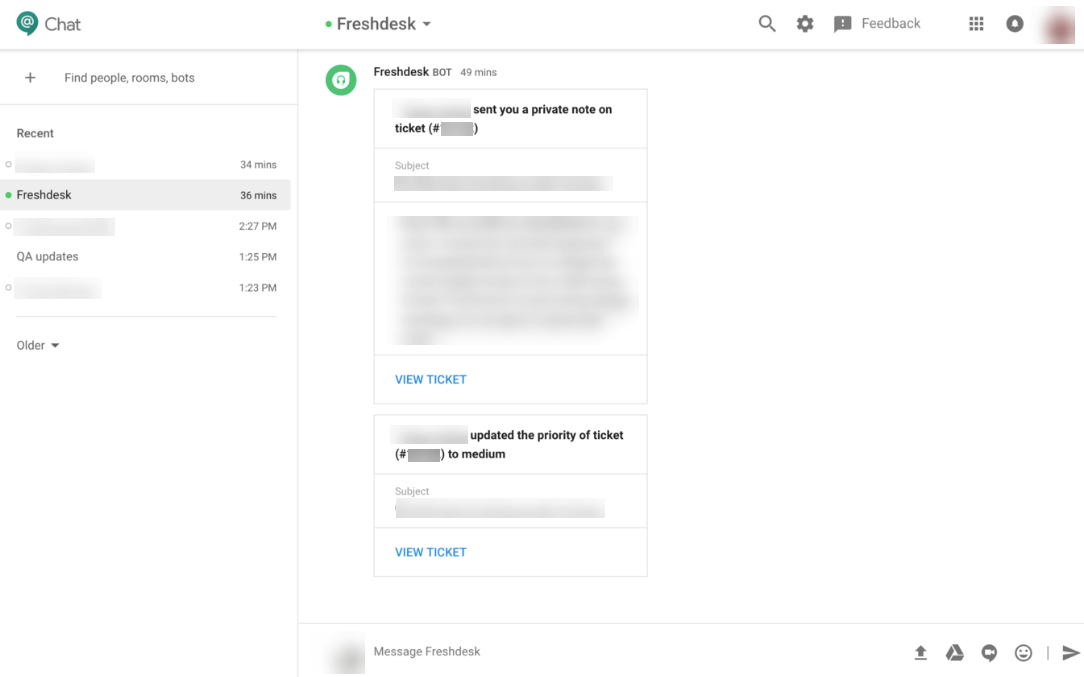
Example of Google Hangouts Chat Application's Interface. Source
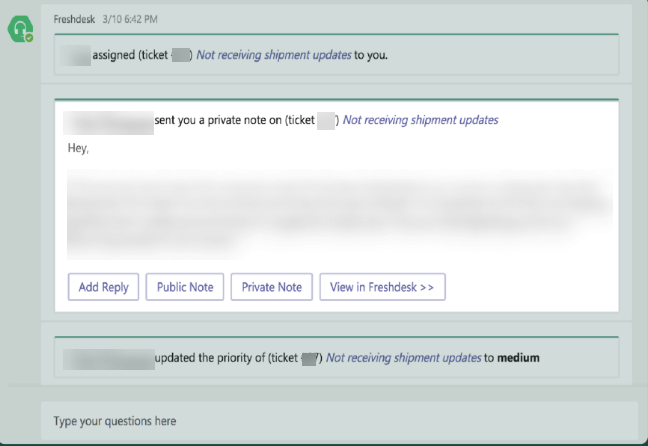
Example of Microsoft Teams Application's Interface. Source
Freshdesk Chat and Messaging Apps
#5 AmplifyReach, #6 chatbot that answers FAQs
AmplifyReach chatbot for sales and CRM uses sophisticated AI techniques to carry on human-like interactions. You don’t need coding skills but use an intuitive conversation builder to create and test your conversations. Your support team can apply to mobile, web, and social media channels.
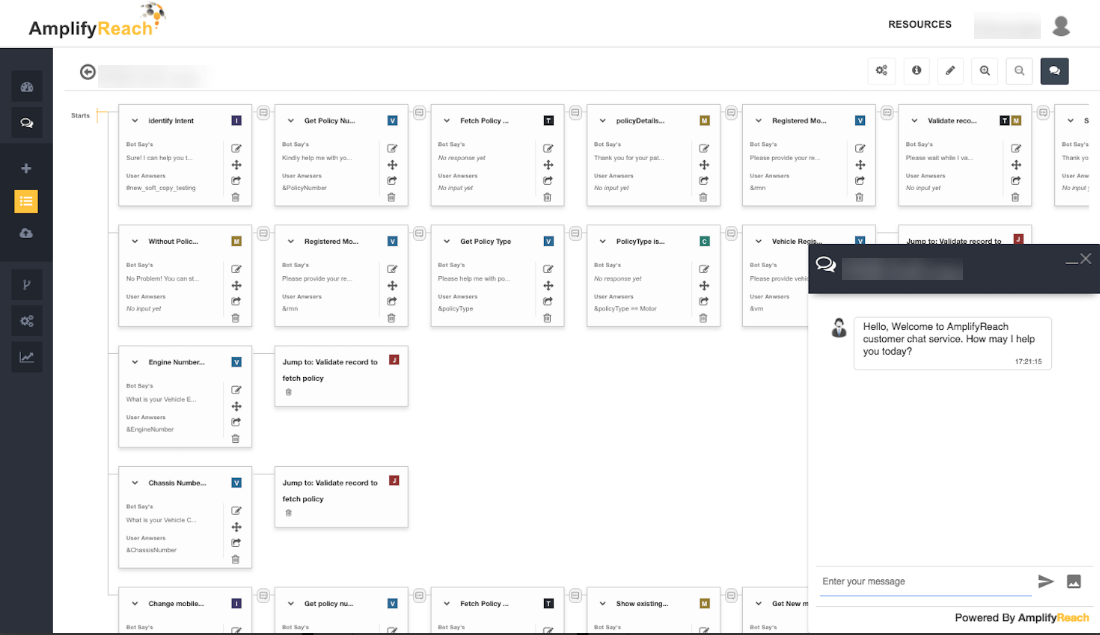
Example of AmplifyReach Application's Interface. Source
Also, AmplifyReach offers #6, a chatbot that answers FAQs. The app automates conversations for sales, marketing, and customer support teams. You need to connect with the AmplifyReach Catalyst Platform to determine the price.
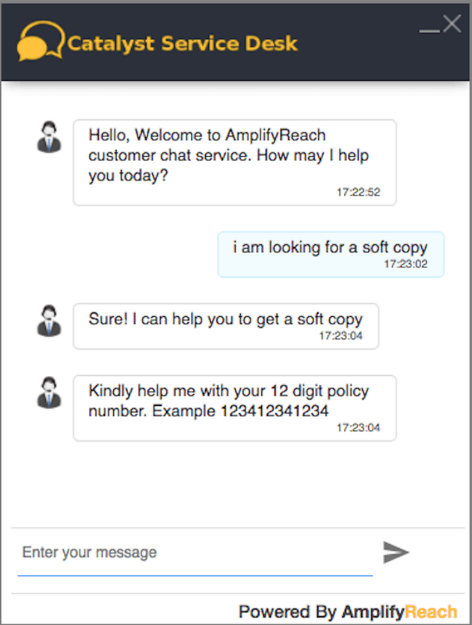
Example of AmplifyReach Chatbot Application's Interface. Source
#7 Freshsales Conversations
Freshsales Conversations enhances your conversations with customers. This free Freshsales-Freshdesk integration collects relevant customer information gathered by sales representatives on Freshsales through different communication channels and lets you view the same in Freshdesk.
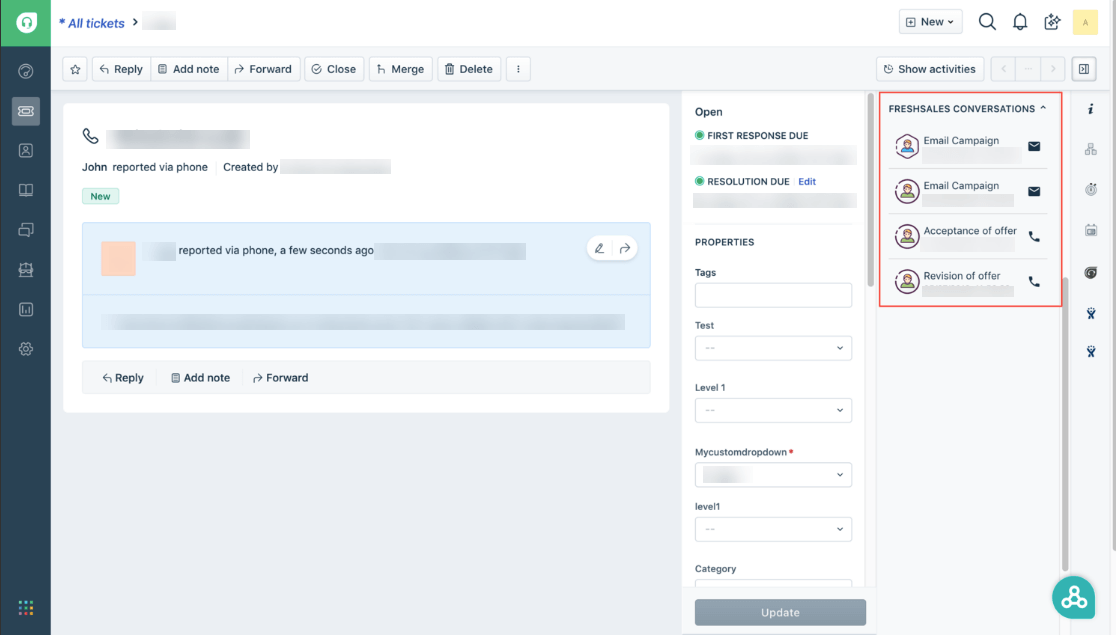
Example of Freshsales Conversations Application's Interface. Source
Freshdesk Apps and Integrations for Productivity
The most generalized concept of productivity states that it is the output divided by the input. Thus, there are a lot more factors that affect the productivity of your performance: product or customer service itself, available equipment, and automation. Also, there are such human factors as motivation, training, work methods, and management style.
Among the best Freshdesk marketplace apps, these 'helpers' will improve your performance in ticket resolution, team weak spots tracking, and make interactions with customers more vivid.
#8 Email Tracking for Freshdesk
Email Tracking for Freshdesk. With its help, you will know for sure if the client opened your email or not. Since the app tags the tickets as seen or unseen, you can create views and take further action.
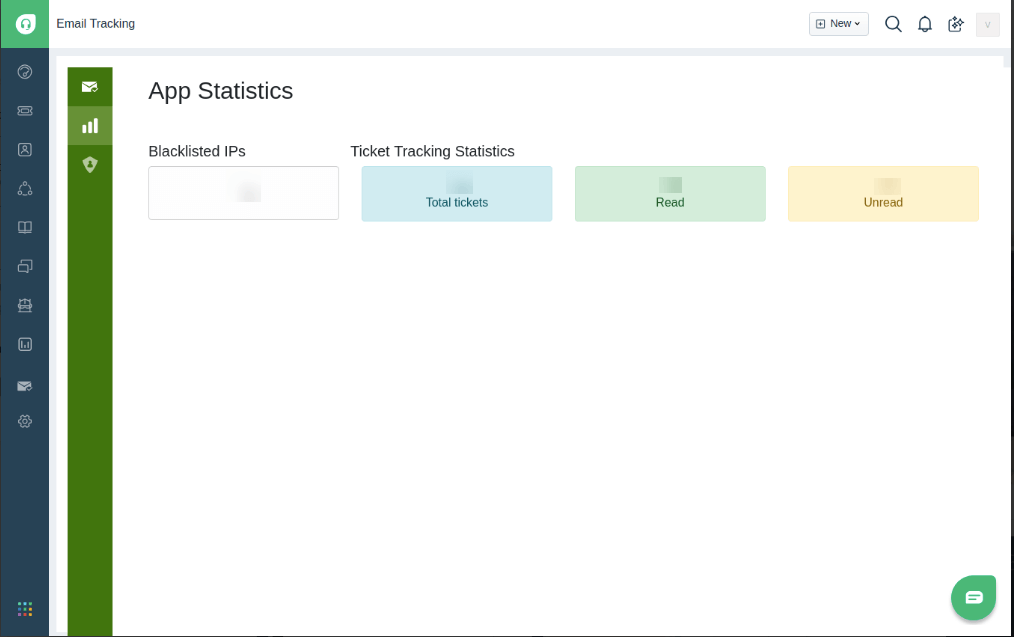
Example of Email Tracking for Freshdesk Application's Interface. Source
#9 Chargebee
The following plugin will boost the productivity of your team. With the Chargebee, your agents can view all the details of a customer’s subscription in the support ticket. Of course, the fact that this plugin is free of charge is a cherry on top.
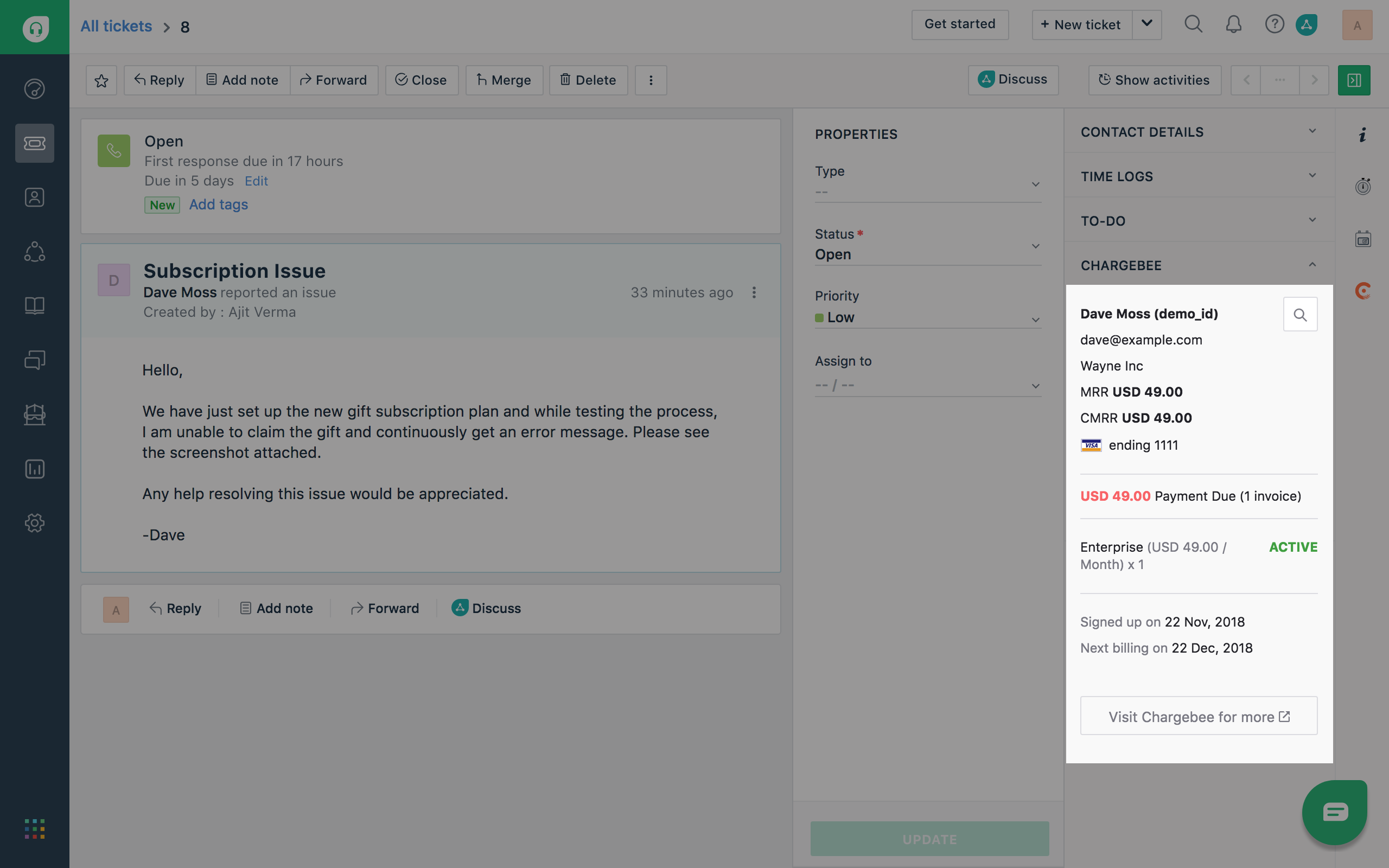
Example of Chargebee Application's Interface. Source
#10 Miuros Assist
Miuros Assist is another extension that will help you improve your work efficiency and productivity with Freshdesk. It runs autonomously across text-based communication channels and is compatible with various languages. In addition, the extension provides you with the automatic categorization of tickets, canned response recommendations, and other smart features.
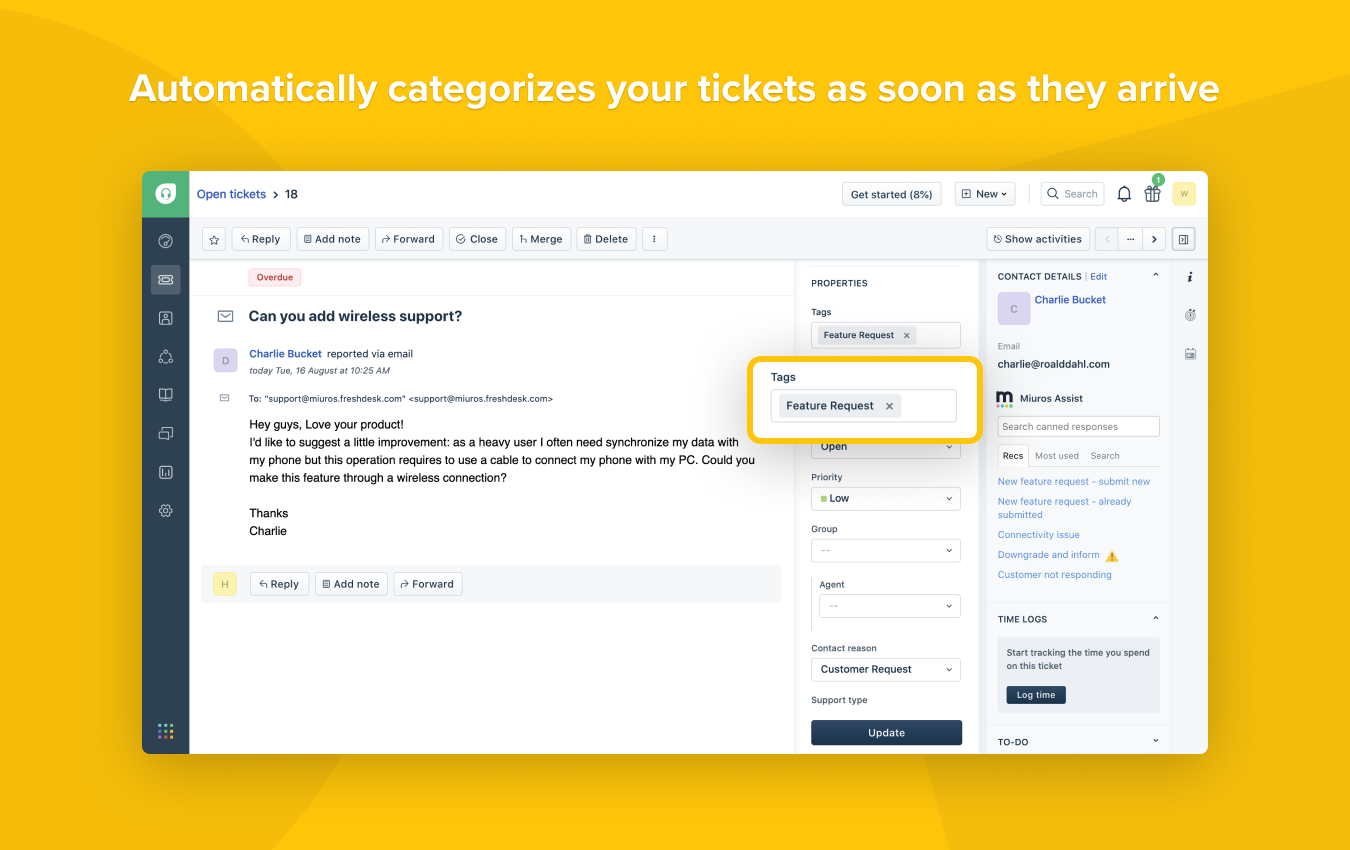
Example of Miuros Assist Application's Interface. Source
Team Performance and Monitoring Apps
It is also essential to pay attention to the effectiveness of the work of your support team. The following four tools will take care of the issues your support team might have and, therefore, save your support team time on routine tasks. So, what Freshdesk apps can improve the agent workflow?
#11 Atlassian Jira Plus
Atlassian Jira Plus helps to create and associate Jira issues with Freshdesk tickets. This Freshdesk app lets you connect multiple Jira accounts to your Freshdesk account. You can add tags to the Freshdesk ticket whenever agents create issues on Jira. Or edit comments on Jira and see updates inside the Freshdesk ticket.
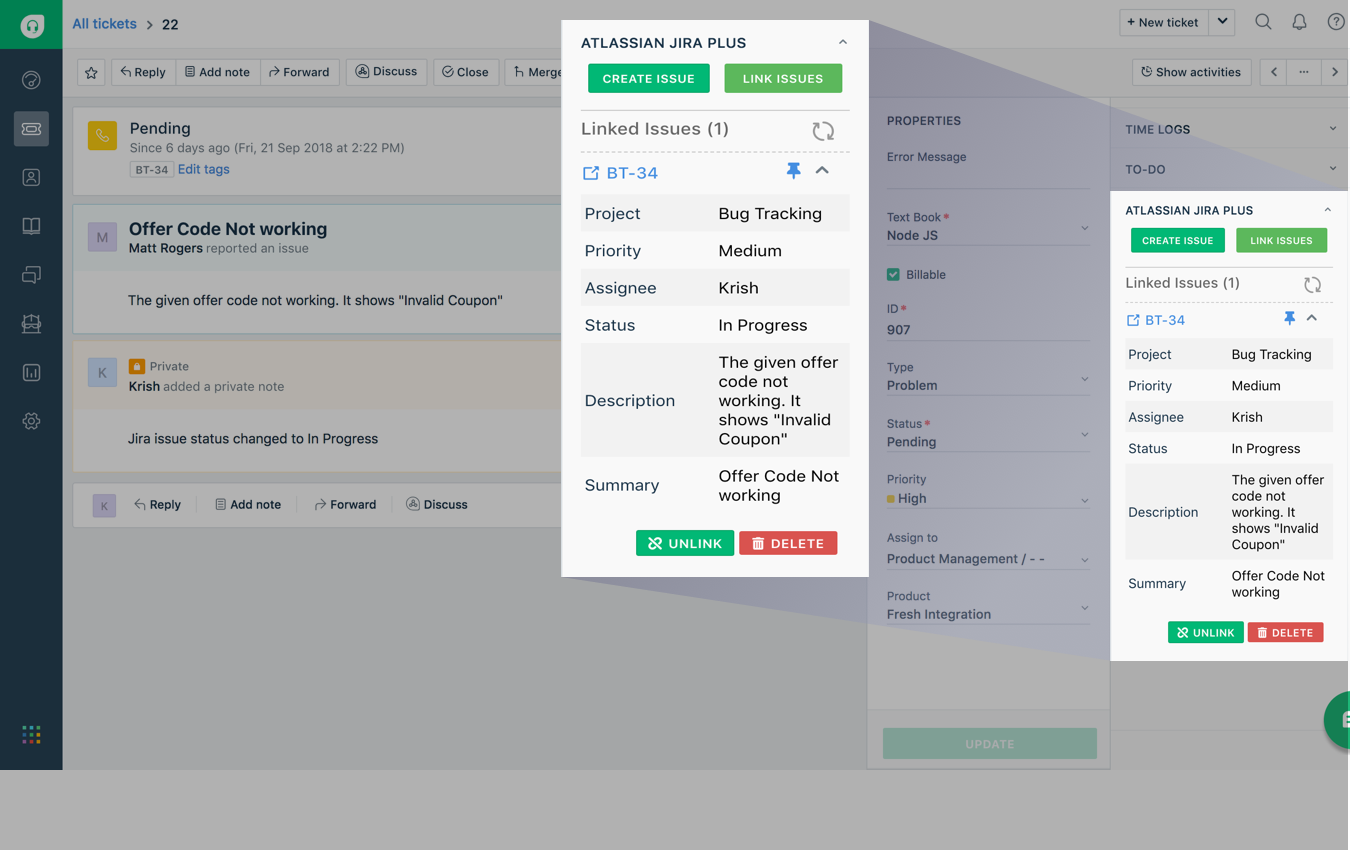
Example of Atlassian Jira Plus Settings. Source
#12 Translate Buddy
Get quick translations to enable your support reps to communicate in any language. #12 Translate Buddy gives you instant translations on the Ticket Detail screen.
Besides, the Freshdesk integration can also recognize words directly dictated into the microphone and display them on the screen using speech-to-text. Or click the “Listen” button to understand how to pronounce the words in the needed language. Moreover, you can add the translated content to the reply editor.
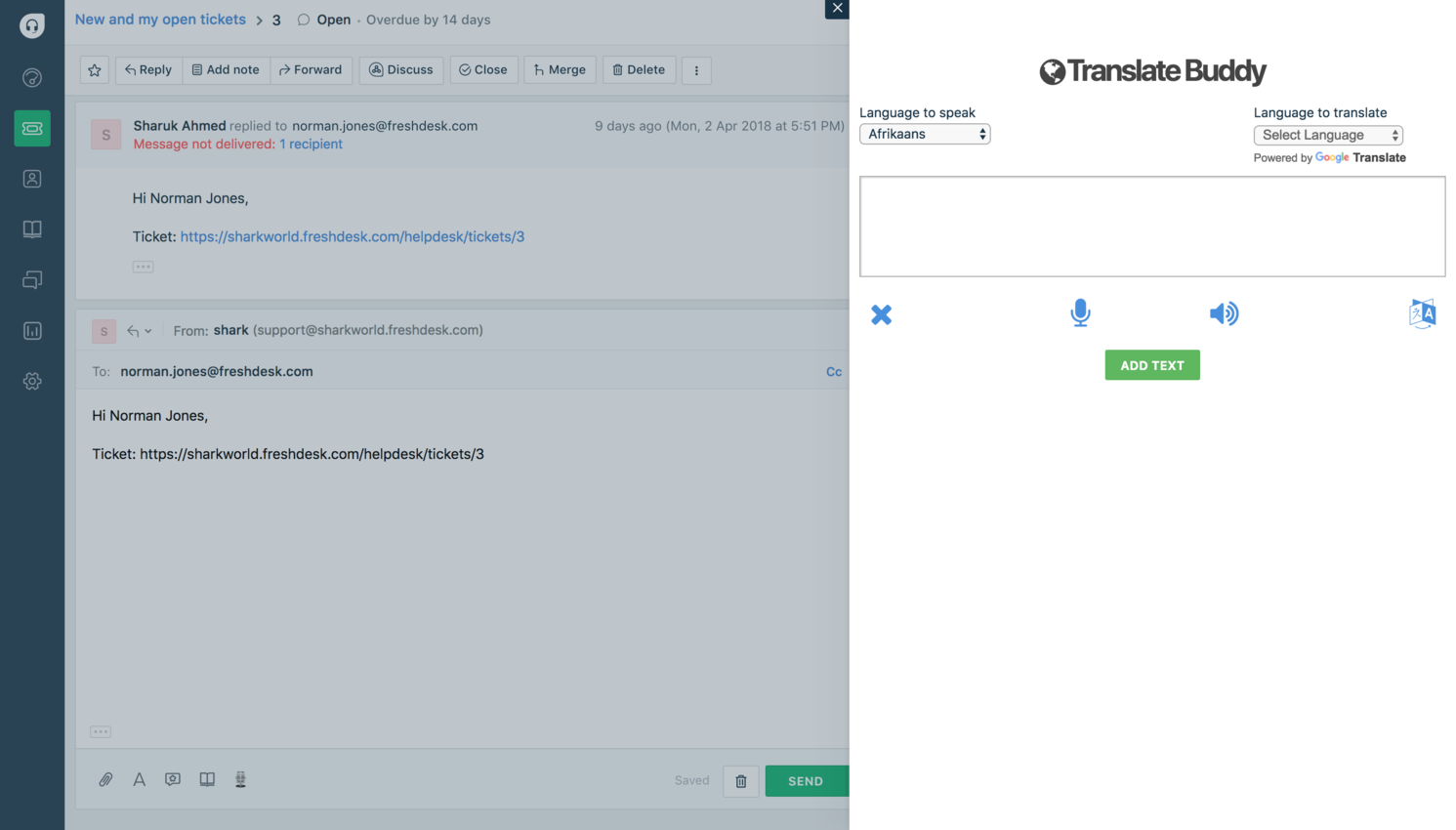
Example of Translate Buddy's Interface. Source
#13 Trello
Trello that integrates with Freshdesk, helping teams connect tasks with customer support workflows. It will enhance team collaboration and improve the customer experience. Support agents can create help desk tickets, update the status from Trello cards, and create new cards from the tickets.
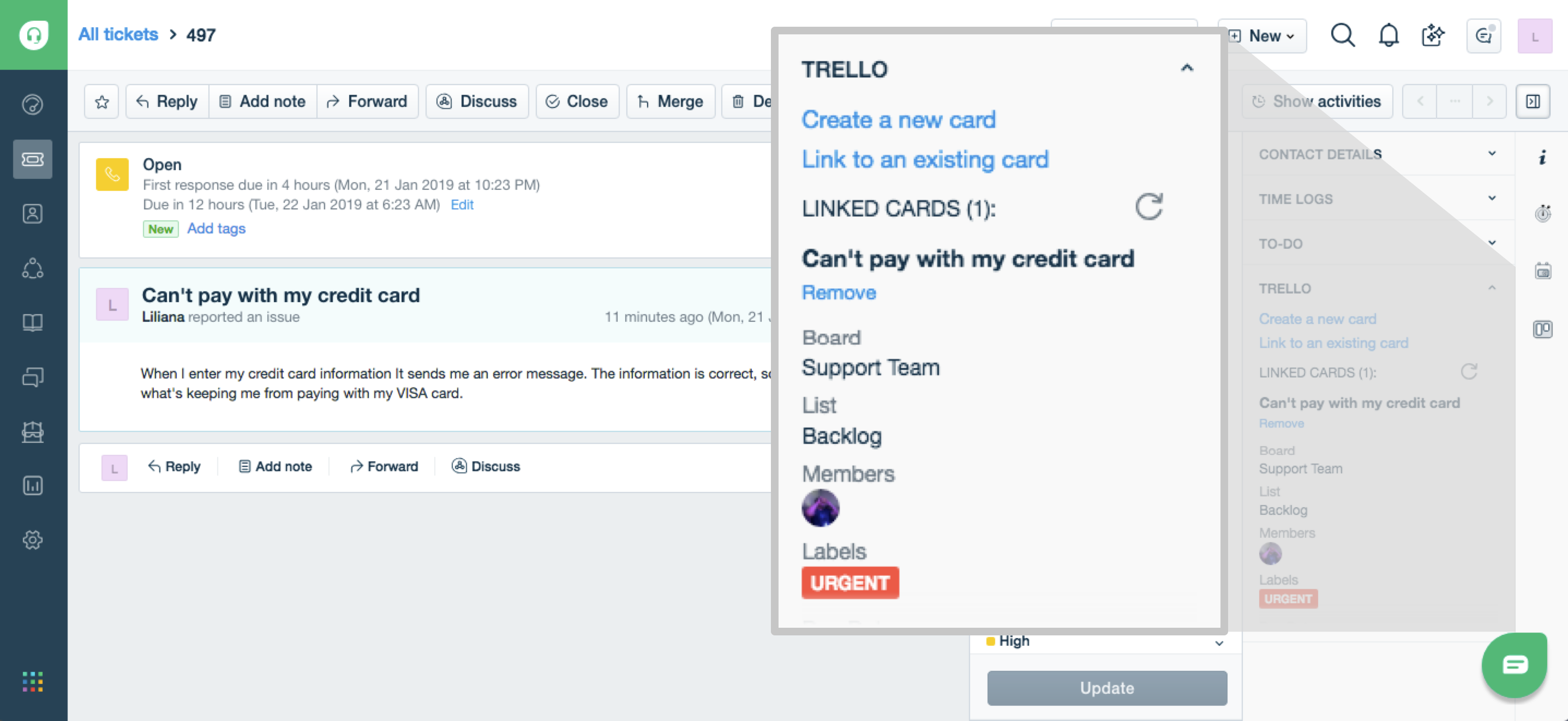
Example of Trello Application's Interface. Source
Best Freshdesk Survey Tools and Feedback Apps
Customer feedback is key to improving service, and the Freshdesk Marketplace offers a number of survey tools designed specifically for this purpose. The five apps listed below support CSAT, NPS, and CES surveys — each can be installed from the marketplace, and surveys are launched directly from tickets in Freshdesk.
NPS and Customer Experience Surveys
#14 SurveySparrow
SurveySparrow helps you trigger NPS surveys when a support agent closes a ticket. It lets you know how your reps have handled tickets and collect feedback on areas you need to improve. Also, you can set up trigger surveys when reps create or update tickets.
Or, you can initiate surveys for similar actions with contacts. This way, you can get insights from both new and existing customers by asking about their onboarding experience.
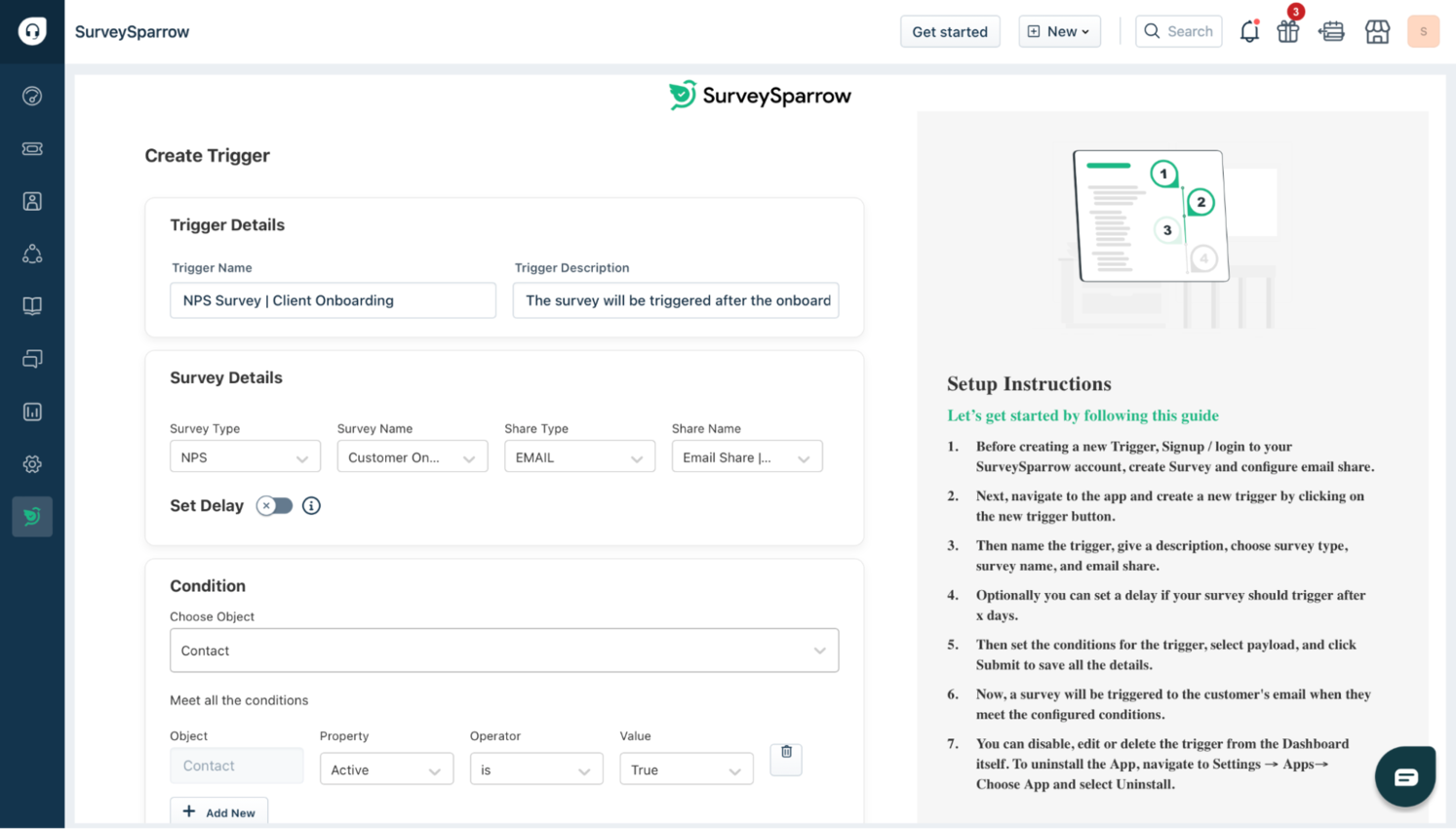
Example of SurveySparrow's Interface. Source
#15 Nicereply
Nicereply is one of the best Freshdesk apps to get more customer feedback with personalized CSAT, NPS, and CES surveys. Besides surveys’ look and content customization, you can set goals, track KPIs, and generate reports.
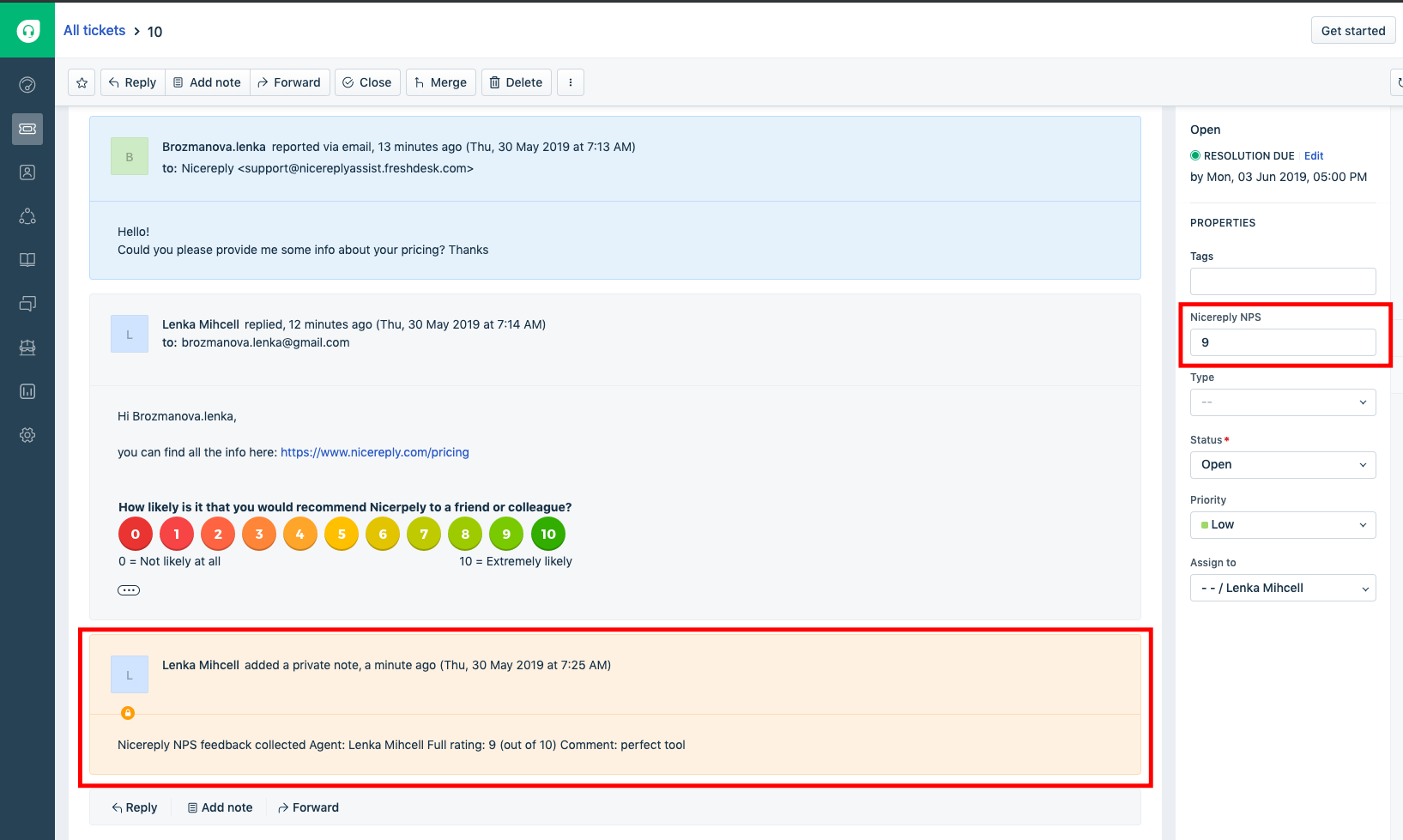
Example of Nicereply Application's Interface. Source
CSAT and Satisfaction Survey Apps
#16 SmileBack
SmileBack will help you improve customer retention and increase satisfaction. After every interaction, the one-click on a smiley face survey prompts the user for a short comment. Getting people to rate customer service is complex, but this app improves the response rate with a simple and understandable design.
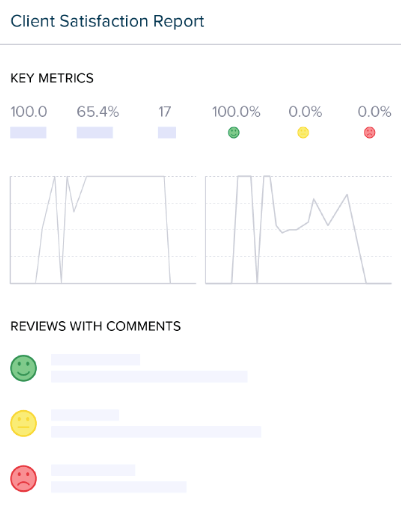
Example of SmileBack Application's Interface. Source
#17 SimpleSat
SimpleSat allows you to add CSAT surveys to the solved ticket email notification and post positive feedback into website testimonials. This app is a good solution for clunky surveys and old testimonials. Moreover, it will collect the feedback you need to retain clients and provide social proof to attract more.
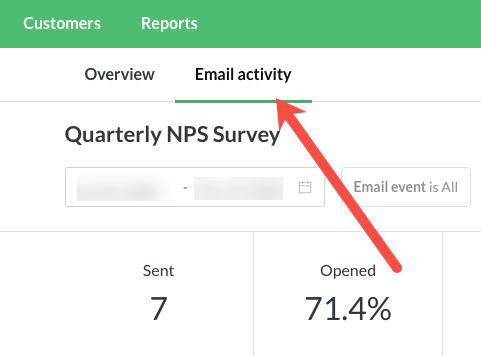
Example of SimpleSat Application's Interface. Source
#18 SurveyMonkey
SurveyMonkey adds surveys to your tickets the same way you would add the default satisfaction survey. With SurveyMonkey, you can choose immediate feedback or questionnaires for deeper insights when a ticket is resolved or closed or with every ticket.
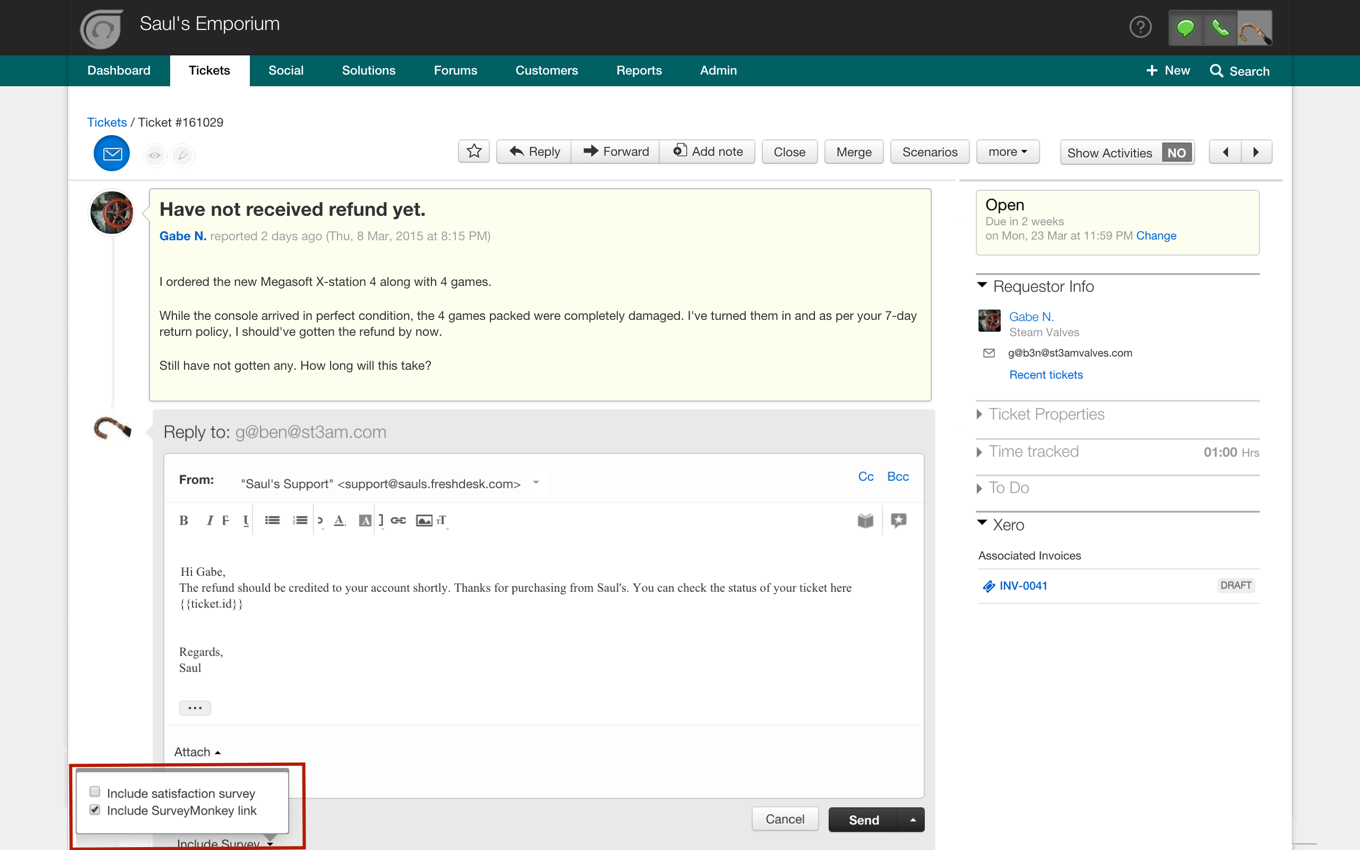
Example of SurveyMonkey Application's Interface. Source
Note that built-in Freshdesk surveys will go along with the SurveyMonkey app. Therefore, you need to disable the Freshdesk Satisfaction Survey from the Admin Customer Satisfaction settings in your Freshdesk account if you plan on improving your customer service with SurveyMonkey.
How to Find and Install Freshdesk Marketplace Apps
You can view and install all 18 of the apps listed above in the Freshworks Marketplace by following this link: Freshdesk Marketplace: Apps and Integrations. Log in to your Freshdesk account, open the Marketplace in the left sidebar, and search by app name or category. Most apps offer a free trial or a free plan for small teams.
If you need to transfer data from another support system before setting up these apps, Help Desk Migration provides a fast, secure, and simple migration.
Freshdesk Apps vs Freshdesk Integrations
Freshdesk apps and integrations are built to extend the functionality of the core Freshdesk platform, but they differ primarily in their implementation and the level of interaction they provide.
Apps are typically pre-built, plug-and-play solutions available on the Freshworks Marketplace, designed to add specific features. Integrations can involve broader, often two-way connections with third-party systems such as Salesforce or Jira.
| Feature | Freshdesk Marketplace Apps | External Integrations (API) |
| Primary Goal | Enhancing the Agent Experience (adding tools directly into the helpdesk). | Connecting the Tech Stack (syncing data across different platforms). |
| User Interface | Visible as widgets in the ticket sidebar, dashboard, or navigation bar. | Often "invisible" or runs in the background. |
| Implementation | "One-click" install from the Marketplace; uses the Freshworks SDK. | Requires API keys, Webhooks, or middleware like Zapier/Make. |
| Data Flow | Usually Contextual: Fetches specific data (e.g., an order status) only when a ticket is opened. | Usually Continuous: Constant syncing of contacts, statuses, or logs (e.g., Salesforce sync). |
Freshdesk Apps (Marketplace)
The purpose of Freshdesk Apps is to enhance the user interface, introduce productivity tools, or establish a connection to a specific external application. Common examples include notification systems for Slack and Microsoft Teams, project management via Trello, and various time-tracking utilities.
To meet unique business needs, users can utilize the Freshdesk SDK to build private, custom applications.
Freshdesk Integrations
Integrations are crucial for linking Freshdesk and other software, ensuring a continuous flow of data to eliminate repetitive manual tasks. While they are often found on the market alongside apps, integrations typically provide deeper and more complex connections between platforms. The purpose is to automate workflows, synchronize customer data, and boost overall team productivity.
FAQs about Freshdesk Apps
Some Freshdesk apps are free, while others offer paid plans or free trials. Many tools in the Freshworks Marketplace provide a basic free version for small teams, with advanced features available through premium subscriptions.
Freshdesk doesn’t offer a traditional desktop application. Instead, it is a web-based platform that works directly in your browser. You can also install marketplace apps and integrations to extend functionality, or use the mobile app for on-the-go support management.
Some of the best Freshdesk survey tools include SurveySparrow, Nicereply, SmileBack, SimpleSat, and SurveyMonkey. These apps support CSAT, NPS, and CES surveys, helping teams collect feedback, track satisfaction metrics, and improve customer experience.
Yes, Freshdesk allows developers to create custom apps using the Freshworks SDK. Custom apps help teams add unique features, automate workflows, and integrate Freshdesk with internal systems or third-party tools, ensuring the platform fits specific business needs.
Freshdesk apps automate repetitive tasks such as ticket tagging, routing, and categorization, while also connecting your help desk with communication, CRM, and project management tools. This reduces manual work and helps agents respond faster and more accurately.
The Freshworks Marketplace includes apps for ticket management, chat and messaging, productivity integrations, team performance monitoring, and customer surveys. These tools extend Freshdesk’s core functionality and help teams customize their workflows according to business needs.
Start by identifying your main support challenges — for example, slow ticket resolution, lack of automation, or limited customer feedback. Then select apps that address those needs, such as AI tagging tools, collaboration integrations like Trello or Microsoft Teams, or CSAT survey apps to measure customer satisfaction.