Zendesk to Freshdesk Migration: Exactly What to Move, Rebuild, and Test
Planning a Zendesk to Freshdesk migration usually starts on a renewal call, right when someone quietly calculates what you pay per agent versus what your team actually uses.
Zendesk costs add up fast. Between feature bloat and complex administration, you end up paying enterprise prices for tools you barely touch.
Leaving doesn't mean losing your history. Our tool migrates from Zendesk to Freshdesk using official APIs. You preserve ticket history, attachments, custom fields, and knowledge base articles without writing code.
Talk to a Freshdesk Migration Consultant
No credit card required Fast setup
Interactive Migration Calculator
Adjust sliders to estimate your migration time and cost savings
Estimates based on 60,000+ successful migrations. Actual results may vary.
Trusted by 60,000+ support teams switching to Freshdesk


You're not the first team to ask whether this is really worth the hassle. Support teams at Automattic, Arkansas Tech University, Lenovo, Thule, and Roland asked the same question before running their Zendesk to Freshdesk migration through Help Desk Migration. Together, they have moved more than 500 million records. They protected historical context while simplifying daily workflows.
What data migrates from Zendesk to Freshdesk
Nobody wants to start over in a new platform. The whole point of a real migration tool is that you don't have to. Here's what actually makes the trip, record for record:
| Zendesk object | Freshdesk object |
|---|---|
| Agents | Agents |
| Organizations | Companies |
| Customers | Contacts |
| Tickets | Tickets |
| Guide categories | Solutions categories |
| Guide sections | Solutions folders |
| Guide articles | Solutions articles |
And everything attached to them
Your tickets bring their whole story with them: private and public notes, custom fields, CC lists, and their Created At, Updated At, and Closed At timestamps.
Embedded files and ticket media move automatically via a Zendesk to Freshdesk attachments migration.
Contact and organization custom fields come along too.
Your knowledge base keeps its attachments, tags, and inline images intact.
Attributes transfer seamlessly via a Zendesk to Freshdesk custom fields migration.
Got a field that doesn't fit neatly into the table? That's normal. Help Desk Migration builds custom mapping for exactly that situation, and you won't need to write a line of code to get there.
How Zendesk to Freshdesk migration works
Running a Zendesk to Freshdesk ticket migration is simple. No manual CSV exports. No database scripts. Most teams wrap up the whole process in under two weeks. Here's how the story unfolds (and if you want the platform-wide version, see how migration works):
Connect both platforms
Sign in to our tool. Authenticate Zendesk and enter your Freshdesk API key to authorize the Zendesk to Freshdesk API migration.
Map agents and fields
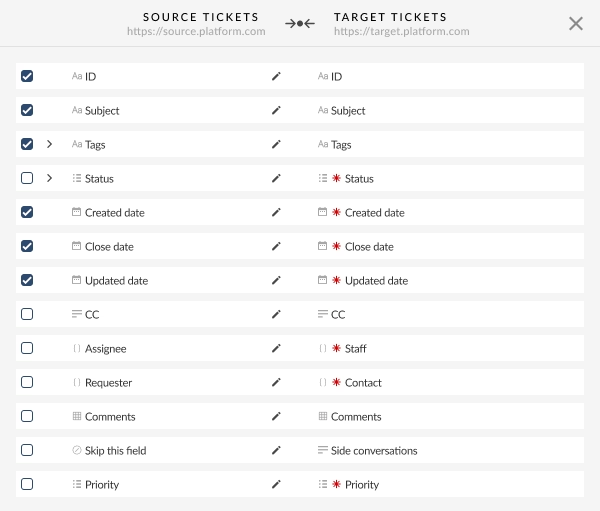
Match each Zendesk field to its Freshdesk counterpart, and flag whatever's custom.
Configure settings
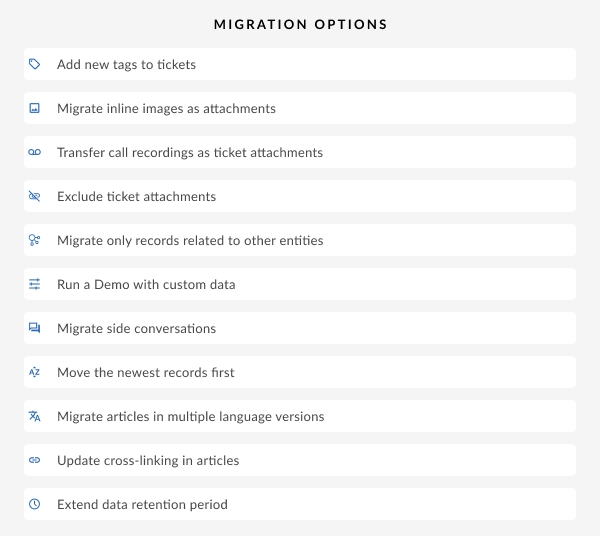
Select migration options for tags, attachments, or custom fields.
Run a free test
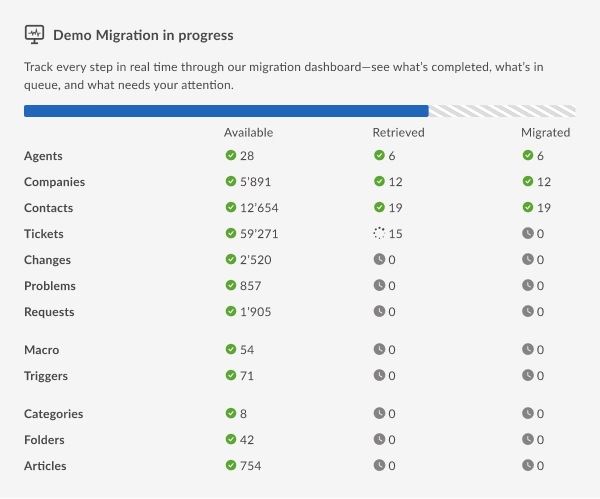
Launch a demo migration to transfer 20 sample records instantly.
Start the Full migration
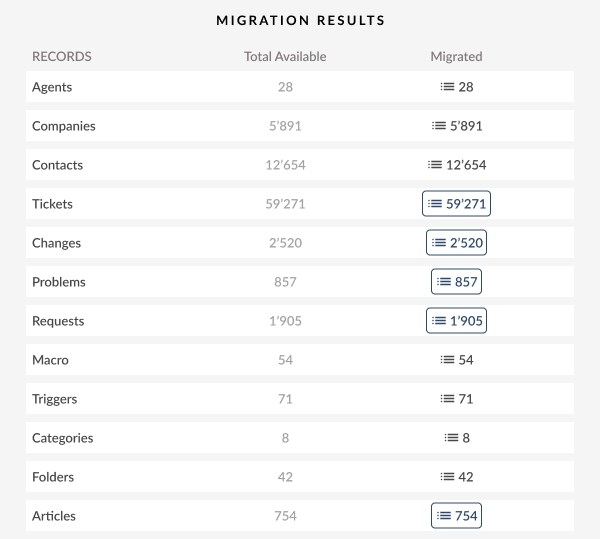
Tickets, contacts, attachments, and everything connected move together in one automated pass. Agents keep working in Zendesk while data moves in the background.
What moves automatically vs. what you'll rebuild
Some Zendesk features have a clean Freshdesk equivalent, and your data walks right into it. Others don't, and you'll spend an afternoon rebuilding them by hand. Here is how core objects translate across platforms:
| Zendesk feature | Freshdesk equivalent | Status |
|---|---|---|
| Tickets, Comments & Notes | Tickets & Private Notes | Migrates automatically |
| Contacts & Organizations | Contacts & Companies | Migrates automatically |
| Knowledge Base (Zendesk Guide) | Knowledge Base (Freshdesk Solutions) | Migrates automatically |
| Custom Ticket Fields | Custom Ticket Fields | Automatic Mapping |
| Tags & Categories | Tags & Categories | Migrates automatically |
| Triggers & Automations | Automations | Rebuild manually |
| Macros | Canned responses | Rebuild manually |
| SLA Policies | SLA Policies | Manual Rebuild |
| Explore reports | Freshdesk Analytics | Rebuild manually |
| Sunshine custom objects | No equivalent | Does not transfer |
Why some things can't move
Triggers, macros, and Explore reports are configuration, not data. That's true on Zendesk, it's true on Freshdesk, and no migration tool, Help Desk Migration included, can move a setting the way it moves a record.
Curious exactly what each platform tracks? The Zendesk migration guide and the Freshdesk migration guide both list every field, side by side.
Budget a day or two
Set aside a day or two to rebuild your most important triggers as Freshdesk automations before you go live.
Sunshine: export first
Sunshine custom objects are the one place where the answer is simply no. If your team built workflows on top of Sunshine, export that data on your own before the migration starts, because there's nowhere for it to land in Freshdesk.
Why teams leave Zendesk for Freshdesk
A head-to-head Freshdesk vs Zendesk assessment reveals clear benefits for cost-conscious teams.
Lower total cost per agent
Zendesk's pricing per agent climbs fast the moment you add Explore, Sunshine, or move up a support tier. Freshdesk folds more of that into its base plans from the start, which is why teams that switch usually end up paying less per agent for the same coverage.
Faster time to value, simpler admin
Freshdesk doesn't need a certified admin to configure. Agents start working within days, not weeks, because Freshdesk skips the deep configuration layers that make Zendesk powerful, and often more than most teams need.
Right-sized for your team, not overbuilt
If you're not running multiple brands across a dozen channels with a custom app layer, you're paying for capacity you'll never touch. Freshdesk covers the essentials, ticketing, automations, a knowledge base, and reporting, without the enterprise price tag.

UrbanYou moves 200,000+ tickets off Zendesk
UrbanYou runs a home services platform, and by the time they decided to leave Zendesk, they'd built up a support history most teams would find intimidating: over 200,000 tickets.
“Migrating our Zendesk data with Help Desk Migration was an absolutely seamless experience. We had a very complex case because we had over 200,000 tickets, and Help Desk Migration just made it much easier.”
 Noga Edelstein, Co-founder, UrbanYou
No downtime. No lost tickets. No weekend spent cleaning up a botched import. That's the whole point of doing this right.
Zendesk to Freshdesk migration pricing
Here's how Help Desk Migration prices a Zendesk to Freshdesk migration: by the records you actually move, tickets, contacts, organizations, agents, and knowledge base articles. No flat fee. No charge for the features you decide to skip. And the more you migrate, the lower your cost per record gets.
1Free Demo Migration
Test 20 sample records at zero cost.
2Full Migration
Calculate exact costs based on total tickets, contacts, and articles.
Skip the guesswork. Run a free demo migration and get a real number based on your own data.
Migration options: delta migration, custom field mapping, scheduling
Every migration has its own quirks, so Help Desk Migration builds in the flexibility to handle them:
Delta migration
Zendesk to Freshdesk delta migration keeps syncing any tickets created or updated in Zendesk after your Full migration wraps.
Learn moreCustom field mapping
Custom field mapping handles nonstandard Zendesk fields, whether that means merging a few into one Freshdesk field or storing the leftovers as tags.
Learn moreInterval migration
Interval migration breaks a big transfer into up to five scheduled pauses, so your team is never locked out mid-move.
Learn moreContent translations
Content translations carry every language version of your knowledge base articles along with you.
Learn moreSide conversations
Side conversation migration brings Zendesk side conversations over as private comments in Freshdesk.
Learn moreCall recordings
Call recording migration moves your recordings along as ticket attachments.
Learn moreCustom demo migration
A custom demo migration lets you pick 20 specific records and preview exactly how they'll look before you commit to the Full run.
Learn moreMigration requirements and limitations
Prerequisites
2Get Zendesk admin credentials and a Freshdesk API key.
Deactivate required ticket fields in Freshdesk during import. Otherwise, API validation errors block records from coming in.
Doesn't transfer
3Triggers, macros, SLA rules, and Explore reports don't transfer. They're configuration, not data, so rebuild them manually in Freshdesk before go-live.
Inline images don't transfer by default. Request the option to migrate them as attachments, or they stay in Zendesk.
Sunshine custom objects have no Freshdesk destination. Export that data yourself before migration starts.
Good to know
2API limits affect speed, not accuracy. Both platforms cap API calls; record volume and attachment size matter more than either limit.
Skipping attachments speeds things up. If Freshdesk storage is tight, leave them out. Your Zendesk account stays intact as a backup either way.
Why choose Help Desk Migration for Zendesk to Freshdesk
Every Zendesk to Freshdesk migration tool comparison boils down to the same four questions: what it means for IT, for budget, for your agents, and for CX.
IT Admins: relief from complexity
You didn't sign up to hand-build CSV exports. Help Desk Migration connects to both platforms over API and handles the field mapping, so you're not reverse engineering Zendesk's data model on your own time.
Support Agents: faster onboarding
Your team walks into Freshdesk and picks up where they left off. Tickets, statuses, and priorities all land intact, and the most recent conversations migrate first, so your agents stay productive from day one.
Support Agents: faster onboarding
Your team walks into Freshdesk and picks up where they left off. Tickets, statuses, and priorities all land intact, and the most recent conversations migrate first, so your agents stay productive from day one.
CX Leaders: simpler day to day workflows
Freshdesk automations do the same job Zendesk's triggers used to do, minus the configuration overhead. Your team spends less time babysitting the tool and more time actually helping customers.
Data security during migration
Help Desk Migration encrypts your data in transit and at rest, and every migration requires two-factor authentication before it starts. Only an admin on your team can kick it off.
Help Desk Migration also complies with GDPR and CCPA, and holds SOC 2 certification. Read the full security policy.
Once your migration wraps, Help Desk Migration permanently deletes your Zendesk export files from its servers. Nothing lingers.
Think of security here as three layers, not one:
Against everything else
Limit who can touch your data
At the data center

Get the Zendesk to Freshdesk migration checklist
Want the whole thing on one page you can hand to your team? Download the checklist and walk through every step before anyone touches a ticket.
FAQs: Zendesk to Freshdesk migration
Start with a plan, connect Zendesk and Freshdesk through Help Desk Migration, map your fields, and run a free demo before you launch the Full transfer.
You've really got three options. Freshdesk's native importer handles basic CSV data. A manual API build works if you've got engineering time to spend. Or you use an automated tool like Help Desk Migration that handles tickets, attachments, and your knowledge base in one pass. Past a handful of records, the automated route is faster and more accurate than the other two.
For most teams, yes. Freshdesk bundles more functionality into its base plans per agent, so teams that switch usually see their per agent cost go down. How much depends on your current Zendesk tier and whatever add-ons you're paying for.
None of them transfer automatically. Triggers become Freshdesk automations, macros become canned responses, and you'll rebuild SLA policies with Freshdesk's own SLA tools. Give yourself time to recreate the rules that matter most before go-live.
No, on both counts. You rebuild your Explore reports in Freshdesk Analytics, and Sunshine custom objects simply have no home in Freshdesk. If that data matters to you, export it separately before you start.
Most teams are done in under two weeks. Your timeline depends on how much data you're moving, how many attachments come with it, and the API limits on both platforms.
Yes. You can run a Zendesk to Freshdesk demo migration as many times as needed to preview your mapped data.
No. Migration only adds new records, and it won't touch anything already sitting in your Freshdesk account.
You'll rebuild triggers, macros, SLA policies, and Explore reports once you're in Freshdesk. Sunshine custom objects don't transfer at all. Everything else, tickets, contacts, organizations, and your whole knowledge base, moves on its own.

Your next renewal doesn’t have to hurt. Start your Zendesk to Freshdesk migration today
Ready to leave Zendesk behind? Use this Zendesk to Freshdesk migration guide to launch your transfer.
Looking to scale up to enterprise complexity instead? Check out our Freshdesk to Zendesk migration guide.
Zendesk and Freshdesk are registered trademarks of their respective owners. Help Desk Migration is not affiliated with, sponsored by, or endorsed by Zendesk, Inc. or Freshworks, Inc.