eGain Migration Guide
How can I get the Auth URL, Access Token URL?
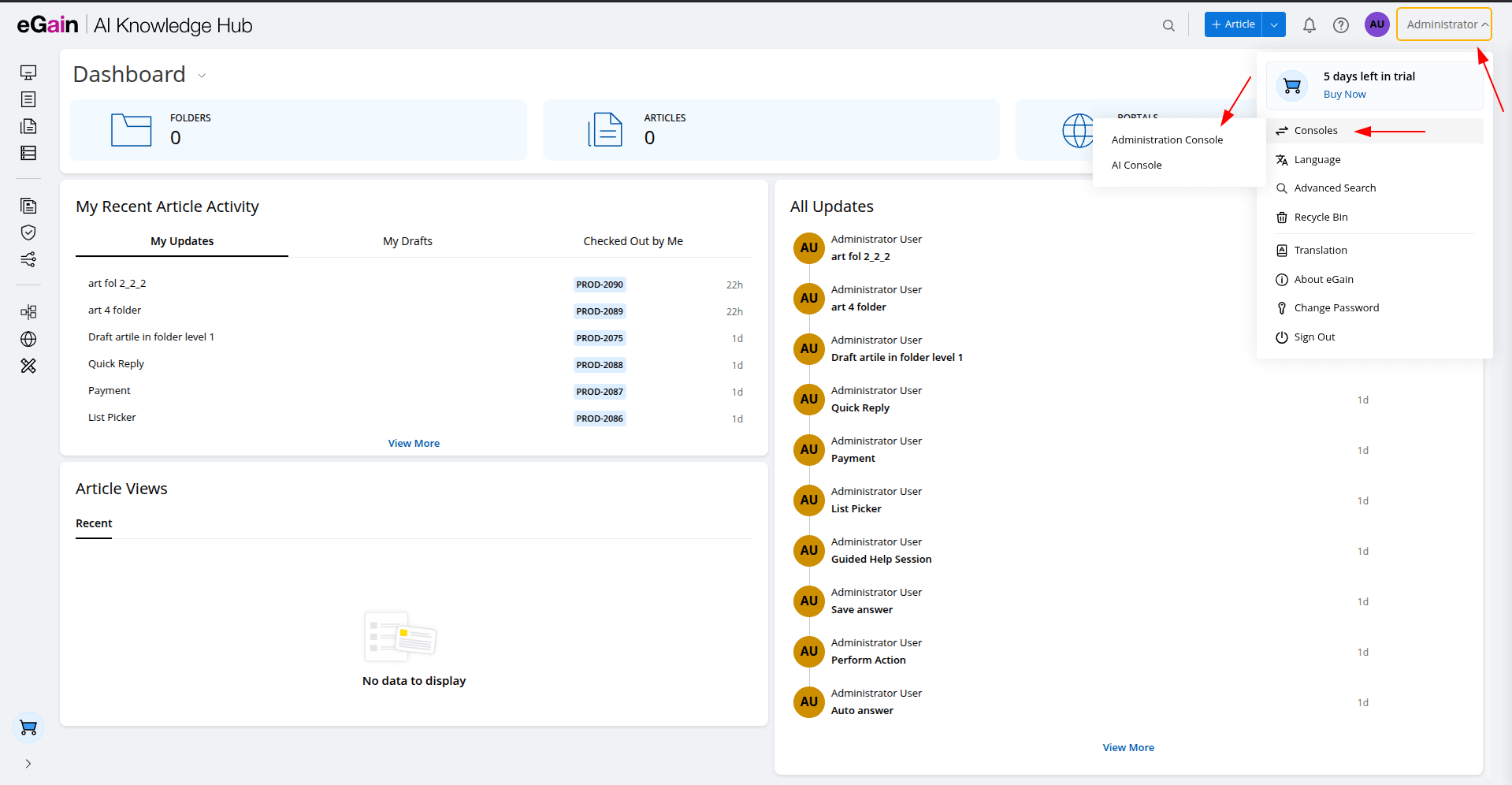
1. Click the Profile icon → Consoles → Administration Console.
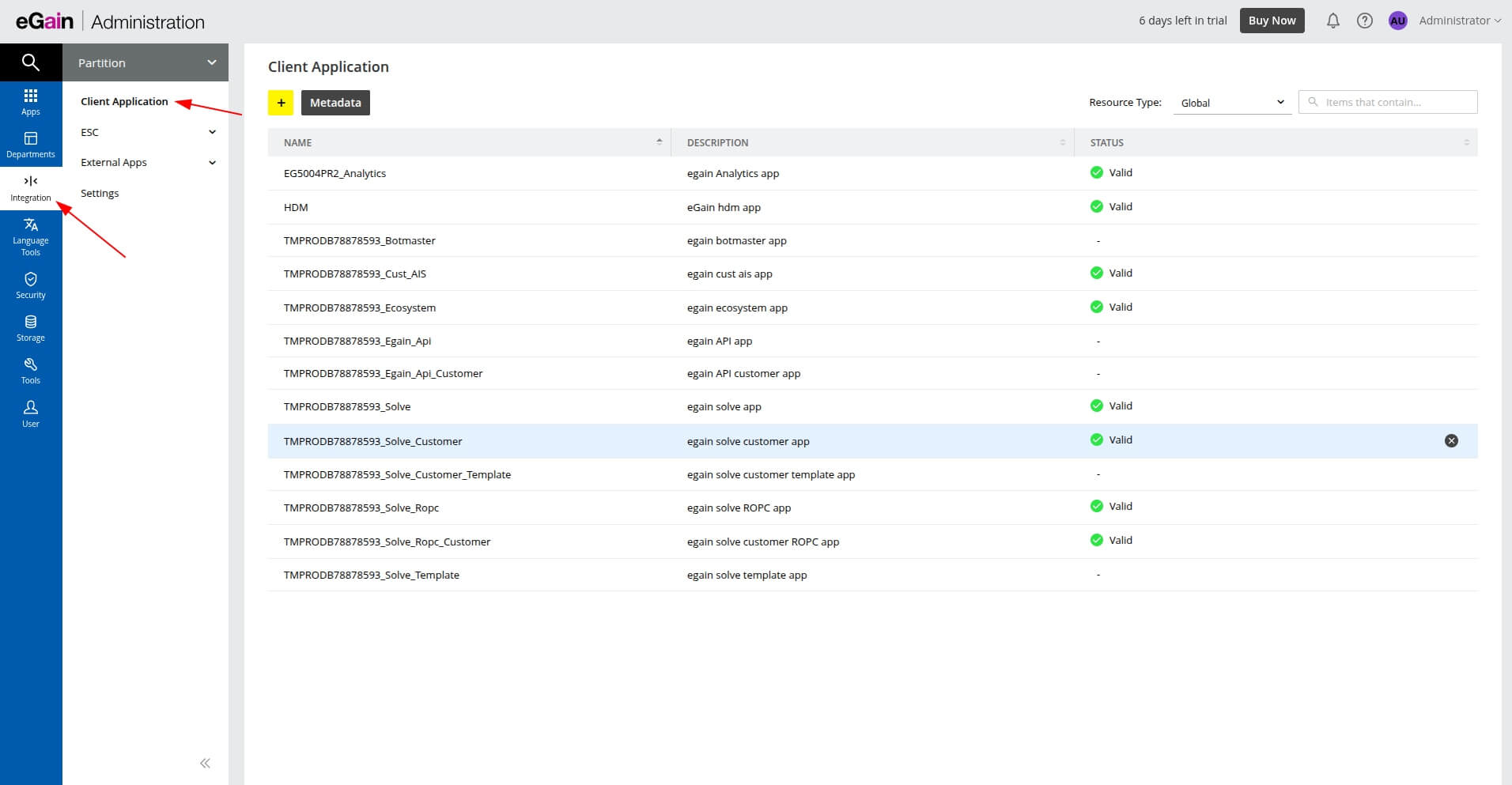
2. In the left-side menu, open the Partition drop-down.

3. Select Client Application, then click the Integration button in the sidebar.
How to find the Auth URL and Access Token URL?
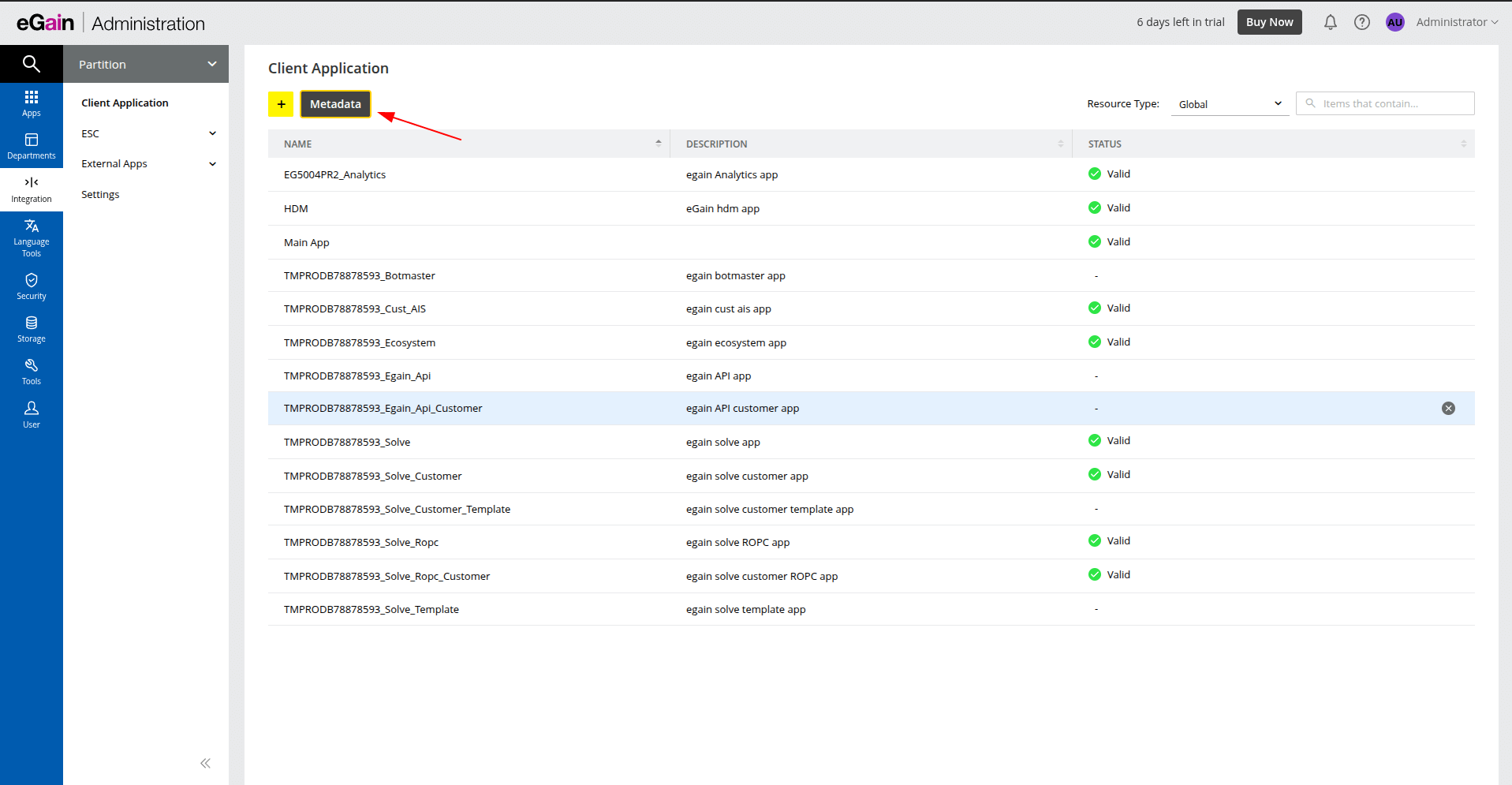
1. Click the Metadata button.
2. In the modal window, locate the User Actor section.

3. Copy the Auth URL and Auth Access Token values.
How can I get the Client ID and Client Secret?
1. Click the Add (+) button.
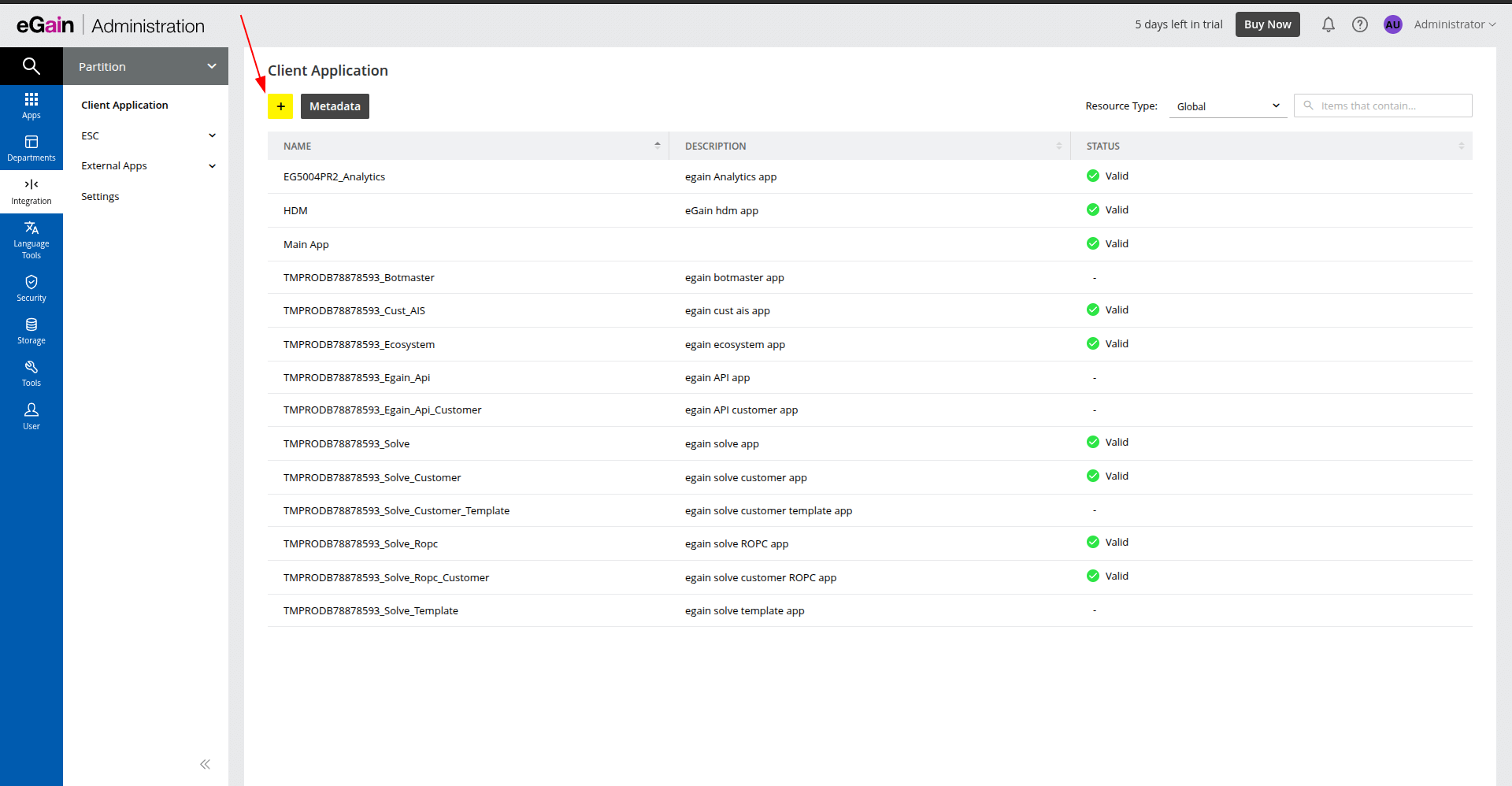
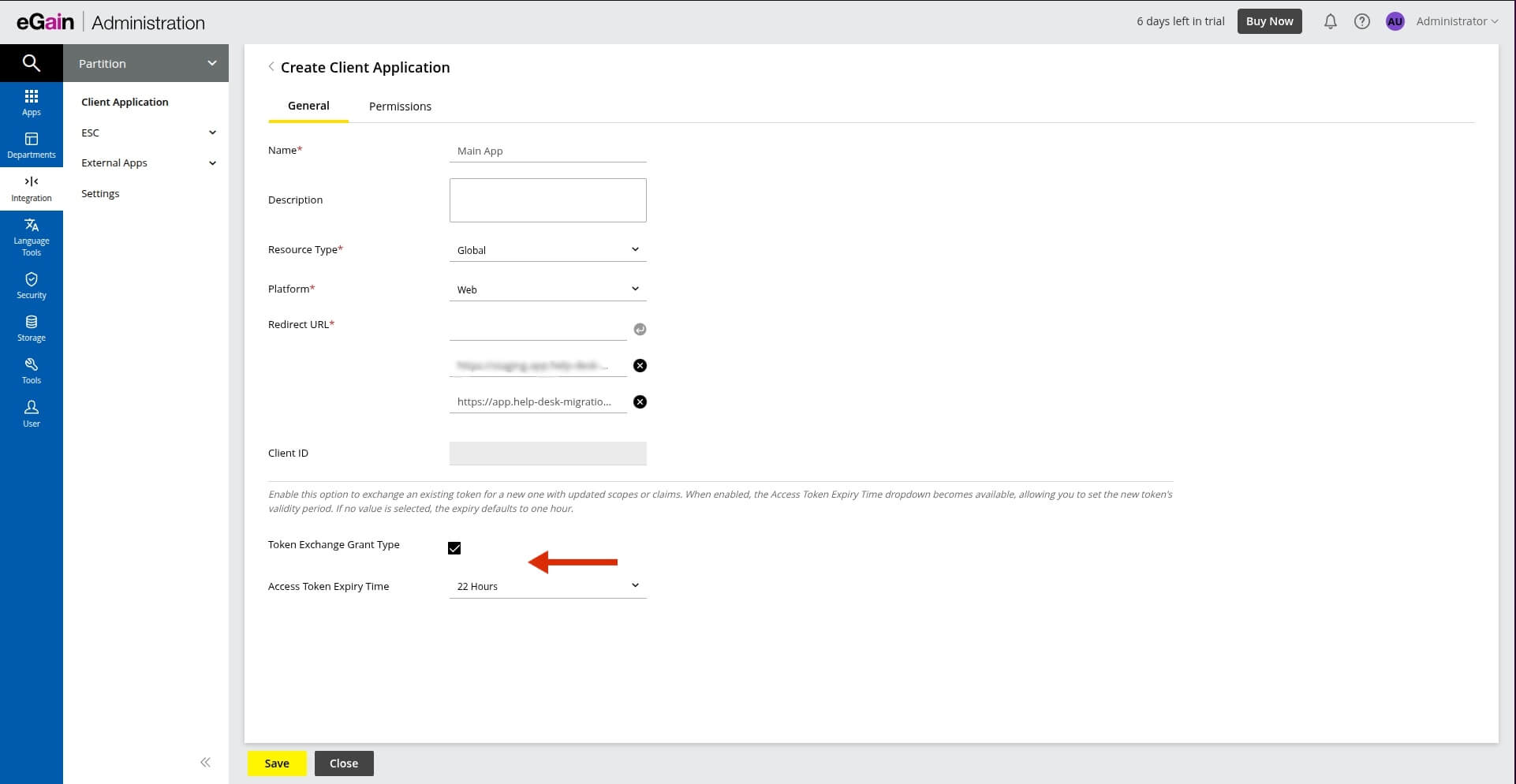
2. Fill in the required fields:
- Resource Type: GlobalPlatform
- WebRedirect URL: add the following URL:
https://app.help-desk-migration.com/migration/oauth
3. Enable the Token Exchange Grant Type checkbox and set Access Token Expiry Time to the maximum value (22 hours).
4. After completing step 3, a Secret section will appear. Click Add (+) in the right corner.
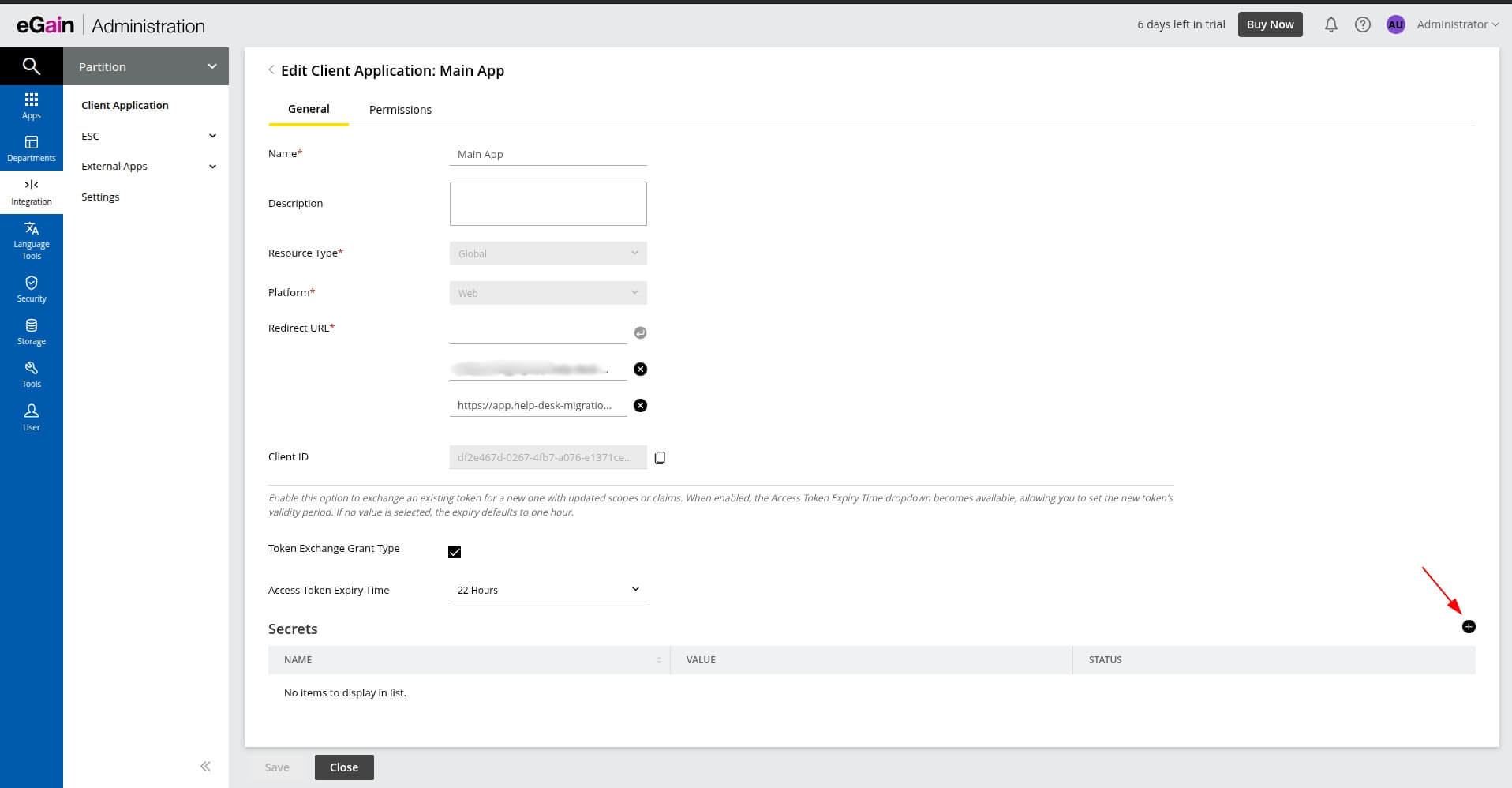
5. In the modal window, fill in the required fields and set Status to On.

6. Copy the Client Secret and Client ID.

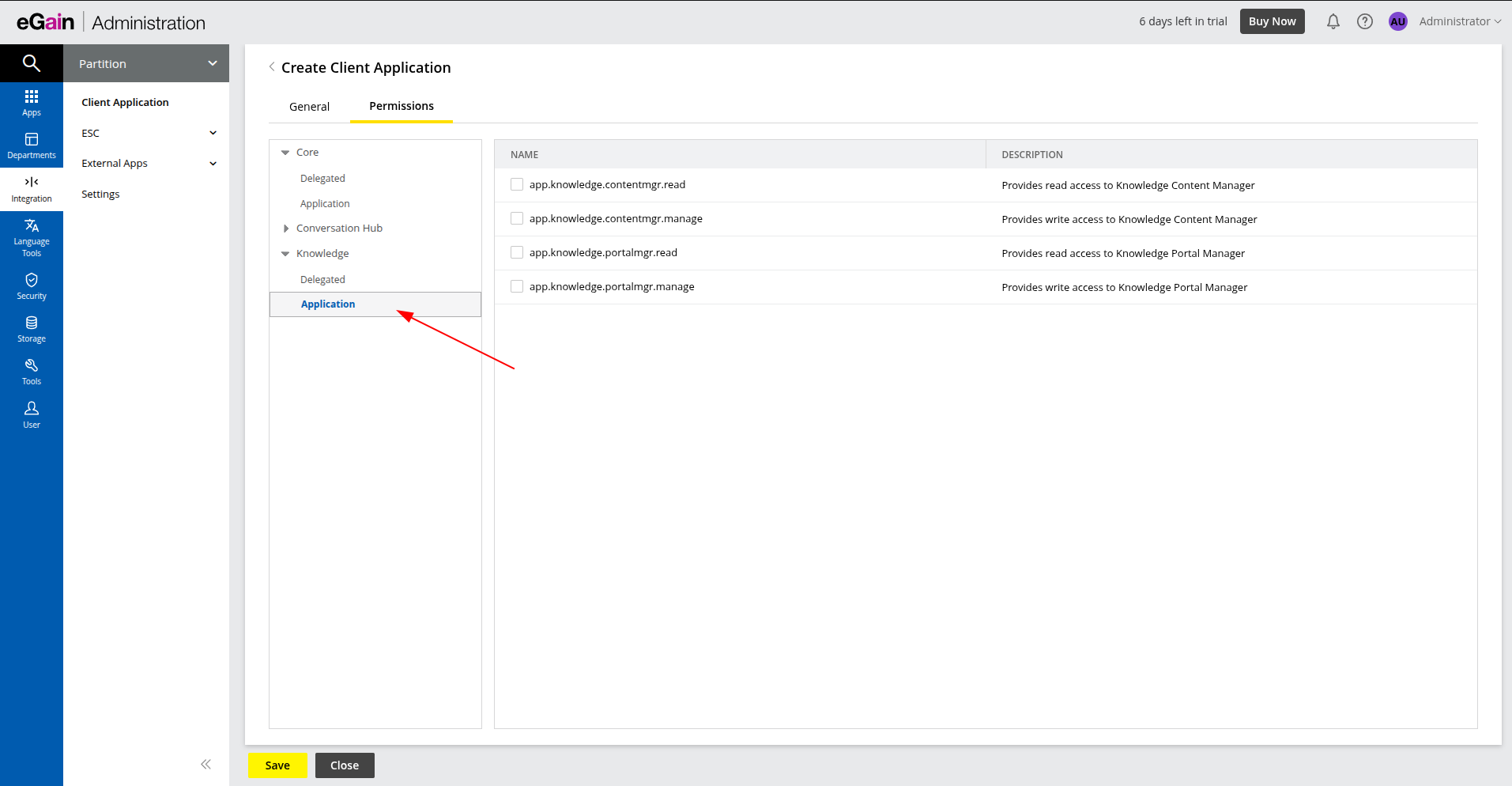
7. Go to the Permission tab.
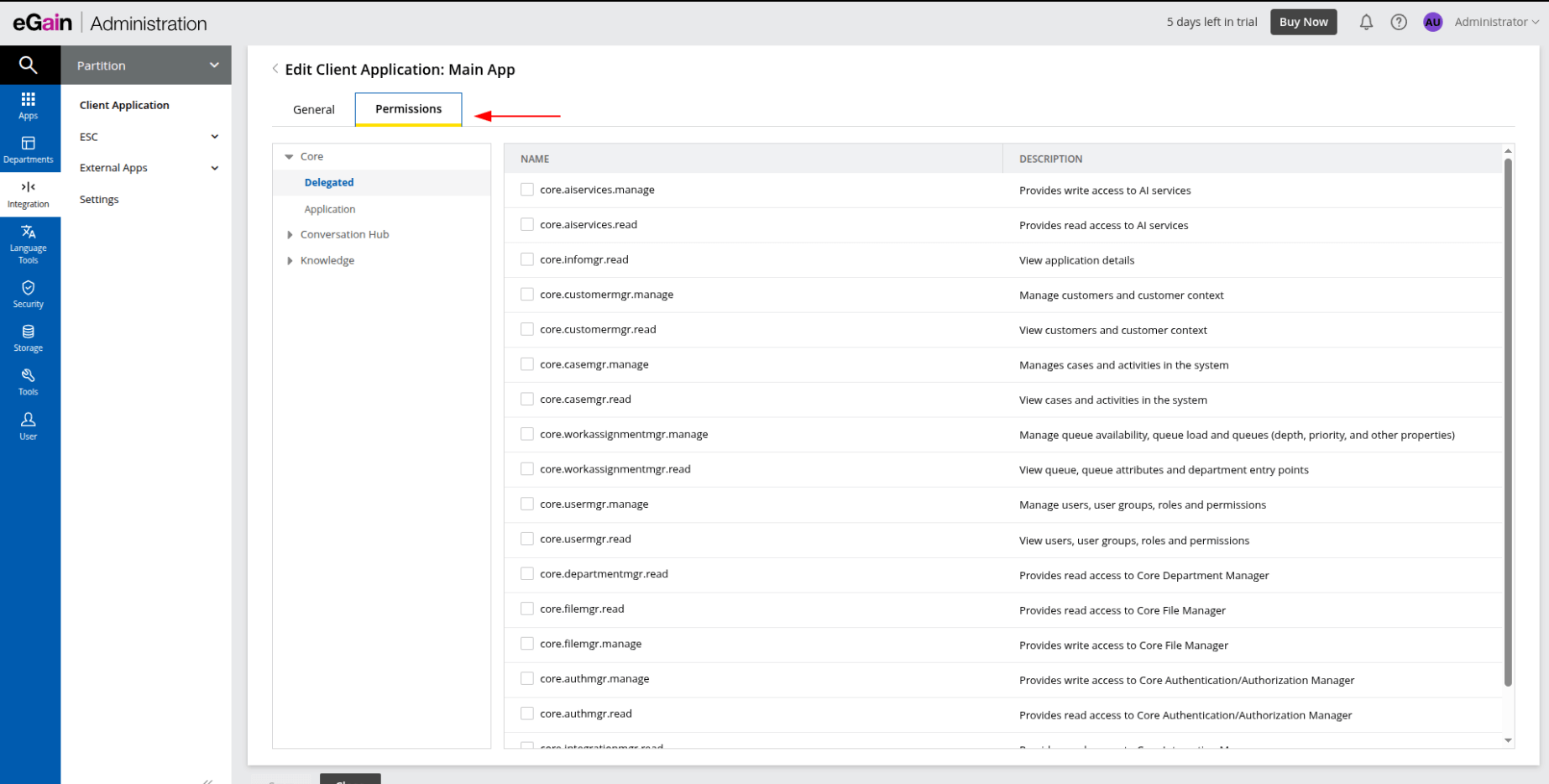
8. Open the Knowledge dropdown section, switch to the Delegated tab, and enable all available checkboxes.
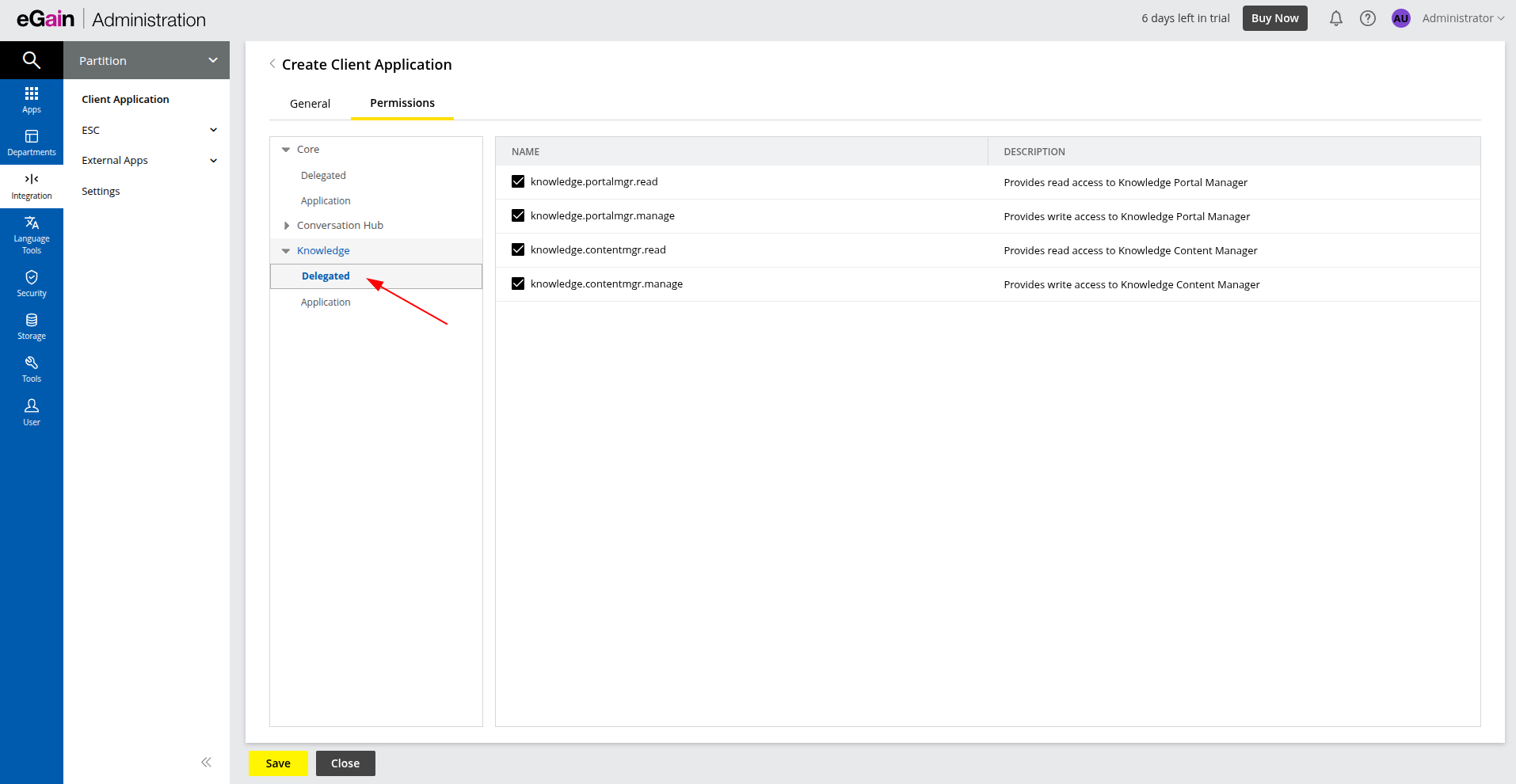
9. Repeat the same steps under the Application tab.