Drift Migration Guides
How to Connect the Drift Platform to Help Desk Migration Wizard
To connect Drift as a Source in the , you need to create a private Drift app and generate an API access token with the required permission scopes.
How to Create a Drift App?
1. Log in to your Drift account.
2. Go to https://dev.drift.com
3. Under Your Apps, click Build Your App.
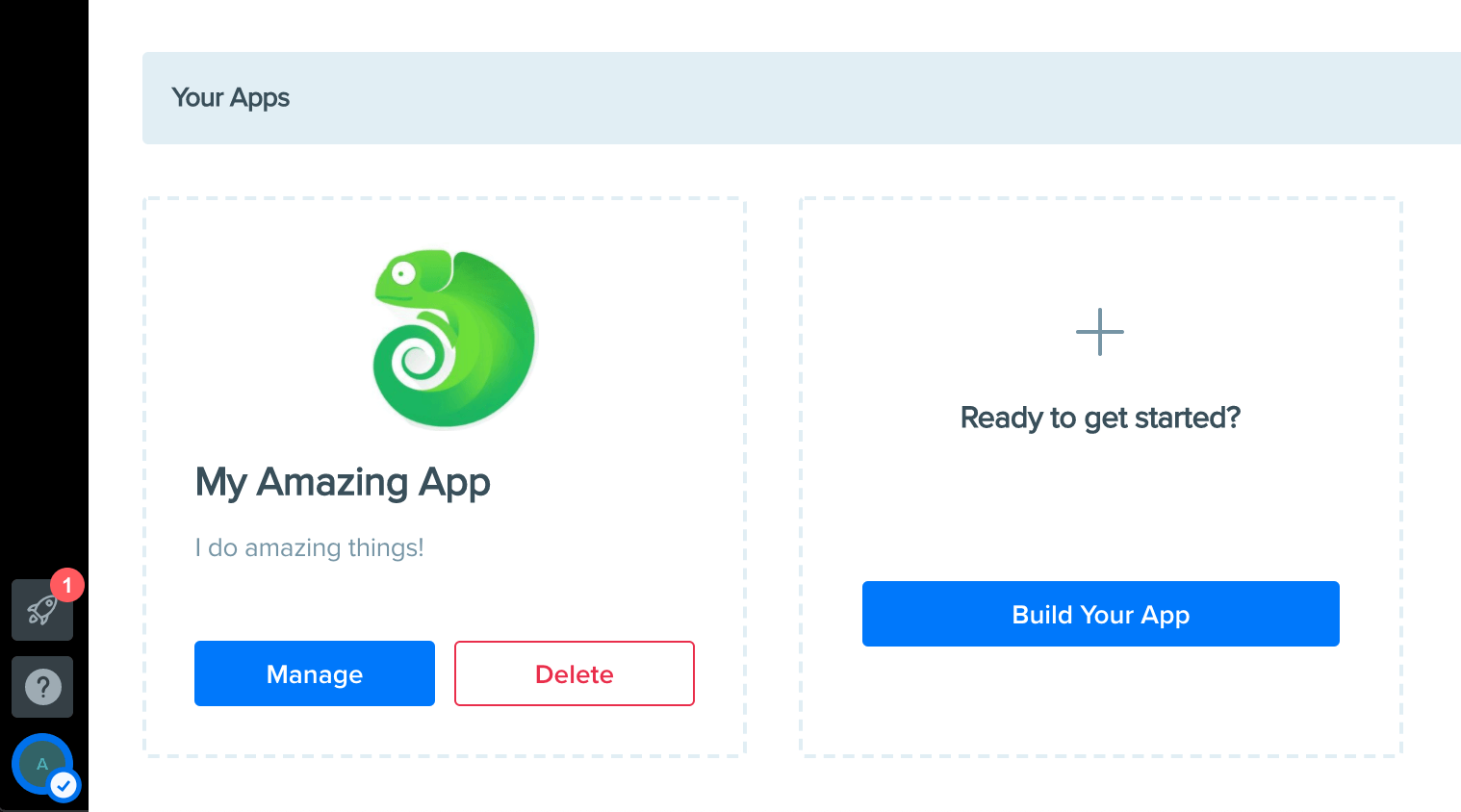
Enter the application details:
- App Name
- Description (optional)
- Icon (optional)
5. Save the application.
How to Configure Required Permission Scopes?
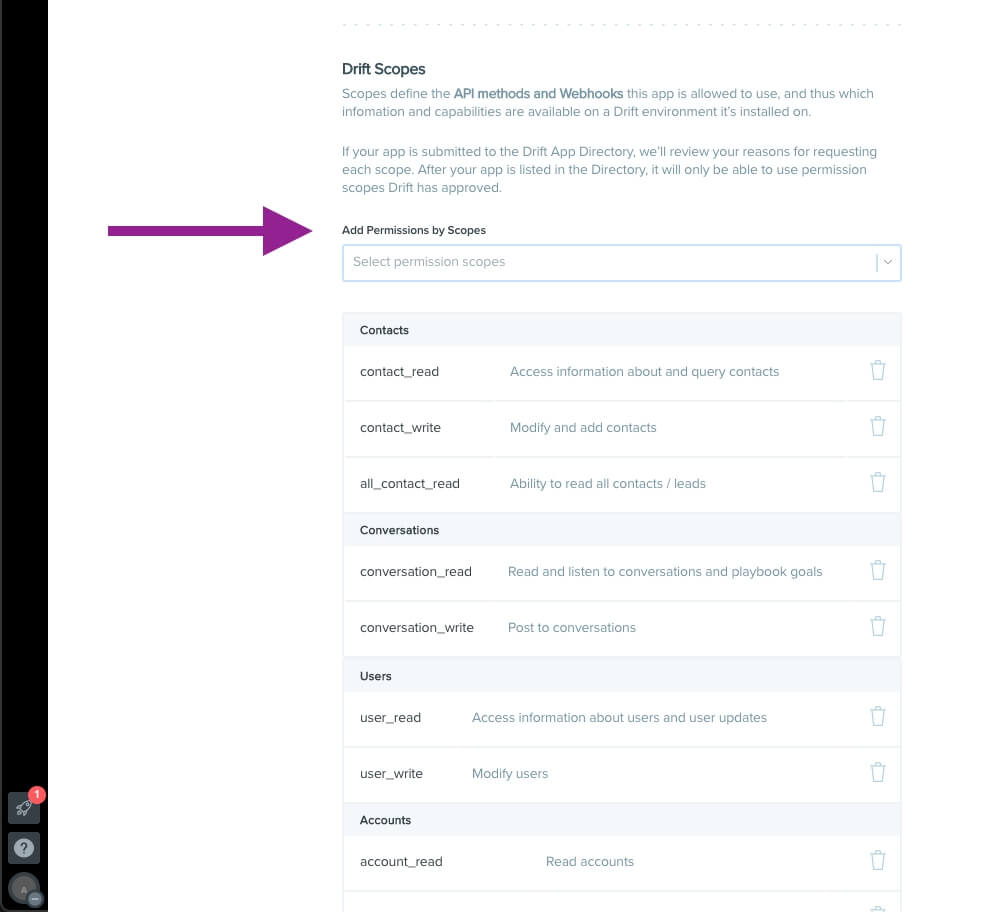
1. Open your newly created app.
2. Navigate to OAuth & Permissions.
3. Scroll down to the Permission Scopes section.
4. Add the following scopes:
- conversation_read
- all_contact_read
- user_read
These permissions allow the Help Desk Migration tool to access conversations, contacts, and user information required for the migration.
How to Install the App?
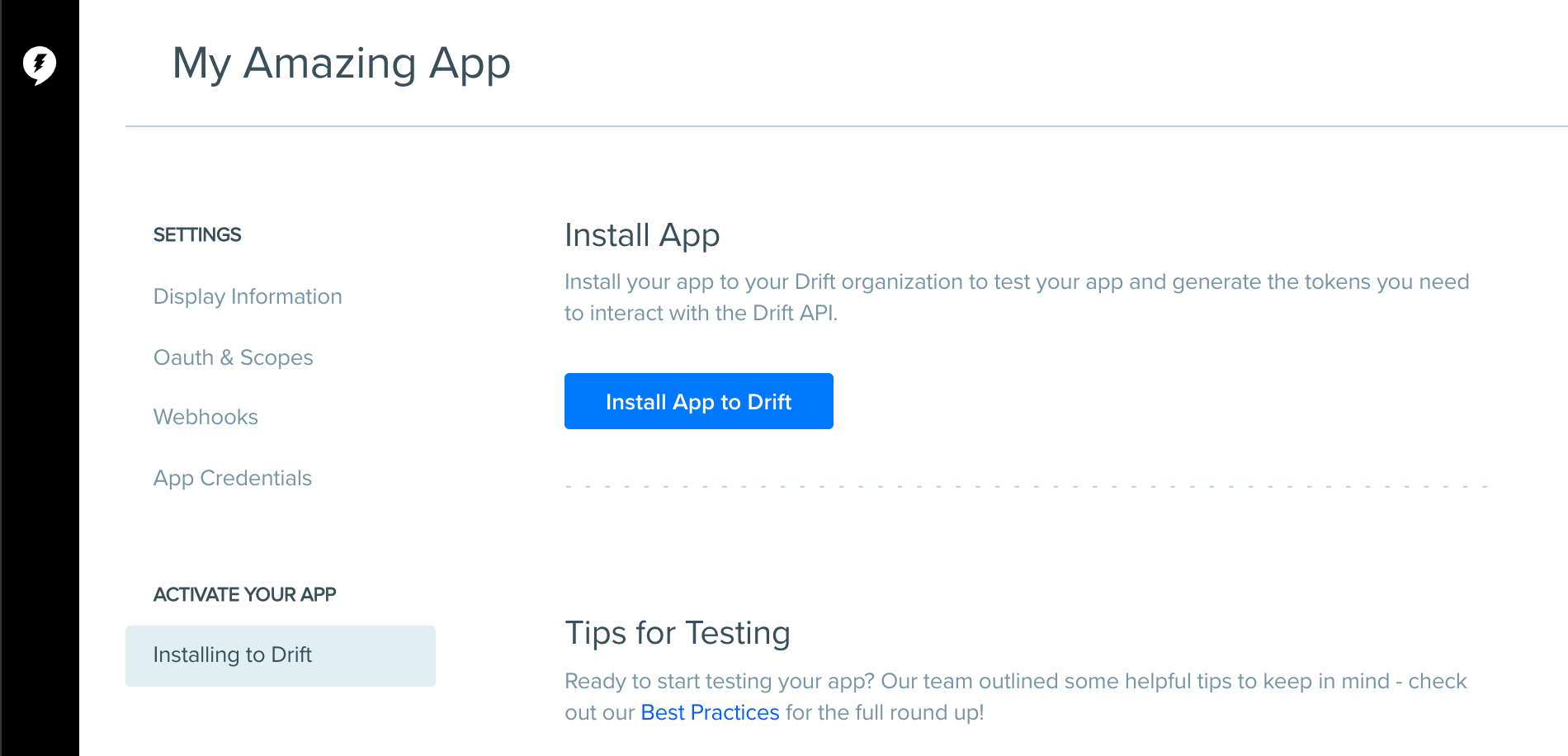
1. Open the Activate Your App section.
2. Click Install App to Drift.
3. Drift will generate a permanent access token for your account.
How to Copy the Access Token?
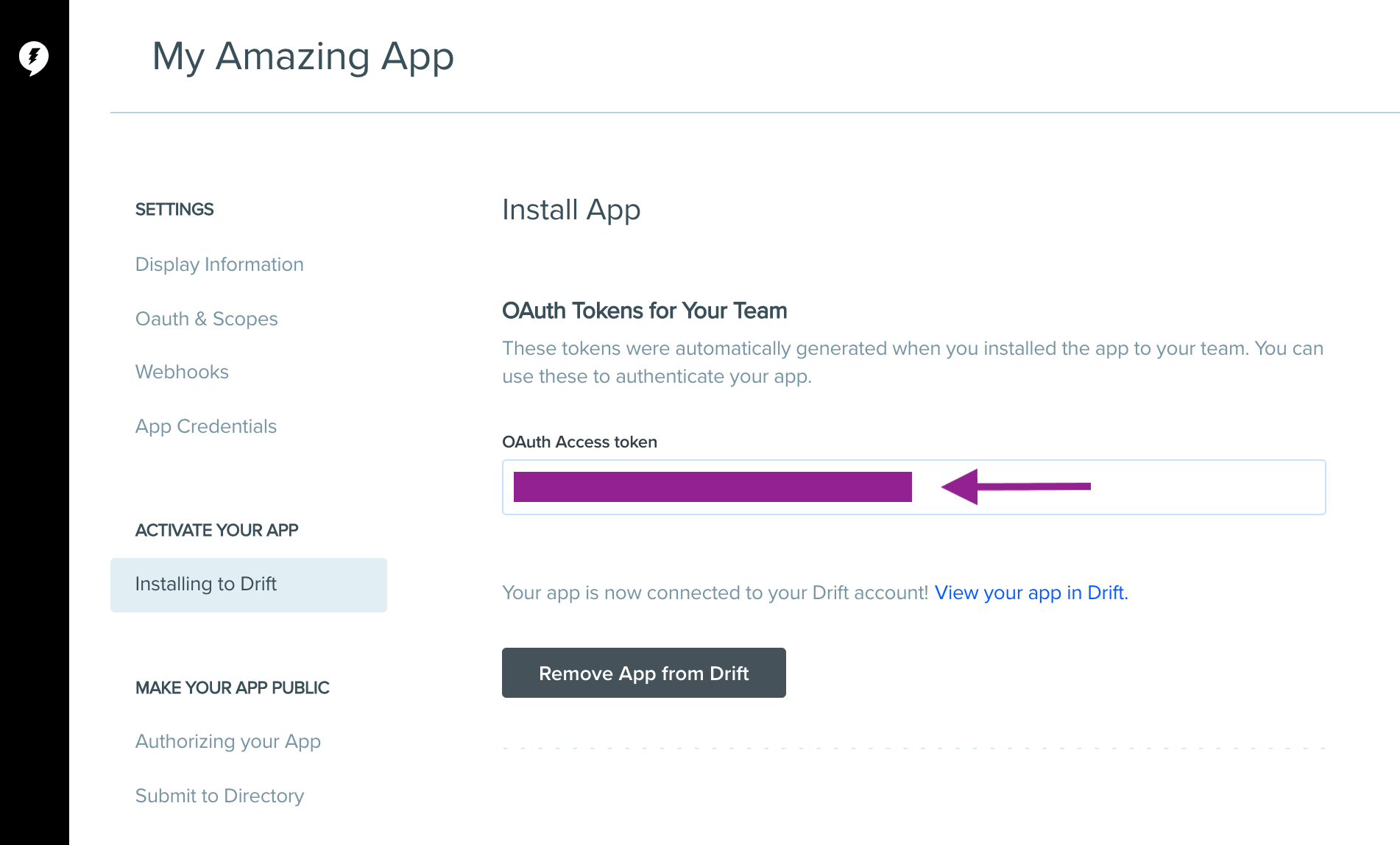
1. After installation, copy the generated token.
2. Store it securely.
3. Use this token when configuring your Drift migration.
The token is used as a Bearer Token and grants access according to the permission scopes assigned to the app.
Once you've generated the access token, enter it in the Drift connection settings to proceed with your migration.
Looking for more data migration details?