Help Desk Migration — Pylon data import solution for your B2B needs
Switching to Pylon should boost your B2B support, not pause it. Move tickets, agents, clients, and your knowledge base articles without manual work or downtime. No engineering hours wasted, no data left behind.
See how your real data moves before committing to anything.
No credit card required Fast setup
Interactive Migration Calculator
Adjust sliders to estimate your migration time and cost savings
Estimates based on 60,000+ successful migrations. Actual results may vary.
What data can be migrated to Pylon
HELP DESK
Agents Migration
With Help Desk Migration, you can map agents from your source platform to users in Pylon and vice versa to control how tickets are assigned after migration. You can map multiple agents to a single one.
Deleted and inactive agents
You can reassign tickets from deleted or inactive agents to active users on the target platform.
Account Fields:
- Name
- Domains
- Tags
-
- String custom fields
- Boolean custom fields
- Dates custom fields
- Number custom fields
- Select custom fields
- Multi-select custom fields
- Checkbox custom fields
Customer Fields:
- Name
- Company
-
- String custom fields
- Boolean custom fields
- Dates custom fields
- Number custom fields
Ticket Fields:
- Subject
- Tags
- Accounts
- Teams
- Status
- Assignee
- Contact
-
- Comment author
- Comment privacy
- Comment publicity
- Comment body
- Comment attachments
- Comment recording
- Comment created date
-
- String custom fields
- Boolean custom fields
- Dates custom fields
- Number custom fields
- Select custom fields
- Multi-select custom fields
KNOWLEDGE BASE
Collection Fields:
- Name
- Description
Sub-collection Fields:
- Name
- Position
- Category
- Parent
Article Fields:
- Title
- Body
- Author
- Folder
- Parent
- Status
- Redirects
- Attachments
-
- Title
- Body
- Redirects
- Attachments
- Languages
CUSTOM OBJECTS
Custom objects migration
Move non-standard data — like assets, warranties, and more — from Pylon with full structure and relationships intact.
Migration tool
Rely on our smart, reliable migration tool to handle complex Pylon custom object transfers with ease.
Outsource migration
Let our experts handle the heavy lifting — perfect for complex or large-scale Pylon migrations.
Buy migration
Get one-time, done-for-you Pylon custom object migration — no subscriptions, no recurring fees.
Enterprise-Grade Support
Custom object migration backed by professional services, data validation, and expert consulting.
Why use Help Desk Migration for Pylon data import
Automated migration timeline for your Pylon data import
Connect your Source and Target
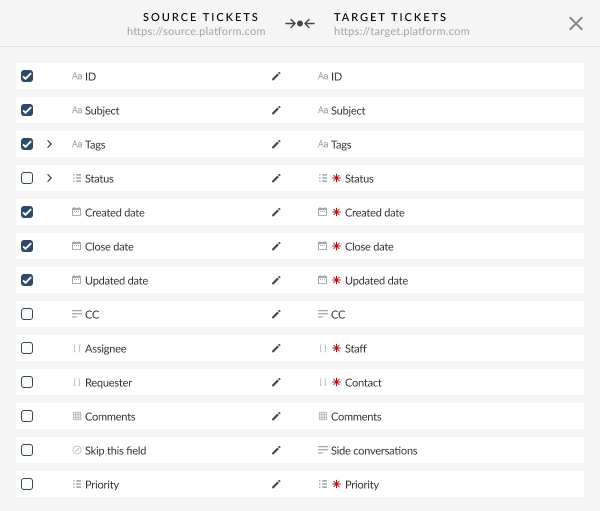
Match and map your data
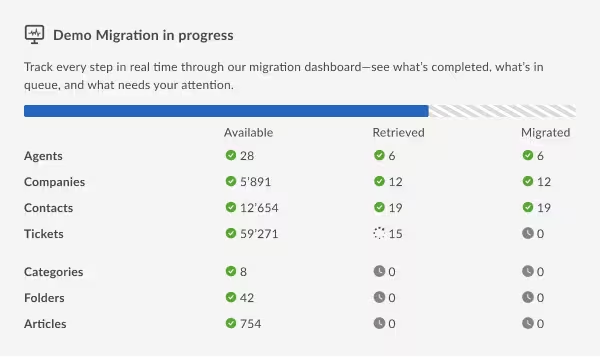
Run a Free Demo
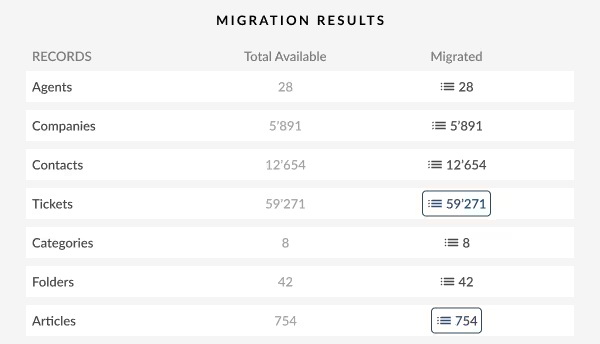
Review your demo results
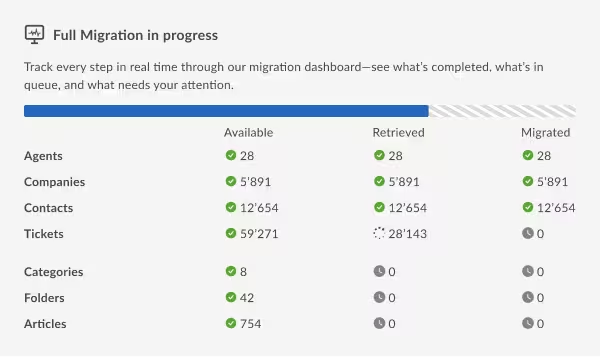
Start the Full Migration
Special features
Delta migration
Sync only data that changed after your main import is completed. Keep Pylon updated while teams continue working in the source platform, without duplication. A practical safety net for B2B support orgs managing live accounts during transition.
Interval migration
Split the Pylon data import into scheduled cycles that run between peak hours. Maintain steady support SLAs while transferring data in controlled batches. This is especially helpful for B2B companies coordinating global teams, uptime commitments, and phased rollouts.
Customizations
Adjust Pylon data import to your support setup: filter records, extend data retention periods, import additional records as tickets, migrate field values as tags, and beyond. Tailored imports let B2B teams match Pylon to their actual structure, not the other way around.
How much does it cost to import data to Pylon?
With Help Desk Migration, you only pay for what you use — and you always know the price before importing your data into Pylon.
The cost of Pylon data import depends on:
- Your record volume (attachments, comments, and notes don’t affect the price)
- Optional pre-built automated enhancements, such as skipping attachments, moving inline images, tagging migrated records, etc.
- Optional service package for hands-on assistance, Interval migration, Delta migration, etc.
- Optional custom work for non-standard data structure.
In straightforward Pylon imports, you usually pay only for the data volume you transfer. Run a to test your migration and get an exact quote.

Import your help desk data to Pylon without migration headaches
Stop dealing with manual exports, CSV cleanup, and guesswork. Move your tickets, clients, agents, and knowledge base into Pylon smoothly — and keep your support running while you do it.